Trusted by teams at









Trusted by teams at
Around every meeting
You do the talking. Leadspicker does the homework, takes the notes, keeps score against your framework and turns every call into coaching.
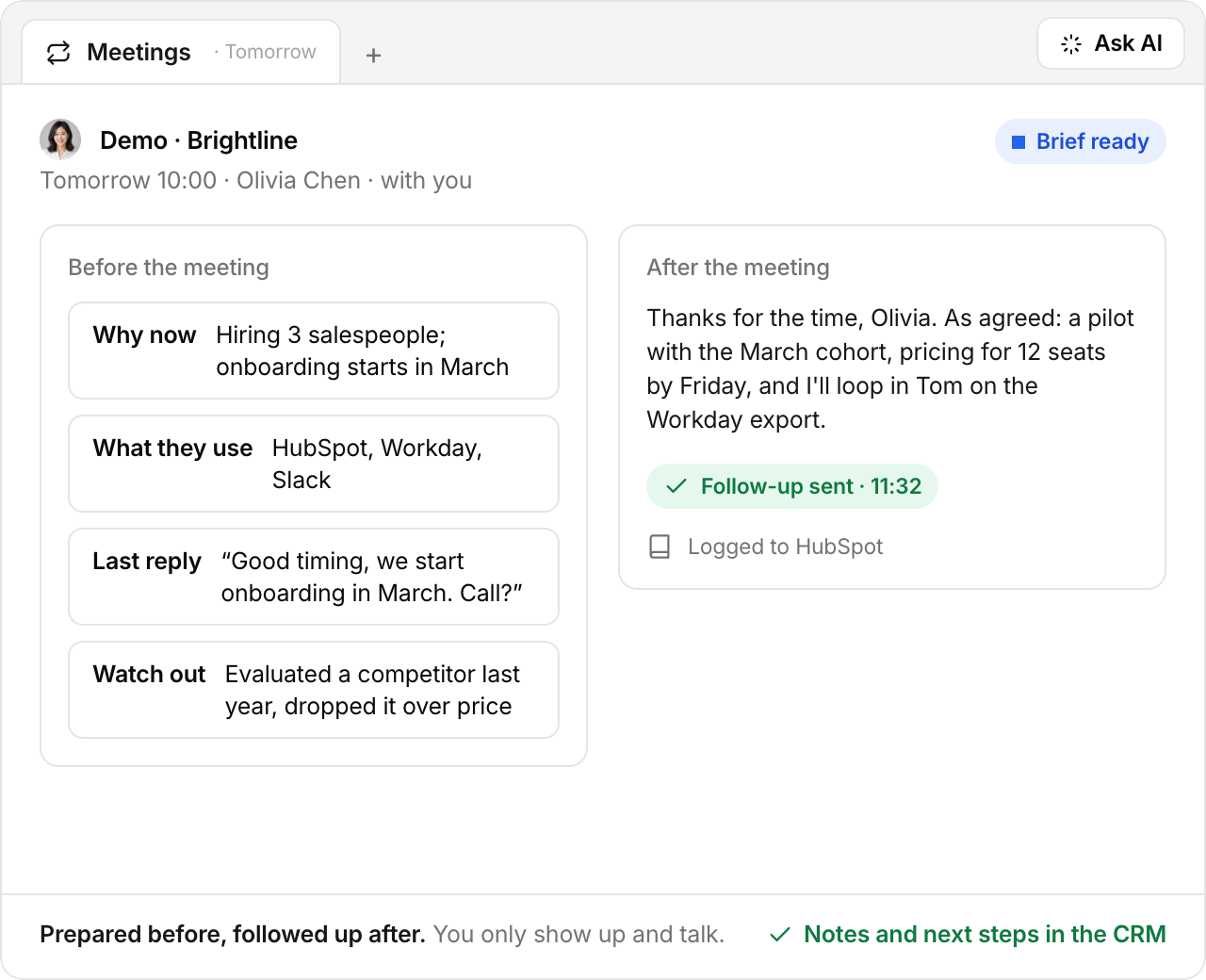
Before the meeting
A brief lands before every meeting: what the company does, who is coming, the tools they use and the signals behind the timing, like hiring, a new funding round, a CRM switch or their last reply. Plus the questions worth asking.
Size, locations, stack, funding and everyone on the invite, pulled from the lead database and their website.
Hiring, funding, tech changes and the conversation so far, so you know why they took the call.
Suggested questions for whatever your framework still needs: need, authority, timeline.
On the call
The Leadspicker agent joins your video call as a visible participant, records it and writes the transcript as you go. It knows your framework, so it ticks off each answer when it comes up and nudges you when budget or a next step is still missing. The hints are for your eyes only.
Every word, searchable, with the moments that matter highlighted.
Need, budget, authority, timeline, source and next step ticked off as they are answered.
A quiet nudge before you wrap up, never a script you have to read.
BANT and MEDDIC
Every recorded call is scored against the framework you sell with. The timeline shows the minute budget, authority, need and timeline came up, where the lead found you, how they buy and whether a next step is booked. Anything missing goes straight into the next brief.
Both supported out of the box. Switch per team or per deal stage.
Source, buying process and the next step sit next to the classic criteria.
What was not covered becomes a question in the brief for the next call.
Coaching
Leadspicker reviews each recording against your playbook: when budget came up, who did the talking, which objections got cut short. Reps get three or four concrete tips instead of a score, managers see who improves on what, and the tips flow into the next brief.
“Ask about budget before minute 10” beats “score 72”.
Talk ratio, questions asked and next steps booked, call after call.
Compared with the calls that turned into deals, so tips focus on what moves your pipeline.
After the meeting
Within minutes of hanging up, the summary, the agreed next step and a follow-up email in your tone are ready. Notes and BANT fields land in your CRM, so nobody types them in again.
Customer stories
Cloud infrastructure · Startup programs

We increased our response rate from 2% to 15%, saved a lot of time, and got to know more startups in an easier and more customized way.
 Ilaria NavoniStartup Program Manager
Events · Innovation & AI conferences

We have received over 1,300 replies, leading to countless meetings and new sponsor deals and also more sales for our seminars and booths for our event.
 Nicole PiccininoChief Operating Officer
Consulting · Learning & development

Currently we are reaching about 30–45% multichannel outreach response rate for signal-based campaigns, which is quite a significant improvement for us.
 Lukáš CypraPartner
SaaS · Document automation & OCR
The fact that we have Leadspicker now makes them just sign up an account and start scraping leads and running sequences immediately. That’s the biggest gain.
 Robert-Jan VerheggenCo-Founder
FAQ
Yes. The agent joins as a visible participant, so everyone can see the call is recorded. You decide which meetings it joins.
BANT and MEDDIC out of the box. Next to them it tracks where the lead came from, how they buy and whether a next step is booked.
No. Hints and the live checklist are only visible to you. The agent suggests, you lead the conversation.
In your CRM: summary, BANT or MEDDIC fields, next step and the follow-up draft. Leadspicker works with HubSpot, Pipedrive, Salesforce, Attio and other CRMs.
Each review is compared with the rep's earlier calls and with the meetings that turned into deals, so the tips focus on what actually moves your pipeline.
Data, sending and agents in one system. Set it up in one sentence and decide how much the agents run on their own. The first replies land this week.
Free to start · No card required · Works with your CRM




