Leadspicker documentation
Leadspicker finds the companies worth contacting, enriches the people inside them and runs the outreach. These pages explain how that works, what each screen does, and how to set up the plays teams run most often.
Start here
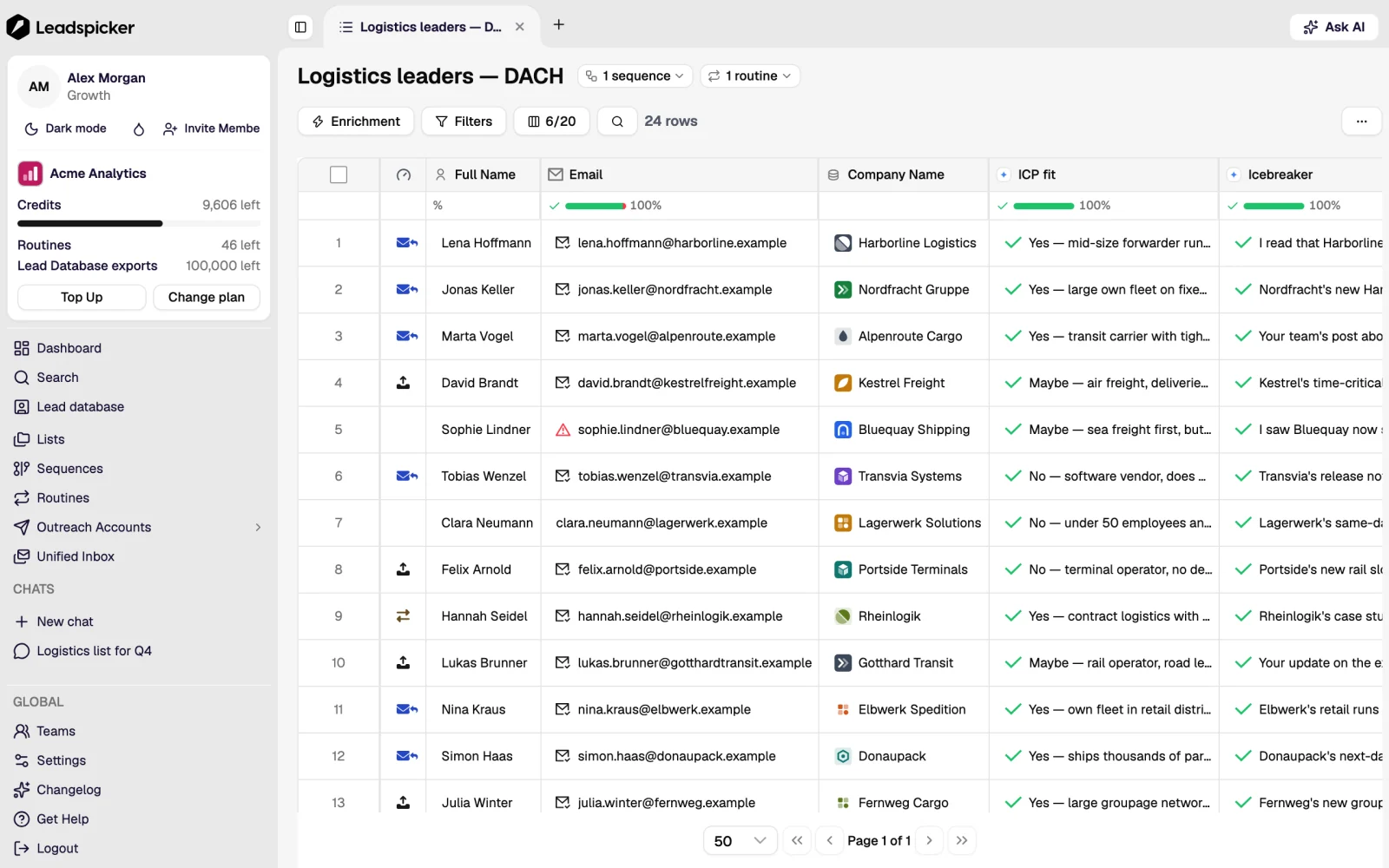
Leadspicker is a sales operating system: one place that covers the deal from the first signal to the renewal, and that learns from every action you take. The Sales OS explains the idea the rest of these pages hang from. Two objects carry everything in Leadspicker. A list holds contacts and their data. A sequence holds outreach steps. Contacts reach a sequence only when a list is connected to it. Read lists and sequences first and the rest of the product follows from it.
Popular pages
- Quickstart: from a new account to a running sequence.
- Connect your outreach accounts: mailboxes and social accounts that send.
- Lists: the table, columns, filters and labels.
- Sequences: steps, follow-ups, scheduling and sending rules.
- Outbound to your ICP: the standard play, end to end.
- How CRM integrations work: sync, field mapping and actions that run a workflow in your CRM.
- AI agents: Leadspicker inside Claude Code, Cursor, Codex and other MCP clients.
- Meetings: prep briefs, recording, transcripts and notes for every call.
Beyond the app
- API and MCP: the REST API is documented on the developer page; Webhooks and API and AI agents cover how to connect, and What is Leadspicker MCP? explains the server.
- Vocabulary: the GTM glossary explains the go-to-market terms used throughout these pages.
- Plans and prices: see pricing. Credit prices come from the rate card inside the app.
- Something missing? The help centre holds the older step-by-step answers while this documentation is completed.
Was this page helpful?
Still stuck? Email support@leadspicker.com or use the chat in the app.
Last updated 2026-11-12




