Enrichment and AI columns
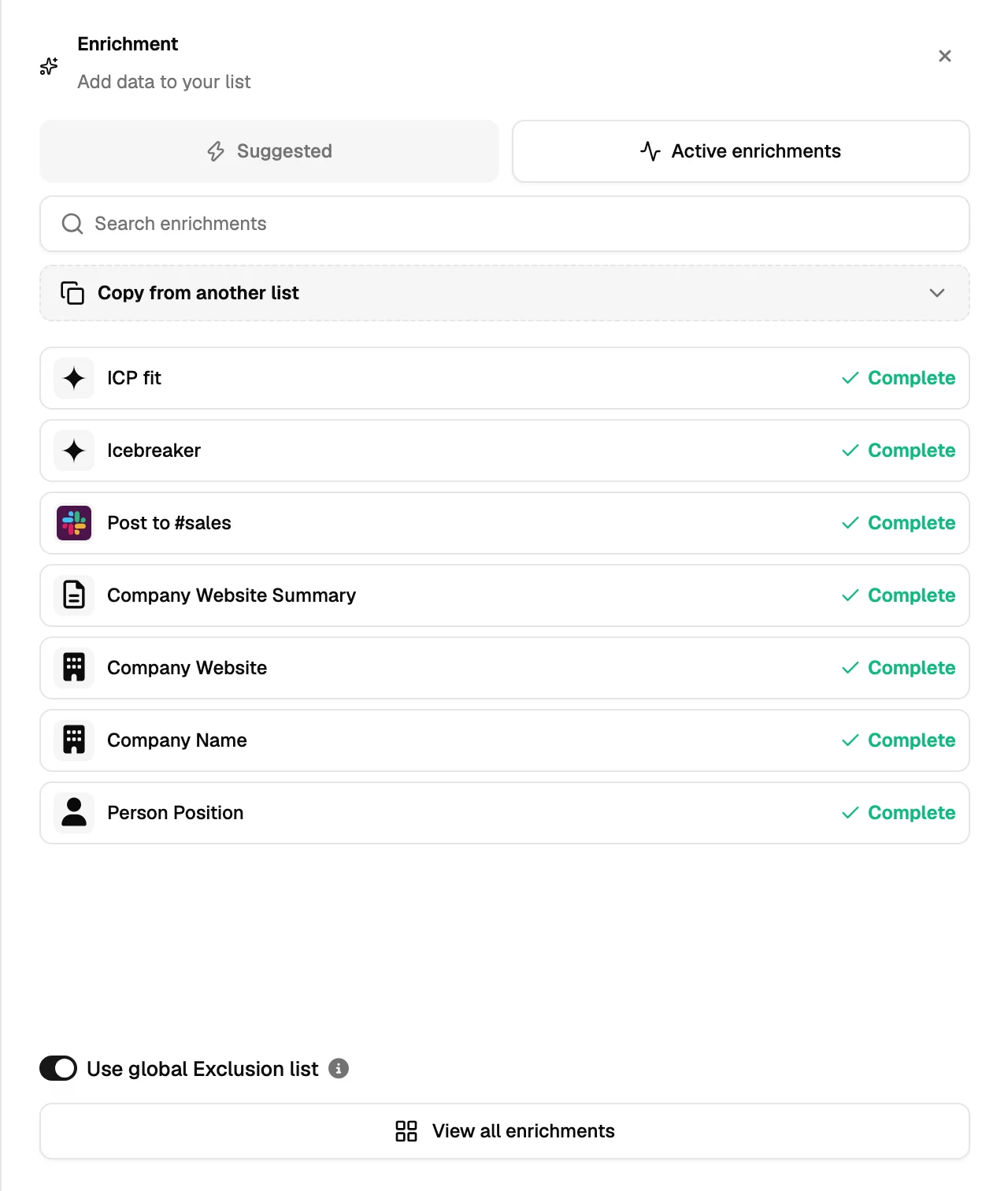
A list starts with names and companies. Everything else is added by a column: enrichment columns look data up, AI columns write it.
Enrichment columns look data up
Add the column, run it, and each row is filled from the data sources behind it. Email finding runs several providers in a waterfall rather than one, so a contact that the first source does not know can still be found by the second. Validation is a separate step that checks an address actually accepts mail.
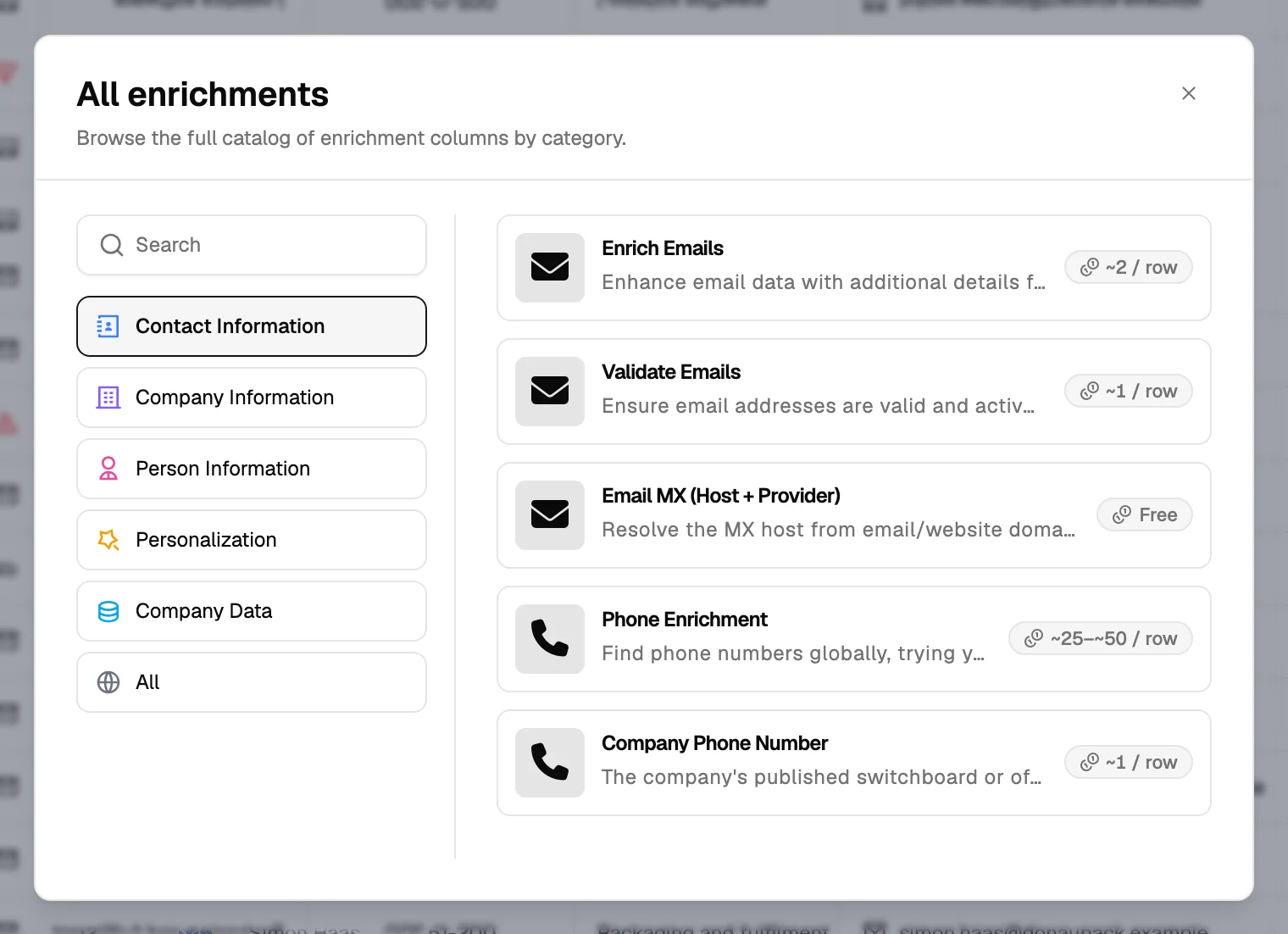
| Column | What it fills in |
|---|---|
| Find email | A verified work email for the contact. |
| Validate email | Whether an address you already have is deliverable. |
| Find phone | A personal mobile number, when one is available. |
| Social profile data | Headline, role, tenure and recent activity from the contact's public profile. |
| Company data | Size, industry, website, revenue band and other firmographics. |
| Website summary | What the company's own site says it does, in a few lines. |
AI columns write a field
An AI column takes your instructions and writes one value per contact. Four jobs cover almost every use:
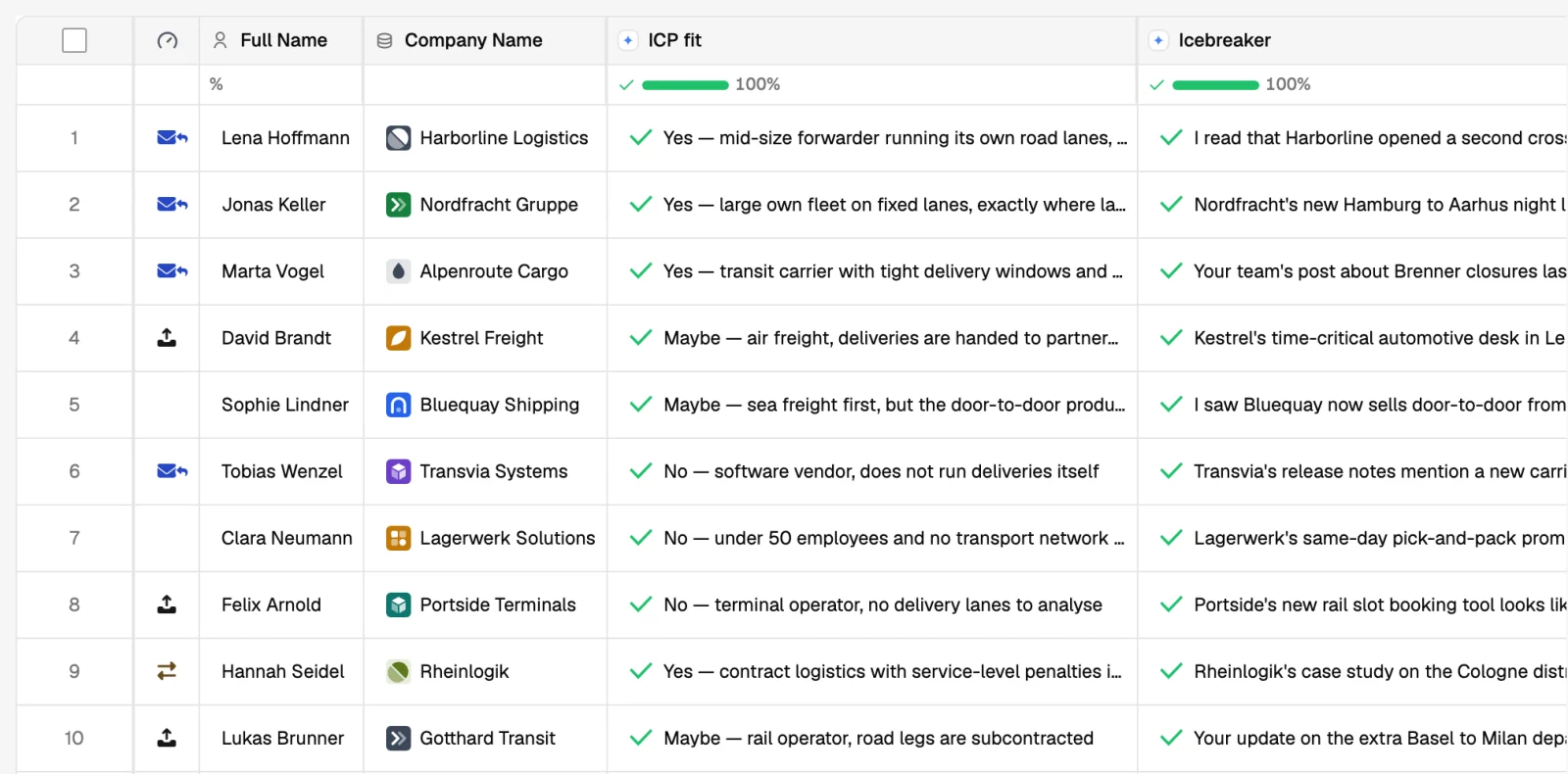
- Classify: is this company a software vendor or a reseller? Is this person a decision maker?
- Score: how well does this contact match the ICP, from 1 to 5, with the reason in a second column.
- Clean: turn a messy job title or company name into something you can use in a greeting.
- Personalise: one opening line from the company's website, a recent post or a job ad.
How to run an AI column well
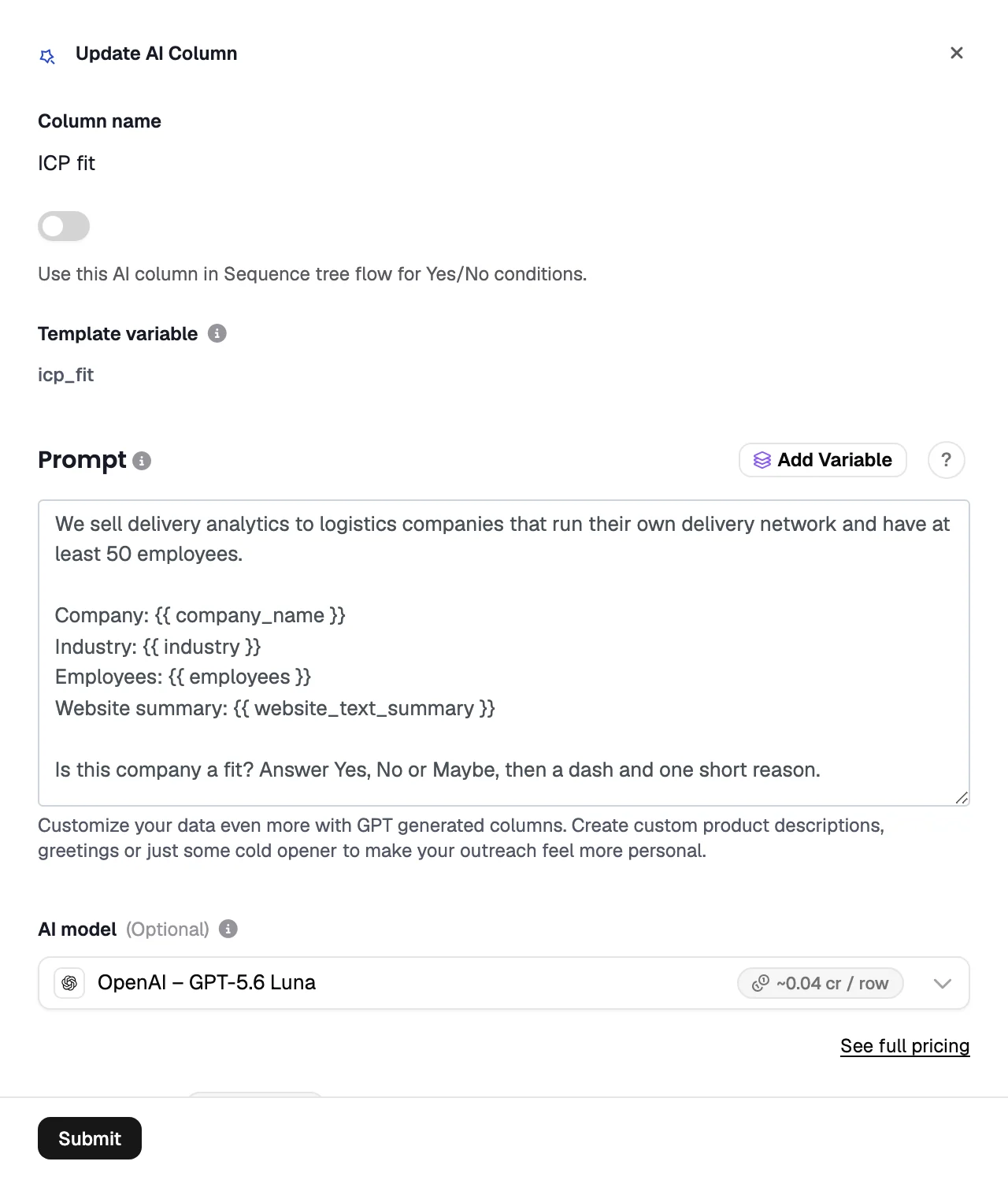
- Write the instruction like a brief
Say what the answer should be, what it should never be, and the exact format: a word, a number, one sentence.
- Give it the right inputs
An AI column reads the columns you reference. Personalisation needs something to be personal about: a website summary, a post, a job ad.
- Test on ten rows
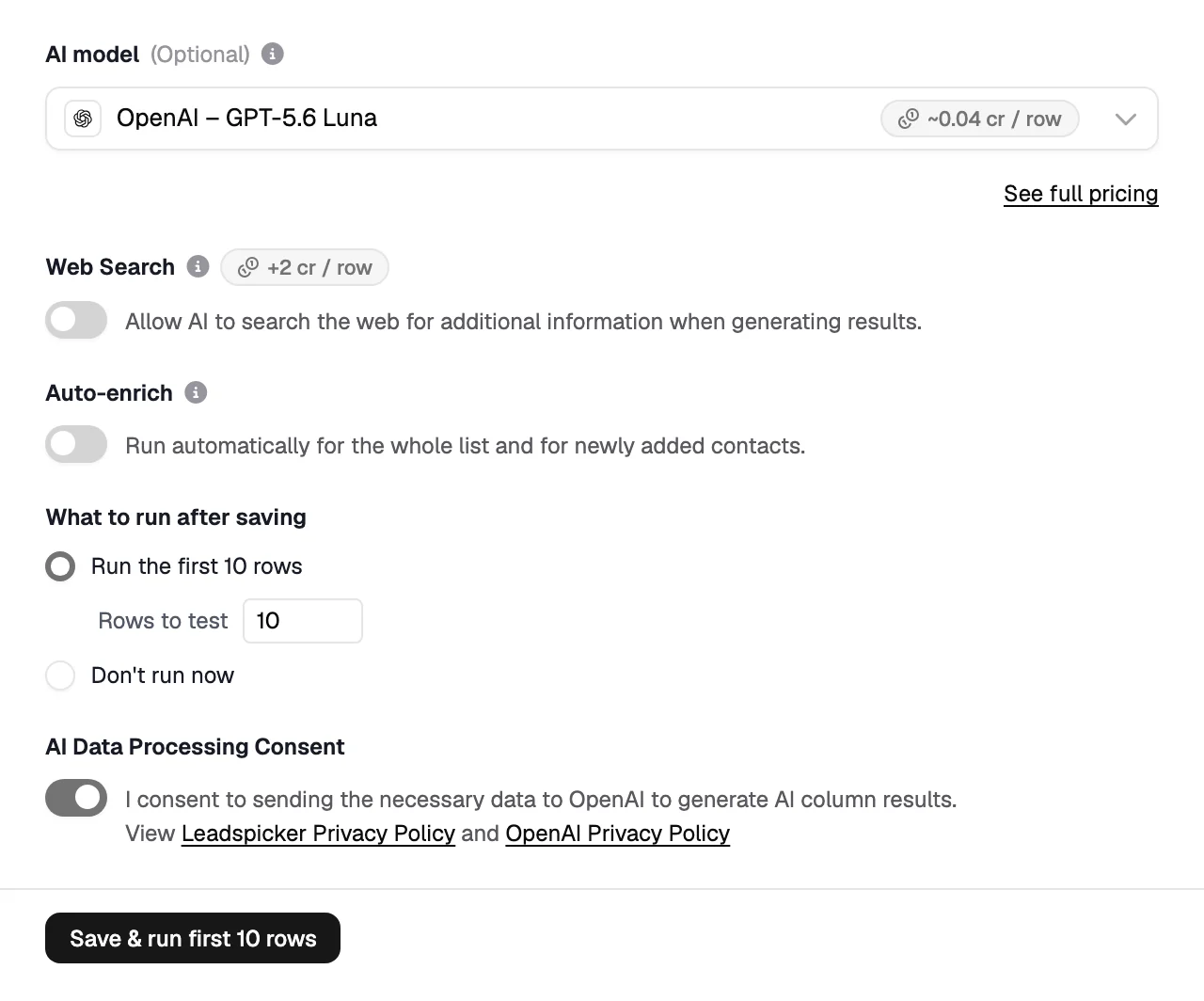
Run the first ten rows and read every answer before you run the rest. Mistakes repeat identically across a thousand rows.
- Constrain the output
"Answer only Yes or No" is filterable. "Tell me about the company" is not.
- Change the instruction carefully
Saving an edited instruction clears the column and recalculates every row, billed like a fresh run. Test the new version on the first ten rows first, and use Run all empty or out-of-date rows in this list to fill gaps, not to apply a change.
Keeping lists fresh
Columns can fill automatically for new rows, so contacts arriving from a routine are enriched without anyone pressing a button, and a list can be re-enriched on a schedule so data does not go stale between campaigns.
What does enrichment cost?
Each column has its own credit price, shown before a run starts, and larger runs ask for confirmation. See credits and plans.
Why is a cell empty after a run?
Nothing verifiable was found. Leadspicker leaves the cell empty rather than guessing an address, and an empty cell is not charged.
Can an AI column use my own knowledge base?
Yes. What you have told Leadspicker about your company, offer and customers is available to the AI columns and to the assistant when they write.
Was this page helpful?
Still stuck? Email support@leadspicker.com or use the chat in the app.
Last updated 2026-11-12




