Identify website visitors
Most companies that look at your website never fill in a form. Identifying the company behind the visit turns anonymous interest into an audience you can actually work.
When to use it
You have enough traffic for company-level identification to produce more than a trickle, and a sales motion where a mid-sized company reading your pricing page is worth a message.
Build it
- Install the snippet
A small script on your site identifies the companies behind visits and writes them into a list.
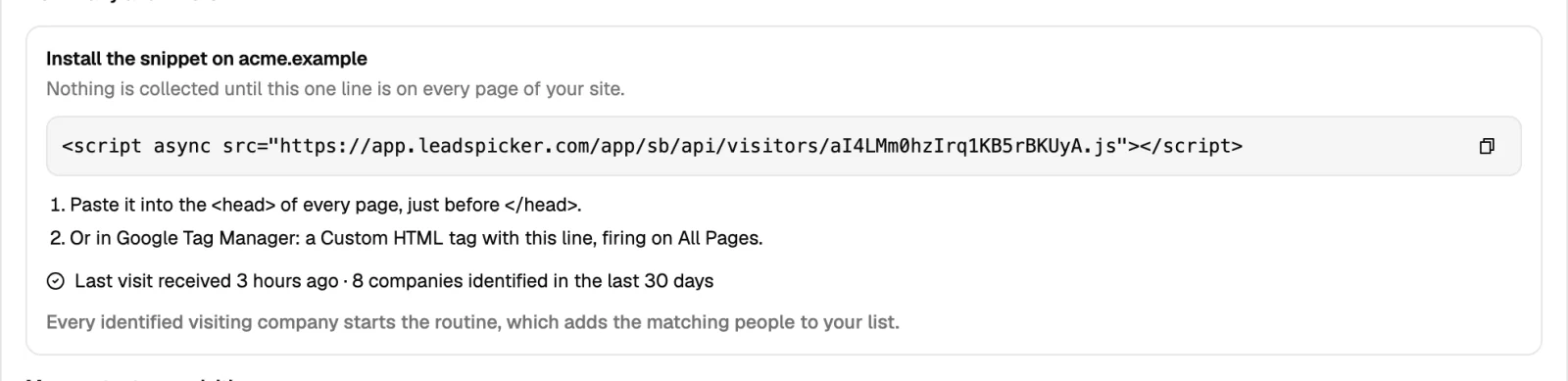
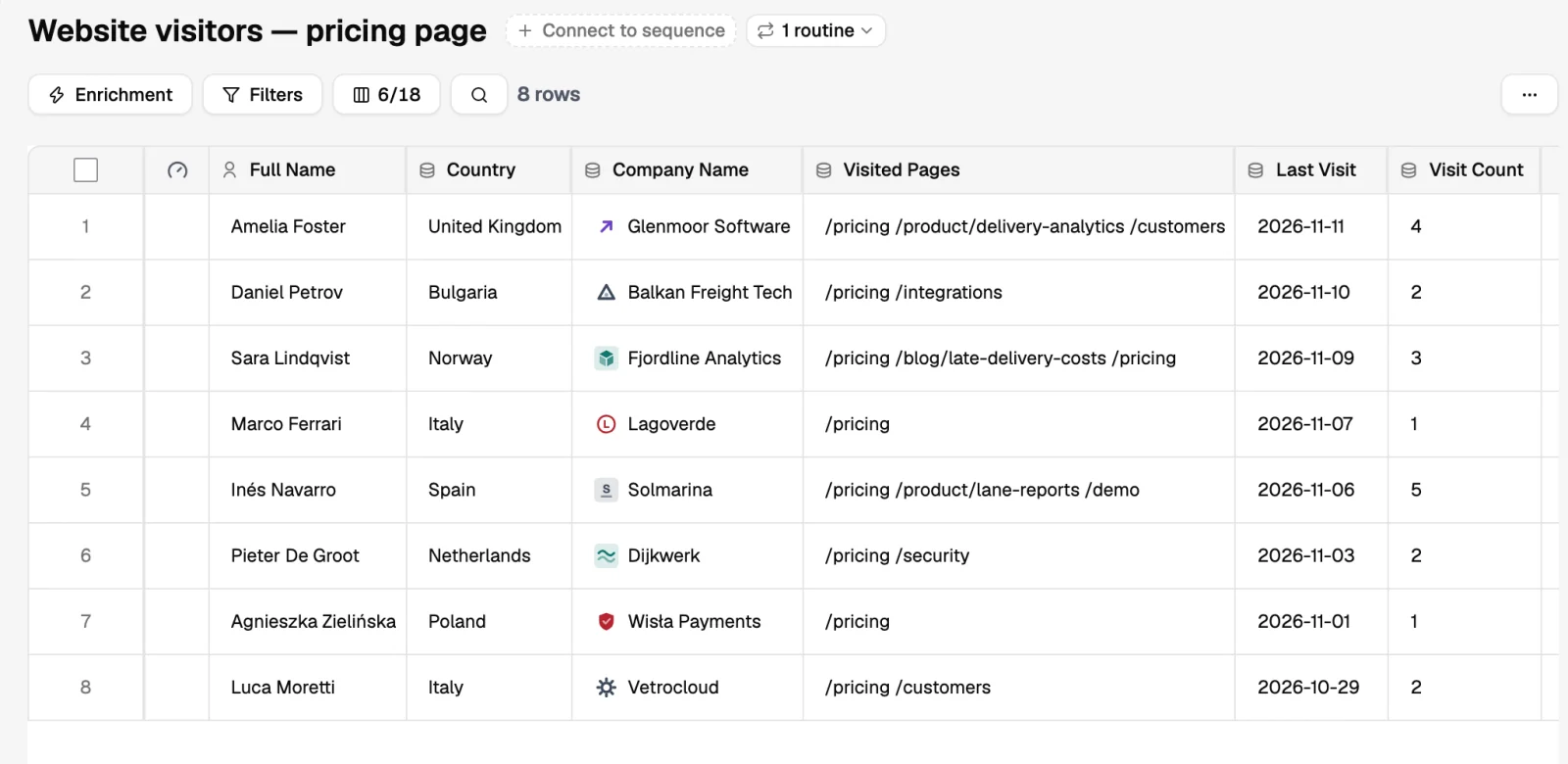
- Filter to the visits worth acting on
Ignore one-pageview bounces and your own staff. Repeat visits and pricing or product pages are the signal.
- Add the people
The visit identifies a company, not a person. Pick the titles that own your problem inside it, the same way you would for any target account.
- Write a soft opener
You know a company looked at your site, not who or why. Reference the problem, not the pageview.
- Notify sales for the accounts that matter
An existing opportunity visiting the pricing page is a call, not a sequence.
What good looks like
A weekly list of real companies with intent you did not have to buy, feeding a low-volume sequence, and a sales team that hears about the right accounts the day they look.
Was this page helpful?
Still stuck? Email support@leadspicker.com or use the chat in the app.
Last updated 2026-11-12




