Attio integration
Leadspicker keeps people and companies in your Attio workspace current with your outreach, and adds deals and tasks when a conversation starts.
What you get
- People and companies created or updated as your lists and sequences run.
- Deals at the stage you choose. Attio has one set of deal stages, so there is no pipeline to pick.
- Tasks for the workspace member mapped to the sender.
- Attribute updates on the person or the company.
- Attio lists and deal stages as sources for imports and exclusion lists.
See How CRM integrations work for the tabs and options all CRMs share.
Connect Attio
- Open the Attio card
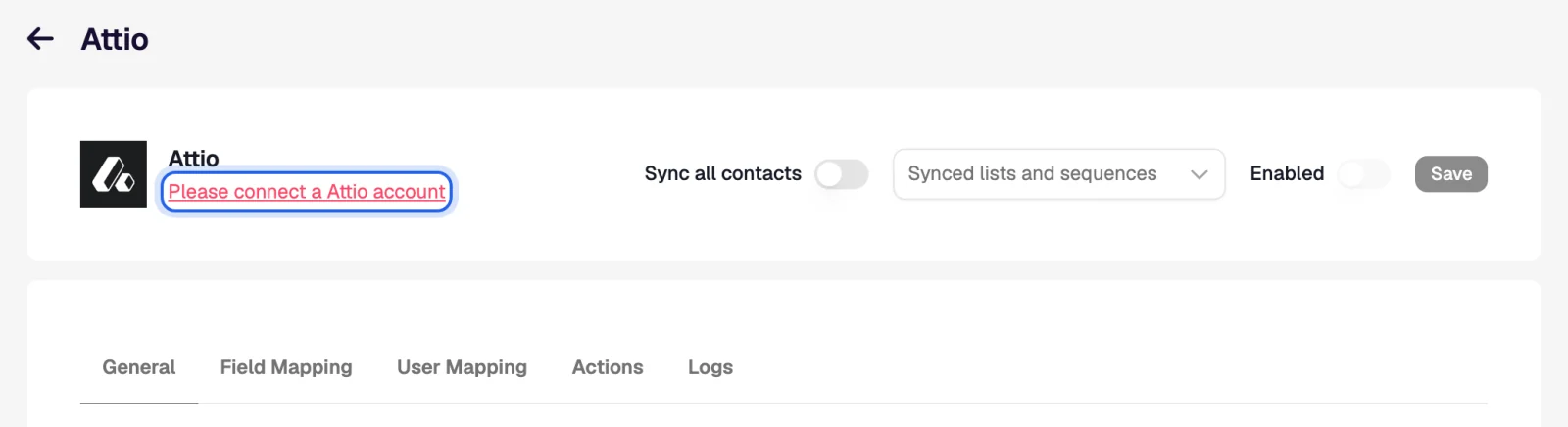
Go to Settings → Apps and open Attio. An owner or admin of the organisation has to do this.
- Sign in and choose the workspace
Connect the account, sign in to Attio and approve the access for the workspace you sell from.
- Set the scope and triggers
On General choose what is synced, on which events, and whether Leadspicker may create people and companies Attio does not have.
- Map, switch on, save
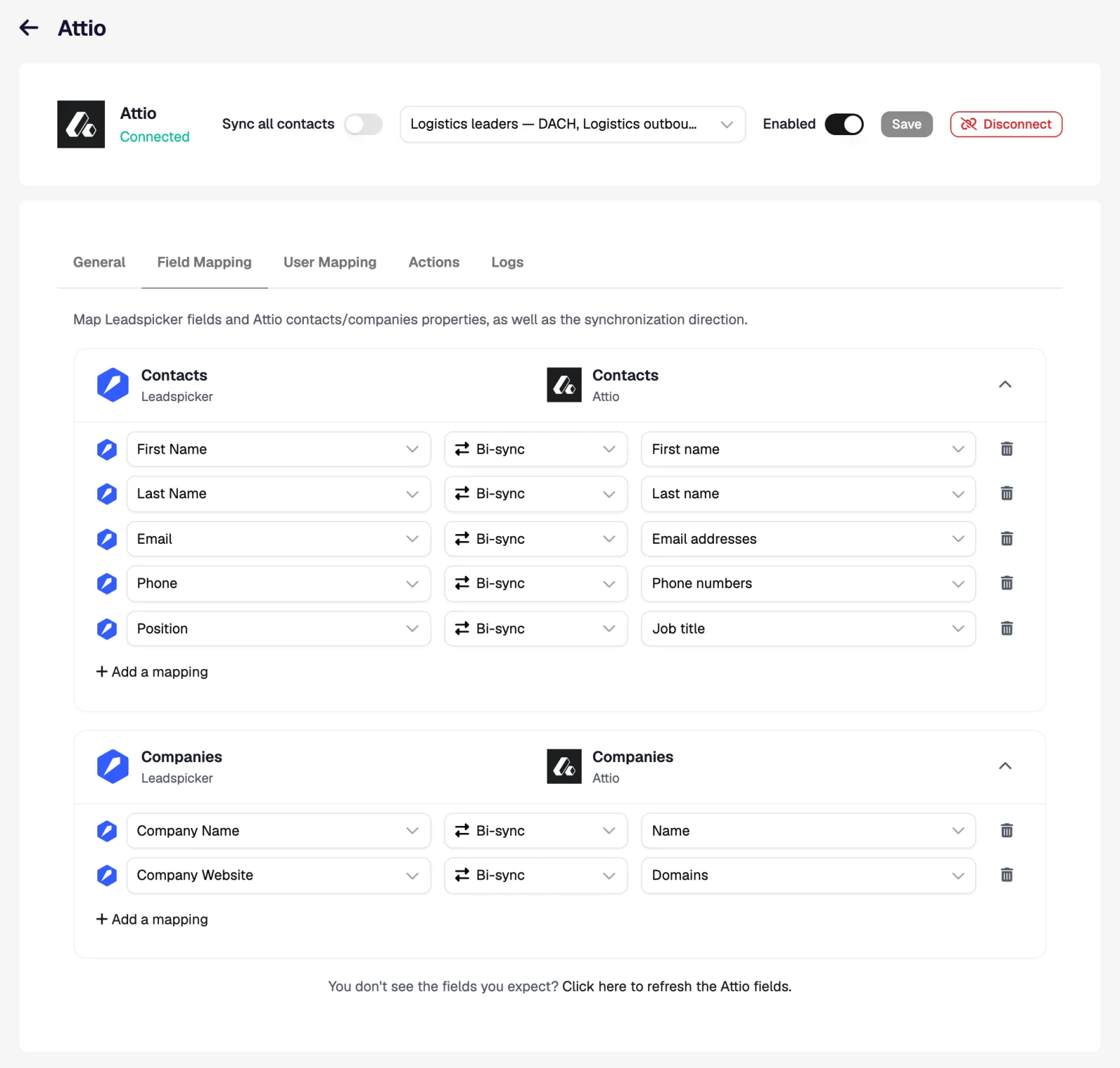
Map columns to Attio attributes on Field Mapping, pair senders with workspace members on User Mapping, turn Enabled on and Save.
Settings specific to Attio
- The Deals object must be enabled. If Deals are switched off in your workspace, the Actions tab says so and deal rules are unavailable. Enable Deals in Attio, then refresh the Attio fields on General.
- One set of stages. The pipeline picker in a deal rule has a single entry; what you really choose is the stage.
- Phone attribute. Attio's standard phone attribute holds several numbers, so a new number is added next to the existing ones. If you map Phone to a single-value attribute, a record that already has a number is skipped.
Workflows inside Attio
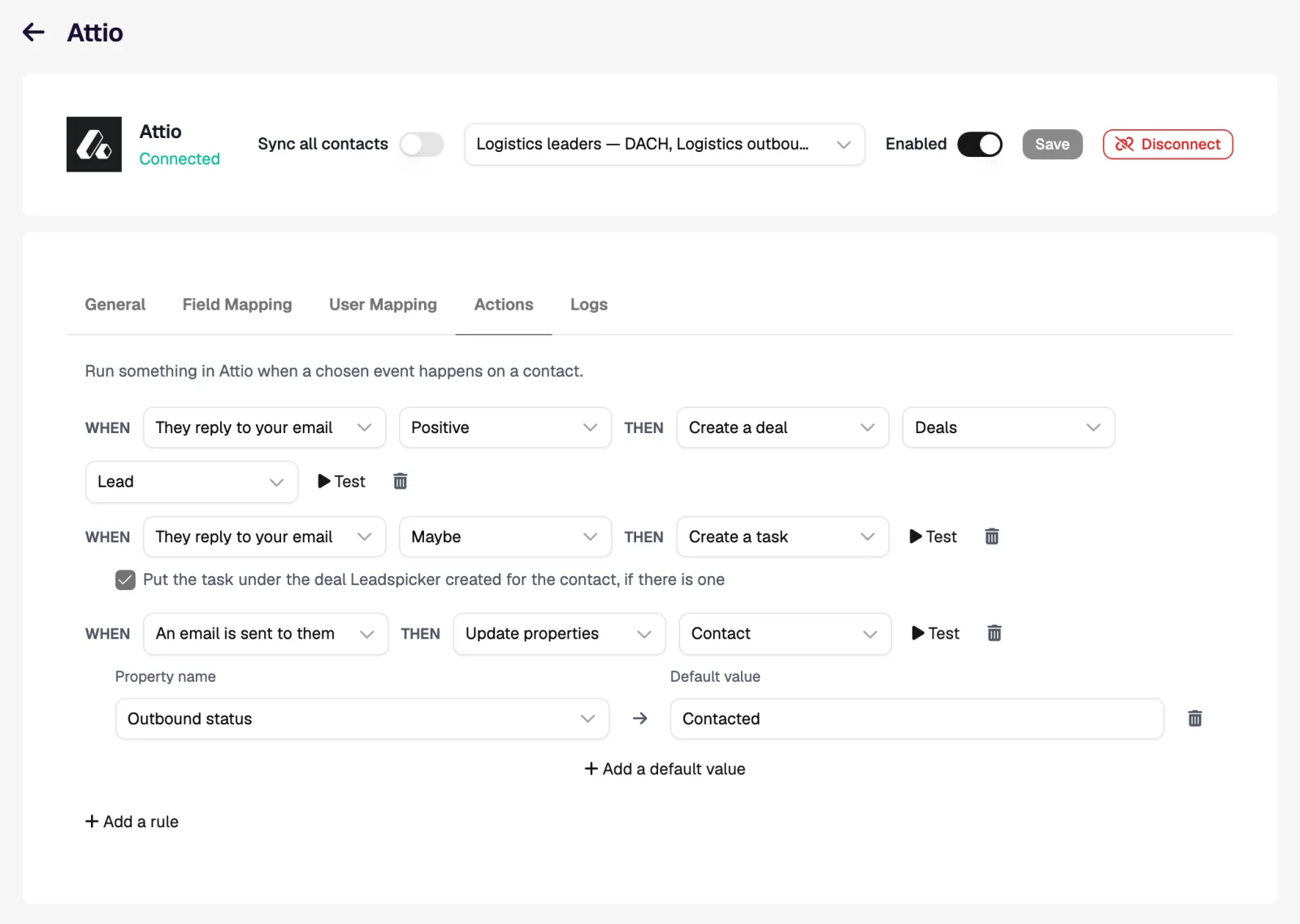
Attio teams tend to run their pipeline from lists and views, so rules that set attributes are as useful as rules that create deals.
| When | Then | What the rep sees in Attio |
|---|---|---|
| They reply to your email, Positive | Create a deal at stage In Progress, plus Create a task | A deal linked to the person and company, and a task Reply from … (Positive) assigned to the mapped member. |
| They accept your connection request | Update properties on the Contact | An attribute such as Outreach status set to Connected; views filtered on it fill by themselves. |
| They reply, Any sentiment | Get their phone number | The number added to the person's phone attribute, next to any number already there. |
Import from Attio and exclusions
- Import. Import → From CRM on a list brings in everyone, or the members of one Attio list, after you confirm the field mapping. New people can follow every hour.
- Per-list sync. Sync with Attio on a list exports that list with its own mapping.
- Exclusions. Exclude all people, all companies, selected Attio lists, or the people on deals at chosen stages.
Why is Create a deal greyed out?
The Deals object is not enabled in your Attio workspace. Enable it in Attio and refresh the fields; the action becomes available.
Why is there only one pipeline to choose?
Attio has a single set of stages for deals. You choose the stage; there is nothing else to pick.
Will the sync create duplicate people in Attio?
No. A person who already exists is matched by email or profile URL and only updated. New people and companies are created only when that option is on.
Was this page helpful?
Still stuck? Email support@leadspicker.com or use the chat in the app.
Last updated 2026-11-12




