Routines and signals
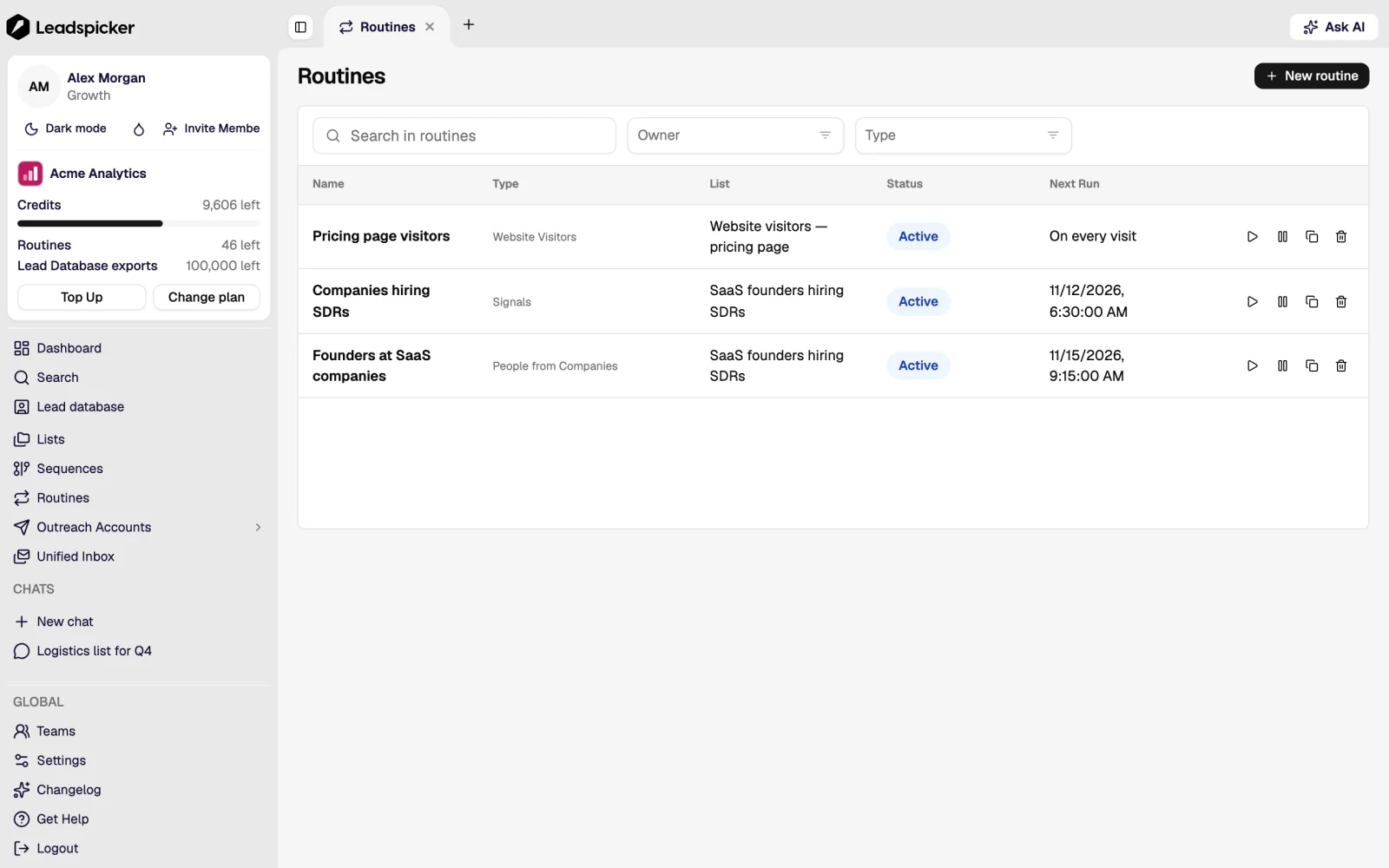
A routine is a collector that runs on a schedule and adds contacts to one list. It is the difference between a campaign you rebuild every month and a pipeline that fills itself.
The catalogue
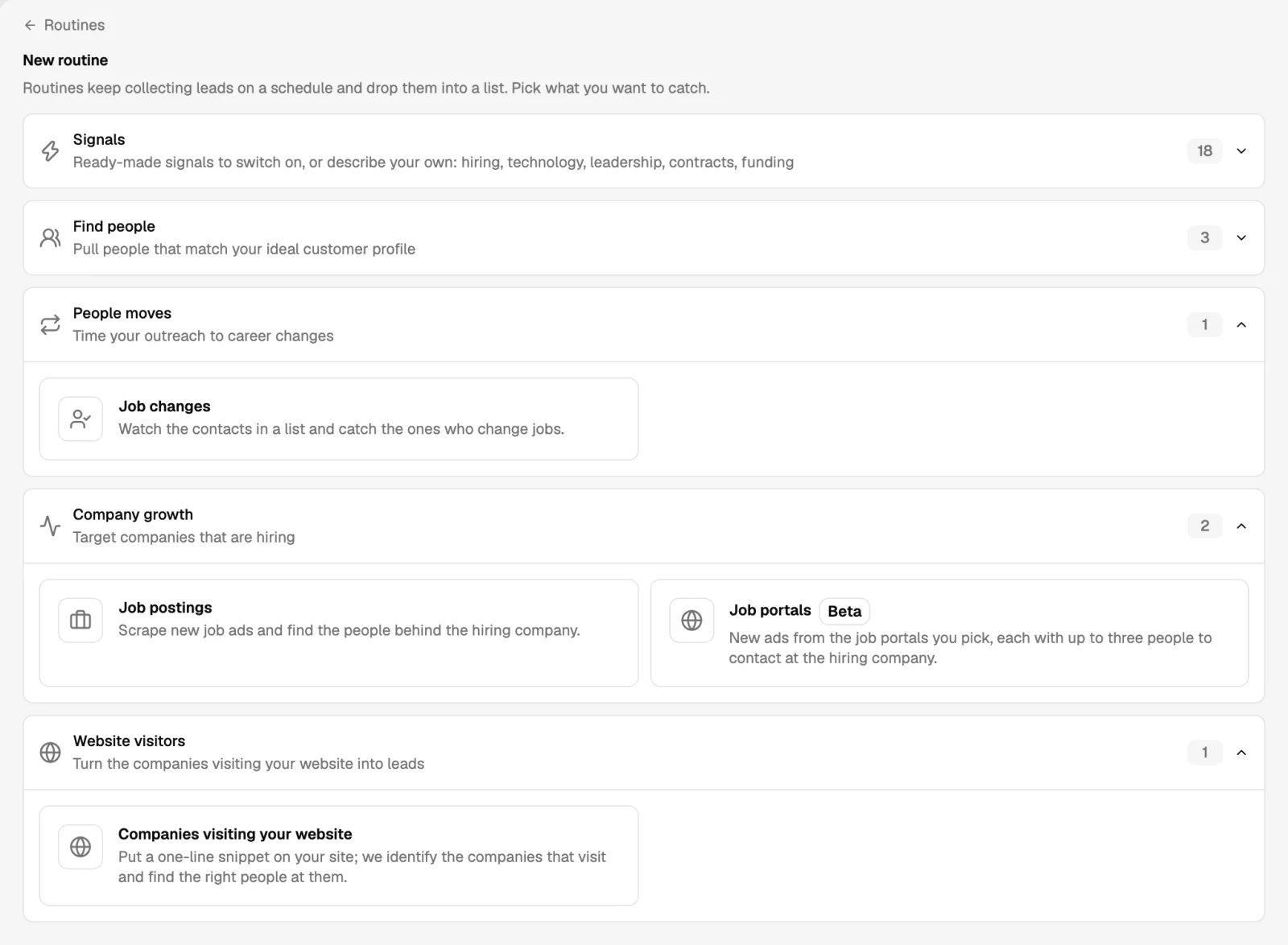
| Routine | What it collects |
|---|---|
| People search | The results of a saved search on a professional network, re-read on a schedule. |
| Your account's followers | People who follow the connected account, as they arrive. |
| Post monitoring | New posts from the accounts you name, and the people who engage with them. |
| Post likers and commenters | Everyone who reacted to a specific post, yours or anyone else's. |
| Posts by keyword | Posts matching the phrases your market uses, and their authors. |
| People at target companies | The titles you specify inside a set of companies you name. |
| Job postings and job portals | New ads on the portals you pick, with the hiring company and up to three people to contact. |
| Job changes | The contacts in a list who moved to a new company. |
| Signals | Companies that just did something: hiring, funding, a leadership change, a technology change, a won contract. |
| Website visitors | Companies visiting your own site, through a snippet you install on it. |
Setting one up
- Open the list it should fill
A routine always writes into one list. Keep one list per audience so the message stays specific.
- Choose the type and its source
A search URL, a set of companies, a list of job titles, the portals or the posts to watch.
- Set the schedule and the cap
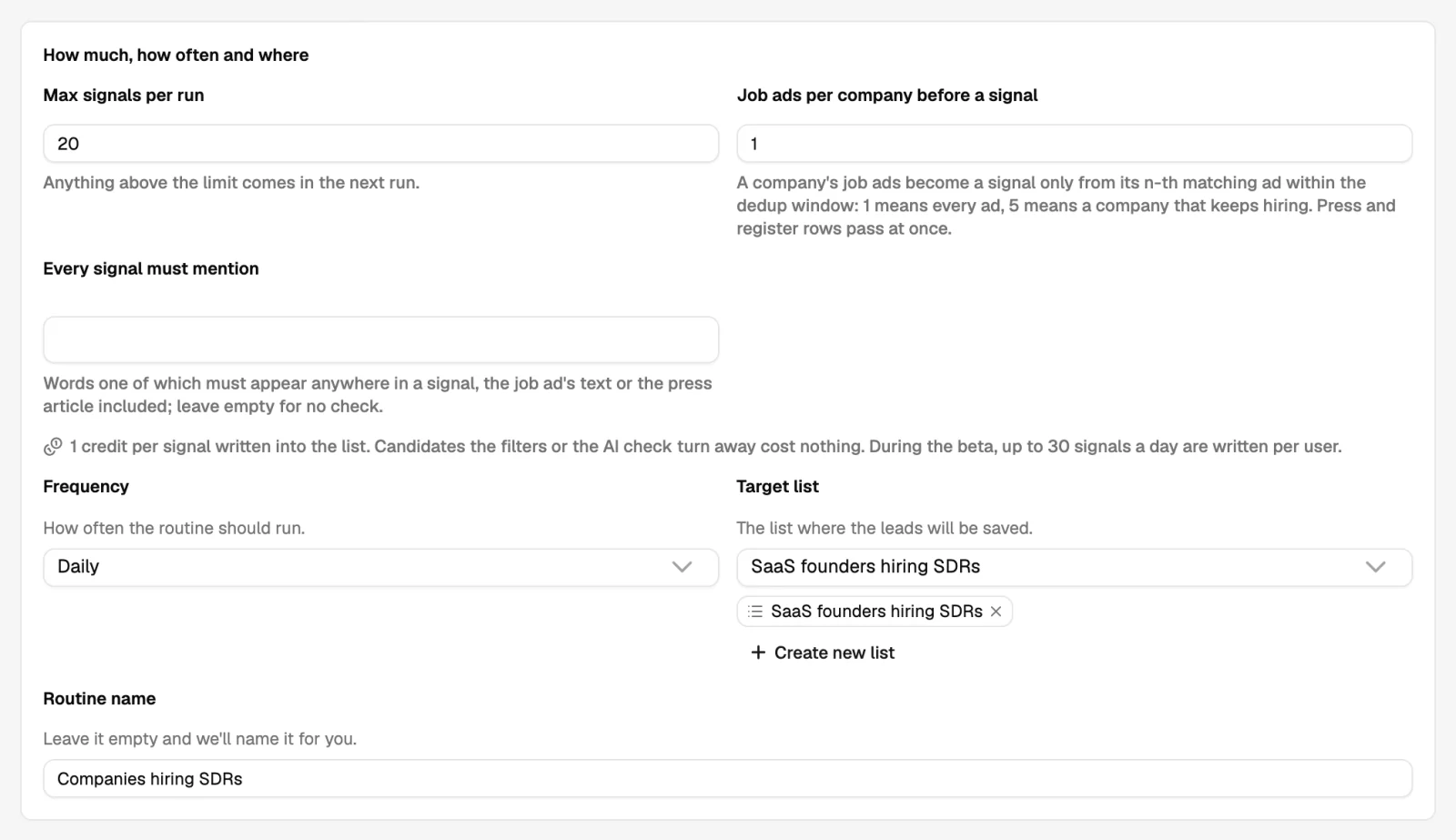
How often it runs and how many contacts it may add per run. Start small; a routine that adds 2,000 people overnight is harder to clean than to prevent.
- Let the first run finish, then read it
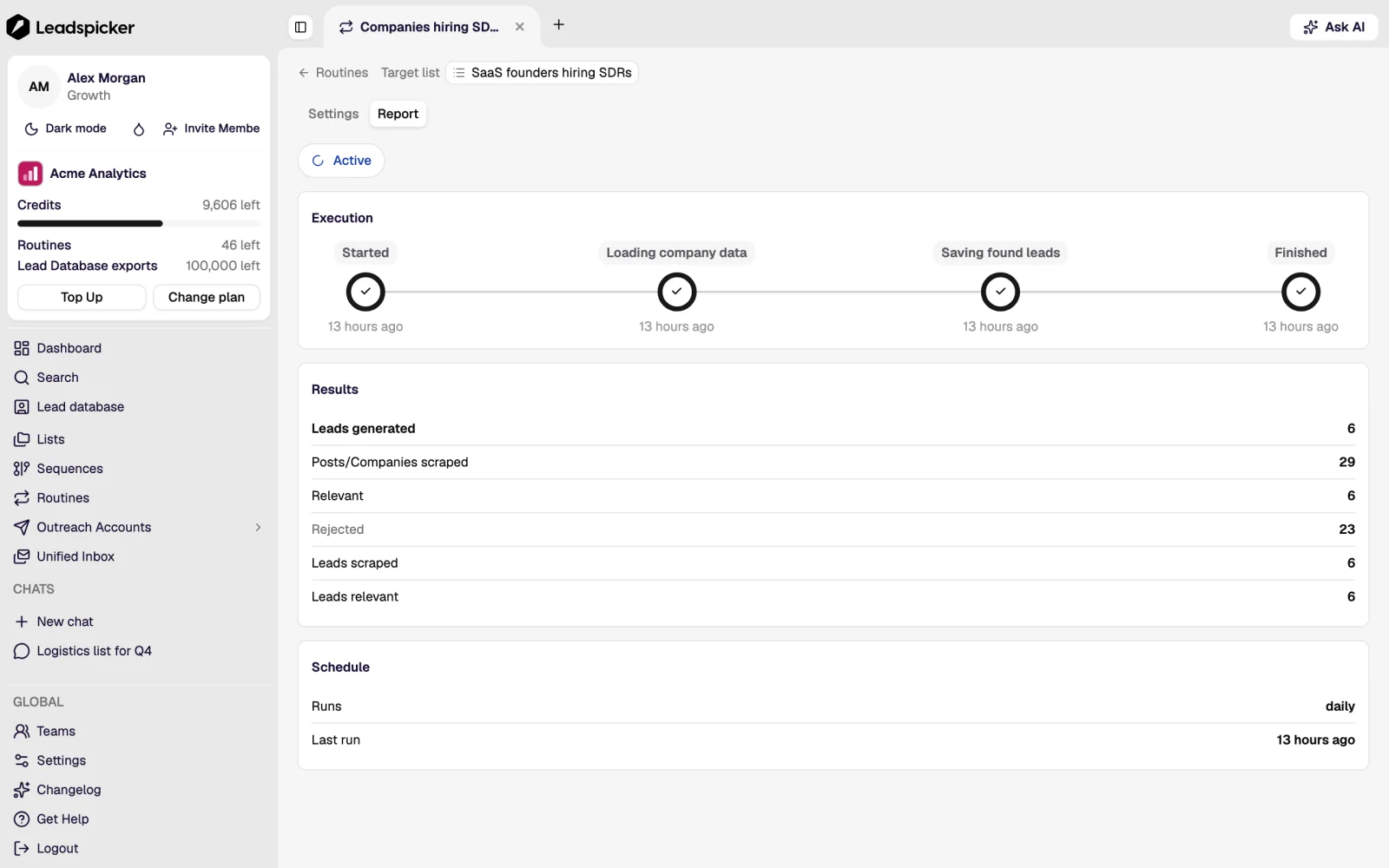
Judge the companies it found, not the number. A wrong third means the definition needs tightening, not the message.
- Connect enrichment
Turn on auto-enrichment for new rows so arriving contacts are ready for outreach without anyone pressing a button.
Signals
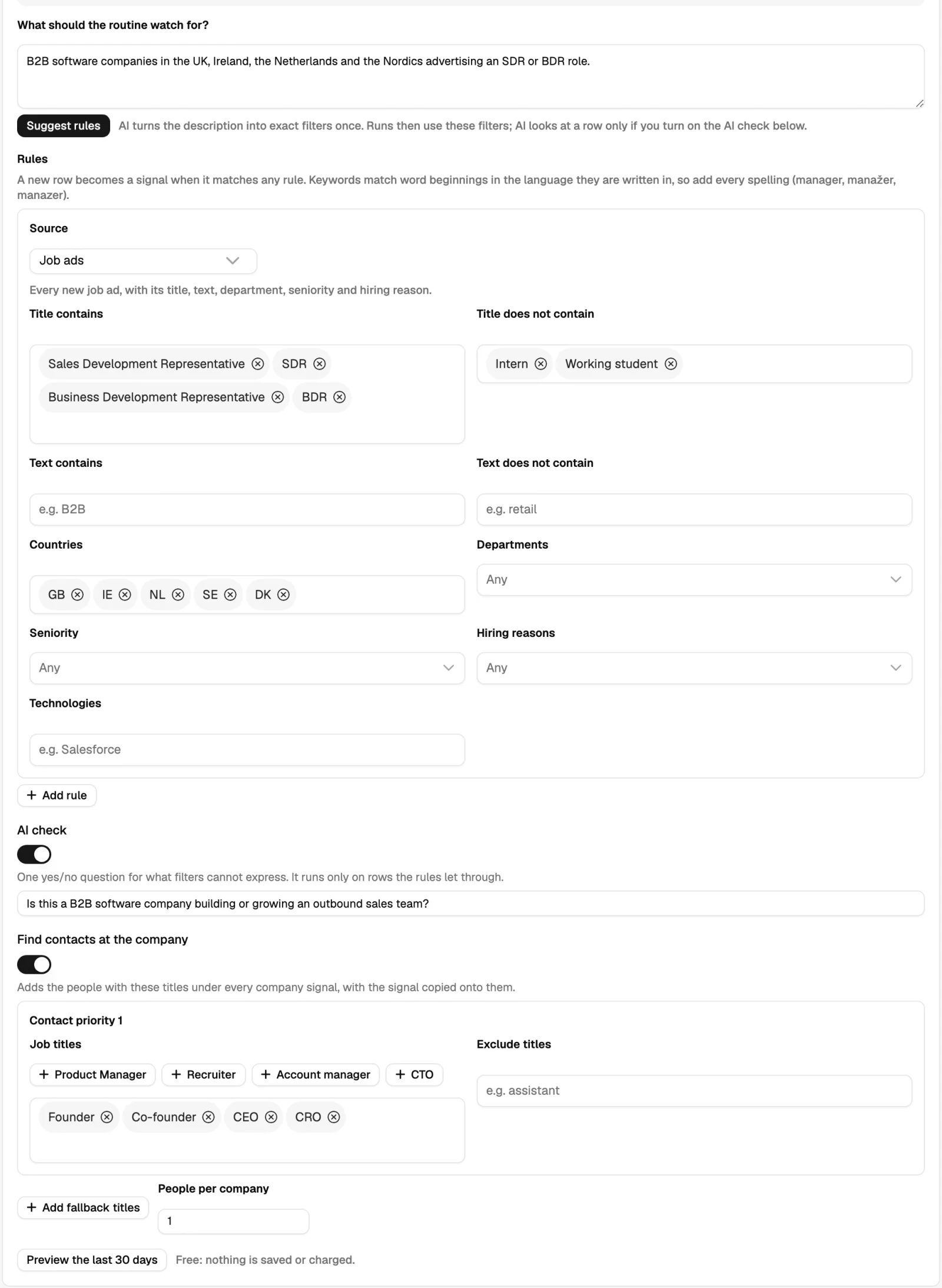
A signal routine watches for an event rather than a profile. Ready-made signals are switched on in one click for the markets you choose: hiring for a given function, funding rounds, leadership changes, technology adoption, public contracts, register changes. Anything else can be described in a sentence and watched as a custom signal.
When a routine returns nothing
- The connected account needs attention. A social routine runs through a connected account; if the network asked it to sign in again, the routine waits until the account is reconnected.
- The source is empty or too narrow. A saved search with no new results since the last run has nothing to add. That is the correct behaviour, not a failure.
- Everything found was already there. Routines de-duplicate against the list, so a run that adds nothing often means the source has been exhausted.
- The cap was reached. The run stops at the per-run limit and continues at the next scheduled time.
Can a routine write into a sequence?
No. Routines fill lists; a connected list is what puts those contacts into a sequence. That separation is what lets you review an audience before it is contacted.
How often should a routine run?
Daily for signals and job ads, where timing is the point. Weekly is enough for people searches and follower collection.
What does a routine cost?
Credits per result it collects; the current rate is on the pricing page. The run shows what it added.
Was this page helpful?
Still stuck? Email support@leadspicker.com or use the chat in the app.
Last updated 2026-11-12




