Leadspicker API and webhooks
When no ready-made app fits, Leadspicker can push events to your systems and take instructions from them: webhooks out, the REST API in, and the CLI and MCP server for agents and scripts.
Which route to take
| You want to | Use |
|---|---|
| React in another system when something happens in outreach | A webhook |
| Read or write lists, sequences and contacts from your own code | The REST API with an API key |
| Let an AI agent work in your account | The MCP server |
| Run commands from a terminal or a script | The CLI |
| Build a flow without writing code | n8n: a webhook to start it, API calls to write back |
Webhooks
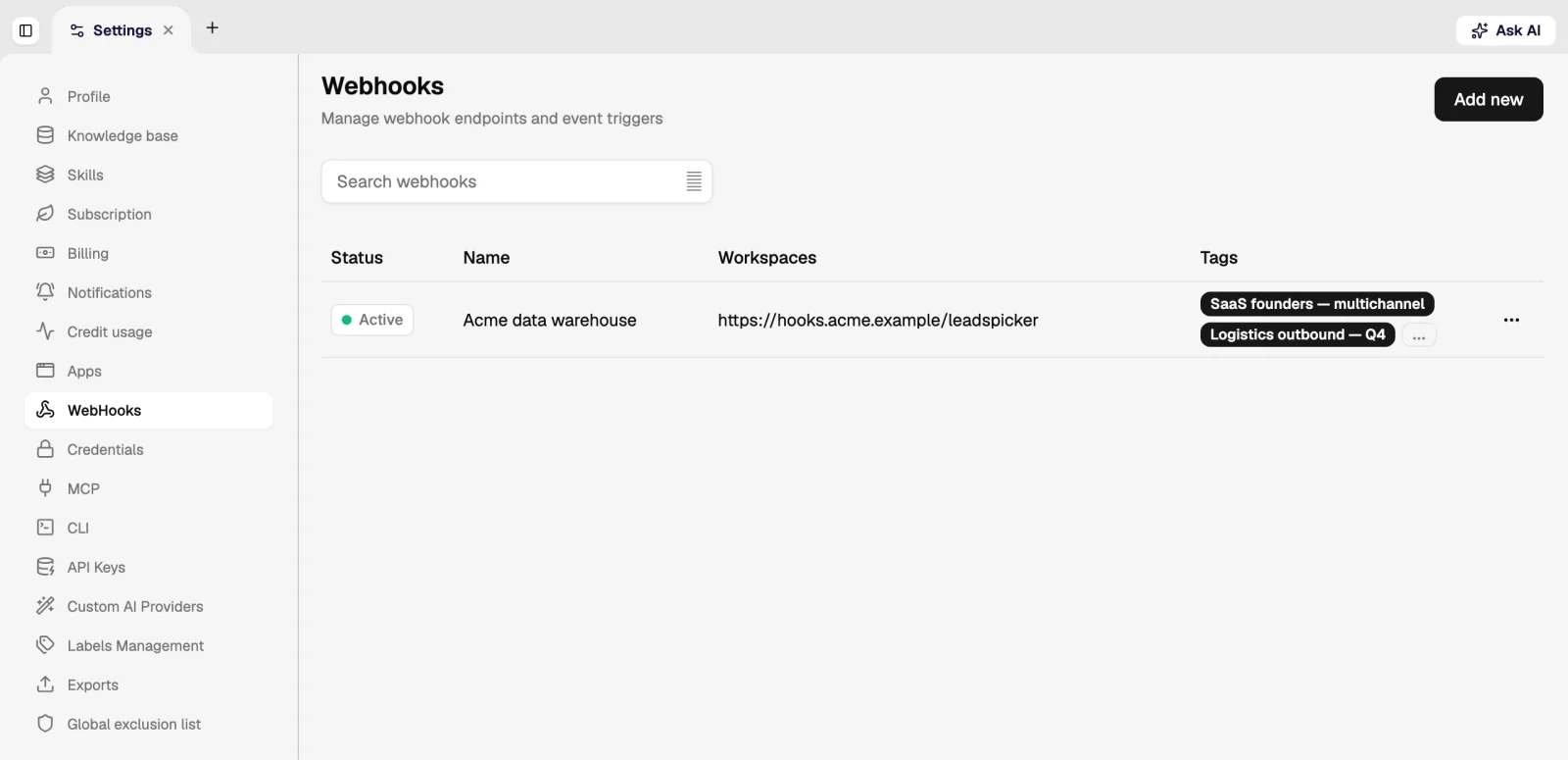
A webhook sends an HTTP POST with a JSON payload to your URL whenever a chosen event happens on the lists and sequences you select.
- Add a webhook
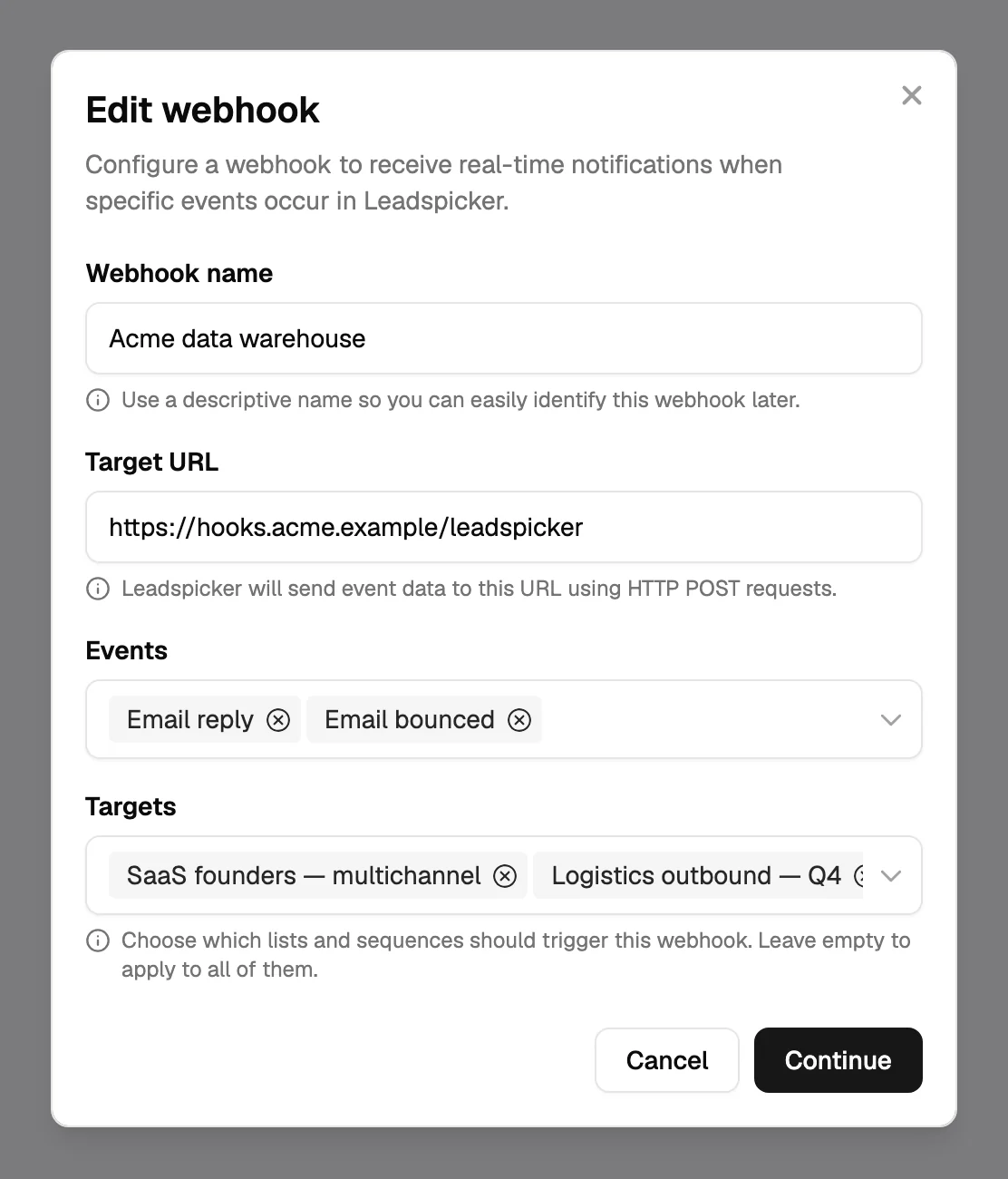
Go to Settings → WebHooks and click Add new. Give it a name you will recognise later.
- Set the target URL
The address that receives the POST requests.
- Choose the events
Pick one or more events from the table below.
- Choose the targets
Select the lists and sequences that should trigger it, or leave the field empty to cover all of them.
- Test it
Test sends a sample event to the URL and shows the JSON payload Leadspicker will post for each event.
| Event | Fires when |
|---|---|
| Person added | A contact is added to a list or sequence in scope. |
| Email sent | A sequence sends an email. |
| Social message sent | A sequence sends a message on the social network. |
| Connection accepted | A contact accepts your social connection request. |
| Email reply | A reply to an email arrives. |
| Social reply | A reply arrives on the social network. |
| Email bounced | An email could not be delivered. |
| Outreach account revoked | A connected mailbox or social account is disconnected. |
| AI reply needs review | The Reply Agent has prepared an answer that waits for approval. |
A sequence can also call a URL at a chosen point: the Custom action step posts a payload for each contact that reaches it, and its settings show a preview of that payload.
The REST API and API keys
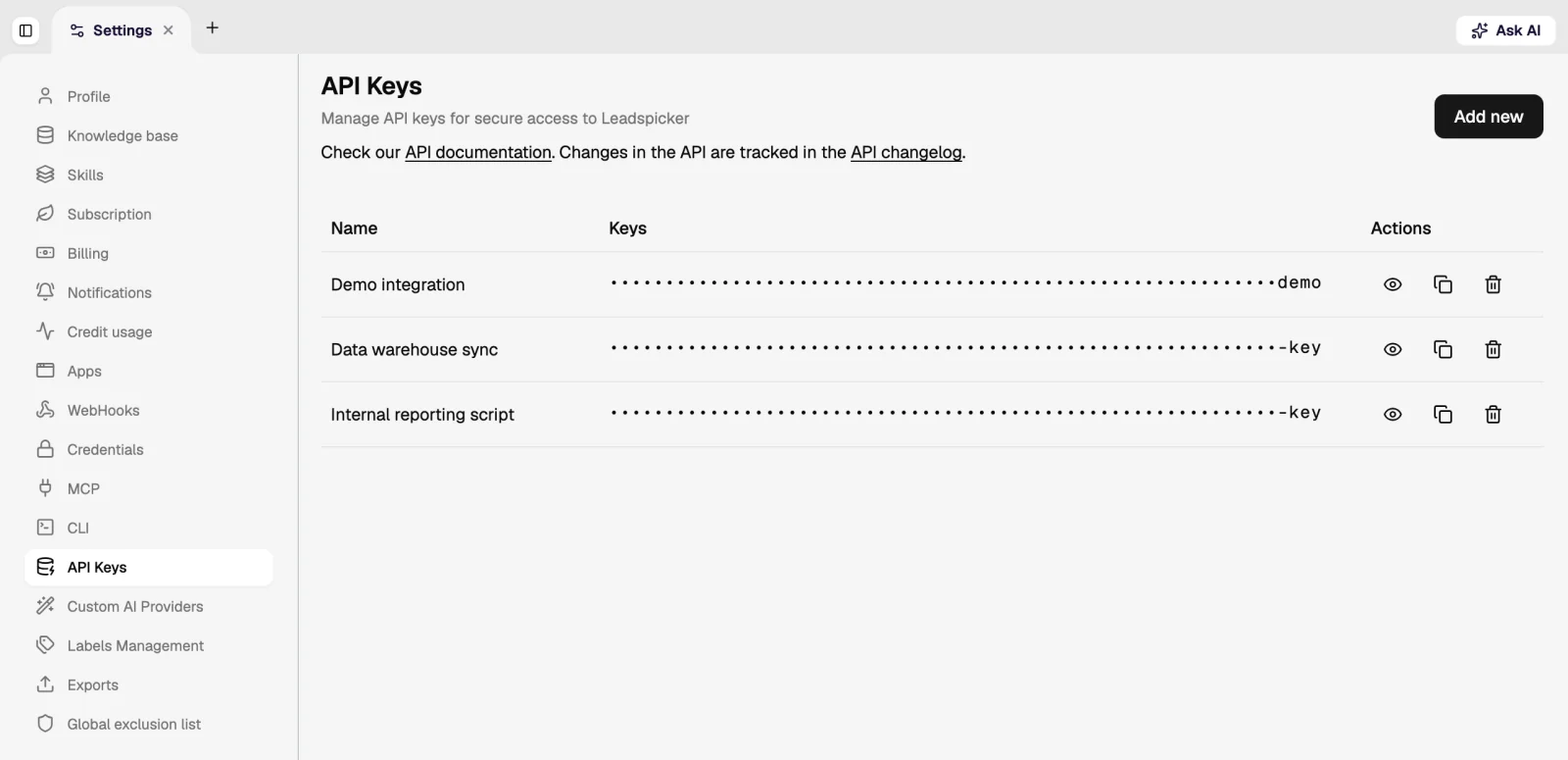
The public REST API works with the same objects as the interface: lists, sequences, contacts, columns and more. Create a key under Settings → API Keys with Create new API key, name it after the place it will be used, and store it somewhere safe.
- Reference. Every endpoint, with its parameters and responses: API documentation.
- API changelog. Settings → API Changelog lists changes to endpoints, fields and behaviour, so you can check what moved before you update your code.
- One key per use. A separate key for each integration lets you delete one without breaking the others.
CLI and MCP: the route for agents
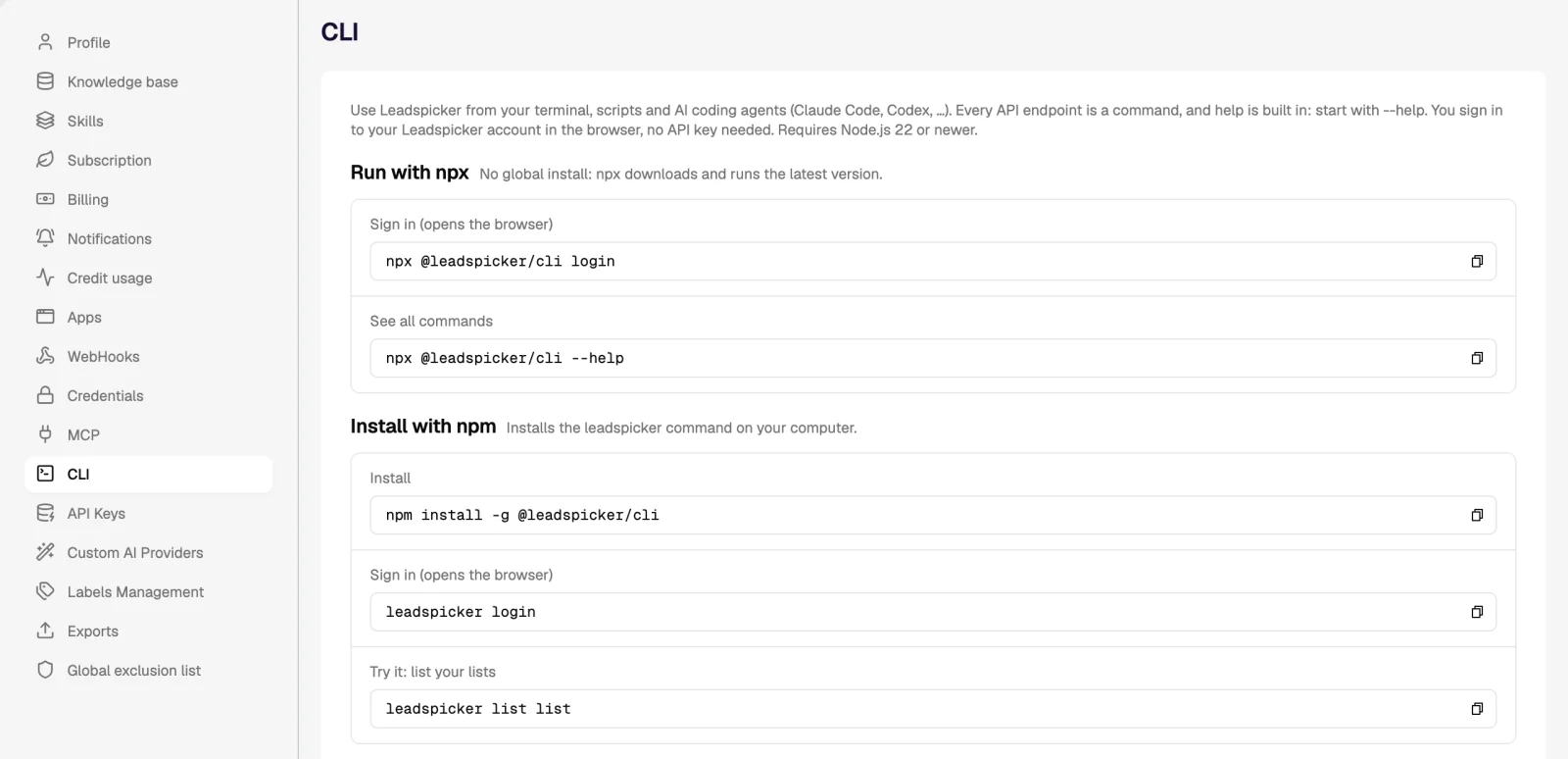
If the caller is an AI agent or you at a terminal, you do not need an API key at all. The CLI is the npm package @leadspicker/cli: it needs Node.js 22 or newer, signs in through the browser, and exposes every API endpoint as a command. Start with npx @leadspicker/cli login; details are in CLI.
The MCP server at https://app.leadspicker.com/mcp gives tools such as Claude Code, Cursor or Codex the same capabilities as tools they can call, again with a browser sign-in. See the MCP server.
n8n and other automation tools
n8n is the automation tool Leadspicker is most often wired to. Point a Leadspicker webhook at a webhook trigger in n8n to start a workflow on a reply or a new contact, and call the REST API from the workflow to add contacts, update columns or read results. Other automation platforms work the same way as long as they can receive a POST request and call a REST API; there is no dedicated Leadspicker app for them.
Bring your own AI provider keys
Under Settings → Custom AI Providers, Add provider API key connects your own key for a provider such as OpenAI or Anthropic. Every model under that provider then becomes available for AI columns, and assistant chats on those models run on your key instead of your credits.
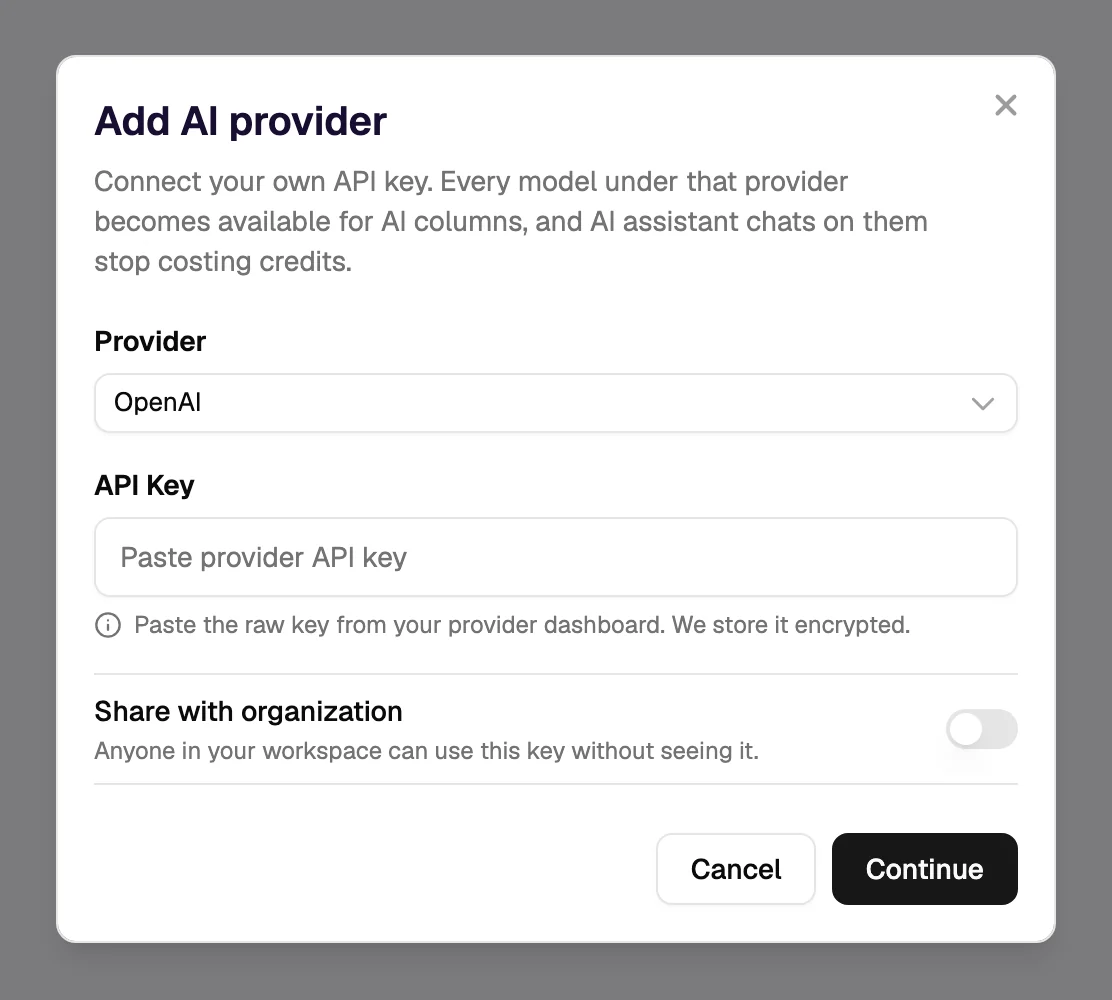
- The key is stored encrypted, and can be shared with the organisation or kept private.
- In the model picker of an AI column, models on your own keys are grouped separately; they are billed by the provider, not in credits.
- Web search inside an AI column runs on Leadspicker's side, so it uses credits even when the model itself runs on your key.
Do I need an API key for the CLI or the MCP server?
No. Both sign in to your Leadspicker account in the browser. API keys are for your own code that calls the REST API.
Is there a Zapier or Make app?
There is no dedicated app for either. Use webhooks and the REST API; that is also how n8n is connected.
Can one webhook cover several events?
Yes. A webhook can listen to several events and to all lists and sequences, or only to the ones you select.
How do I find out that the API changed?
Open Settings → API Changelog. Each entry names the affected endpoints and describes what changed.
Was this page helpful?
Still stuck? Email support@leadspicker.com or use the chat in the app.
Last updated 2026-11-12




