How Leadspicker credits work
Plans are priced per company rather than per user, and metered work is paid for in credits. Everything that costs credits tells you the price before it runs.
What a plan includes
- A monthly allowance of credits, renewed each billing period.
- Access to the lead database, with exports included up to a monthly limit set by the plan, plus enrichment, routines, sequences, the inbox and the assistant.
- Team logins and outreach seats; how many depends on the plan. Members of the same team share the credit balance, the exclusion lists, the knowledge base and the integrations.
- A trial that needs no credit card. Current plans and prices are on the pricing page.

What spends credits
| Action | Charged |
|---|---|
| Finding or validating an email, finding a phone number | Per result found |
| Social profile and company data enrichment | Per enriched contact |
| AI columns | Per cell written |
| The AI assistant | Per message you send, priced by the model behind it; suggestions and chat titles are free |
| Exporting contacts from the lead database into a list | No credits: included in the plan up to its monthly export limit |
| Routines | Per result collected |
Sending sequence steps from your own connected accounts is part of the plan, not a credit cost. The exact credit price of each action is shown in the app, where it is always current; figures in any document go out of date.
Keeping spend predictable
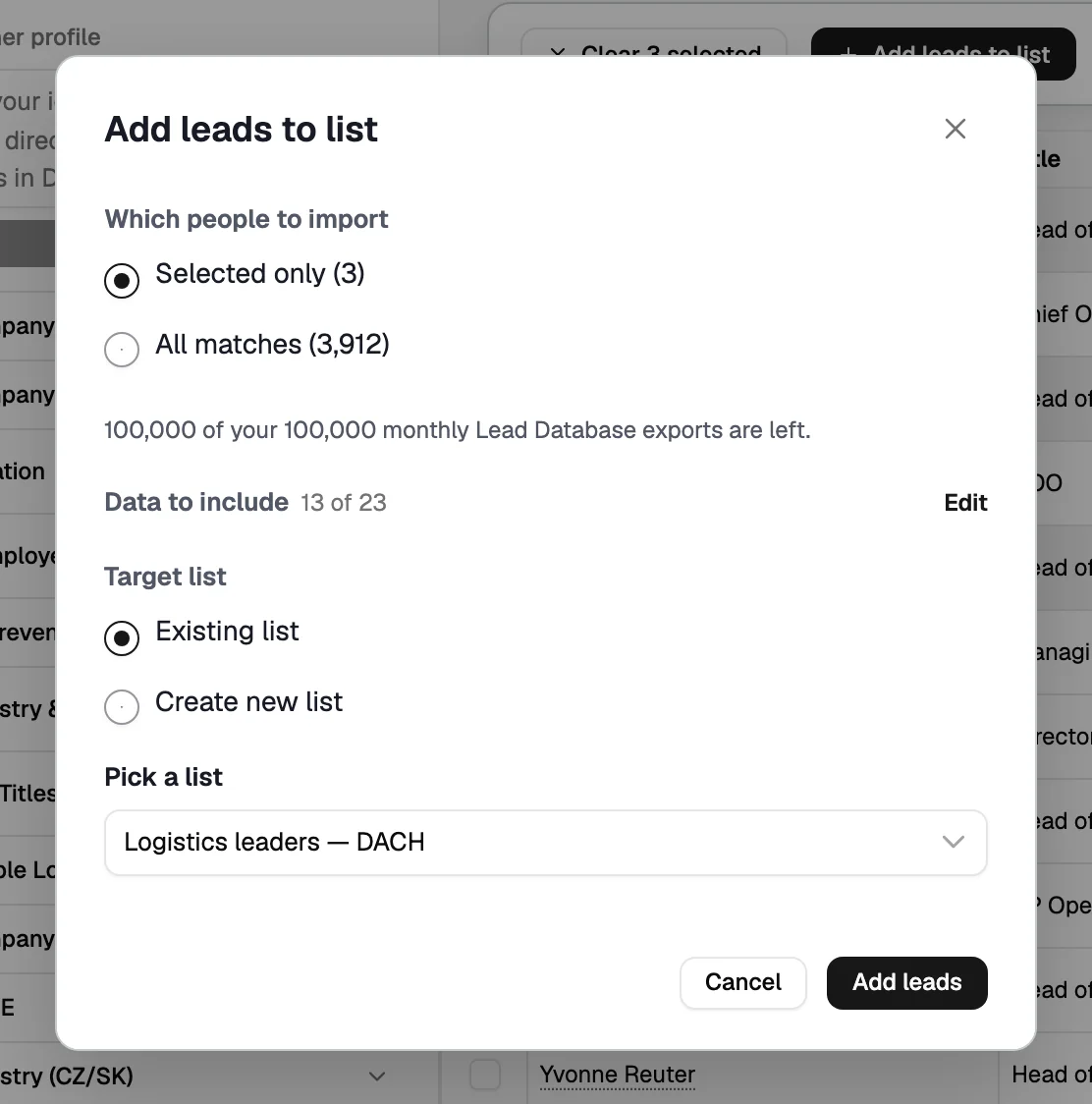
- Preview before importing
A lead-database search shows the count first, so you import the audience you need and stay well within the plan's monthly export limit.
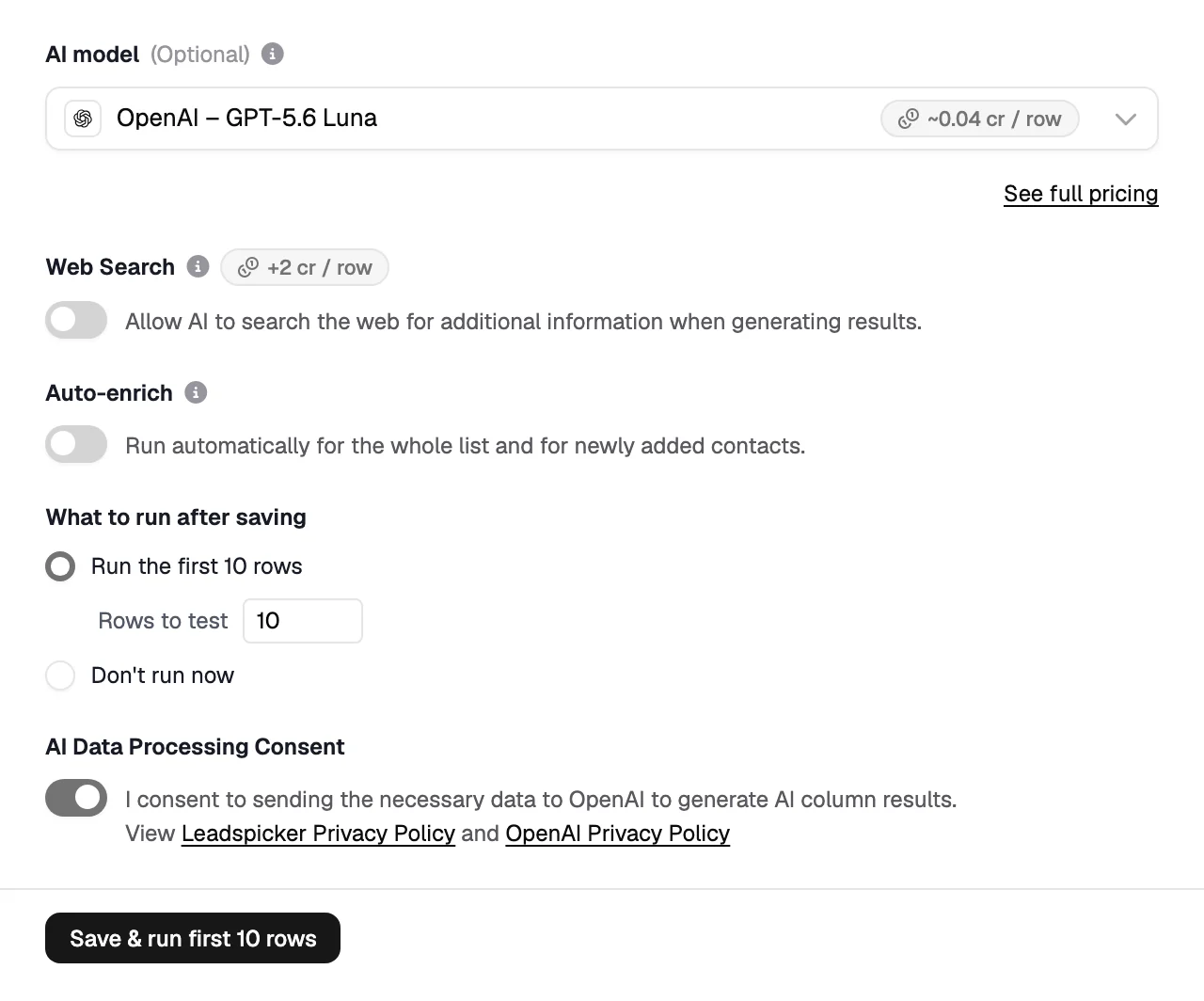
- Test AI columns on ten rows
Ten cells is a cheap way to find out that an instruction needs rewriting.
- Enrich what the message needs
A sequence that only sends email does not need phone numbers.
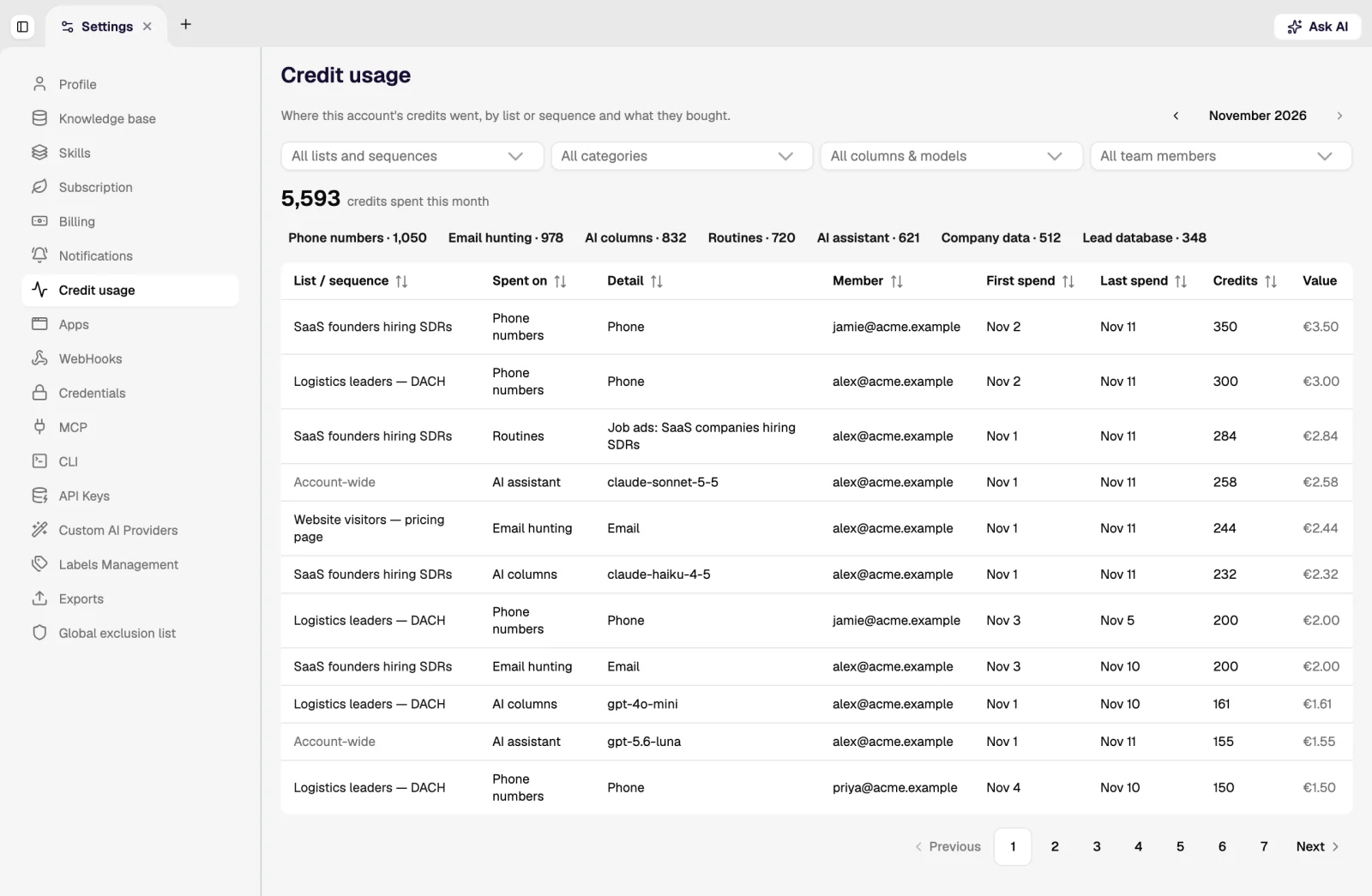
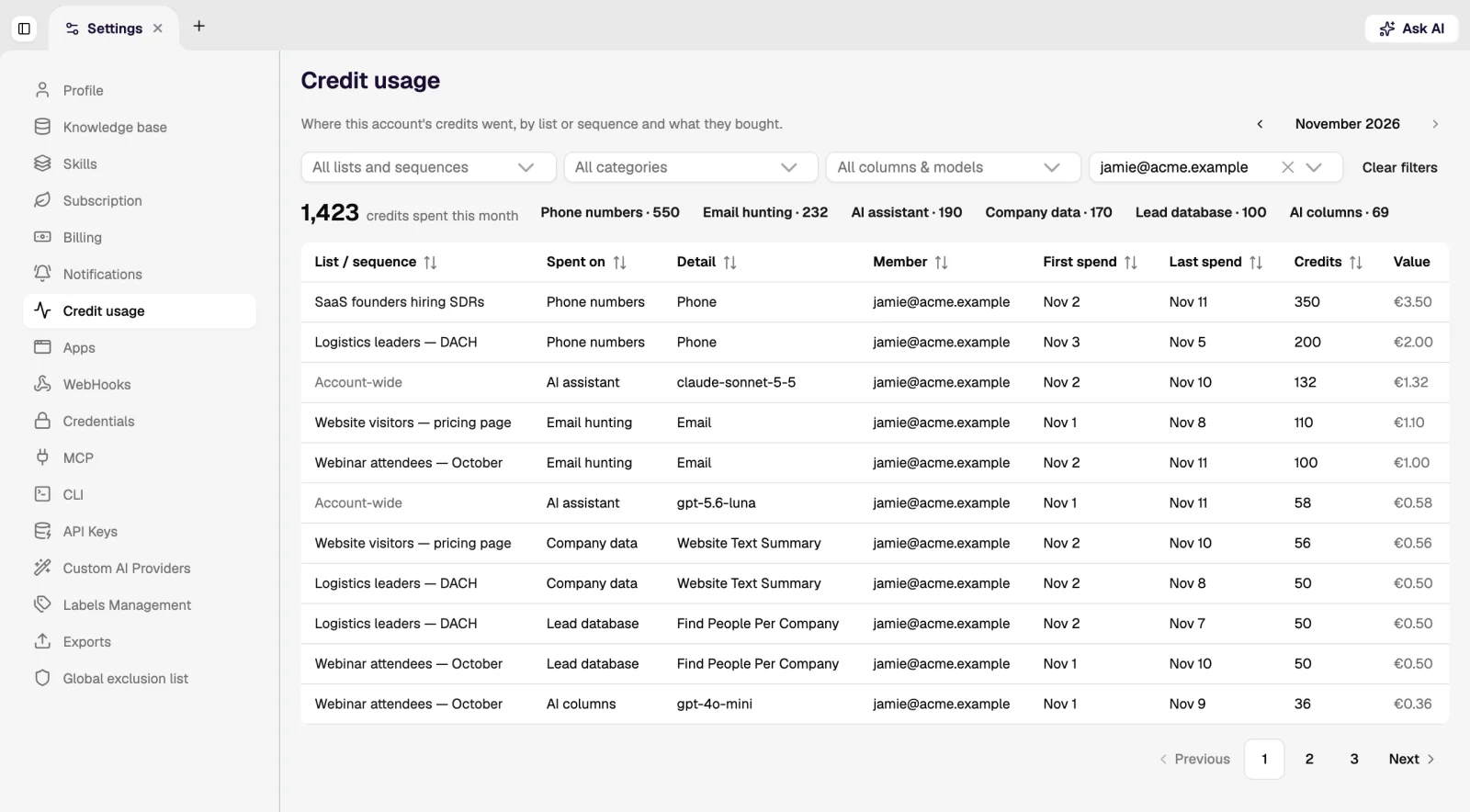
- Watch the usage breakdown
Spend is itemised by action and by team member, so a surprise has a traceable cause.
- Let large runs ask
Runs above a threshold ask for confirmation and show an estimate before they start.
What happens when credits run out?
Metered actions stop and say so. Sequences already running keep sending, because sending is not charged in credits. Credits can be topped up at any time, and the monthly allowance renews with the billing period.
Do unused credits roll over?
Yes. On monthly plans unused credits stay with you for 2 months, so you can hold up to two monthly allowances at once. Plans billed for a longer period carry at most 15% of their bundle into the next one. Credits bought as a top-up stay until you spend them. Details are on the pricing page.
How are seats counted?
One price per company, not per user. The plan sets how many team members (separate logins) and outreach seats you get, and you add members under Teams. The limits per plan are on the pricing page.
Was this page helpful?
Still stuck? Email support@leadspicker.com or use the chat in the app.
Last updated 2026-11-12




