Outbound prospecting to your ICP
This is the play most teams run first: a repeatable outbound motion aimed at the companies that look like the ones already paying you.
When to use it
You have customers you are happy with, a clear offer, and you want more of the same. There is no event to react to. The reason for the message is fit, so the targeting has to carry the weight.
Build it
- Describe the ICP with real customers
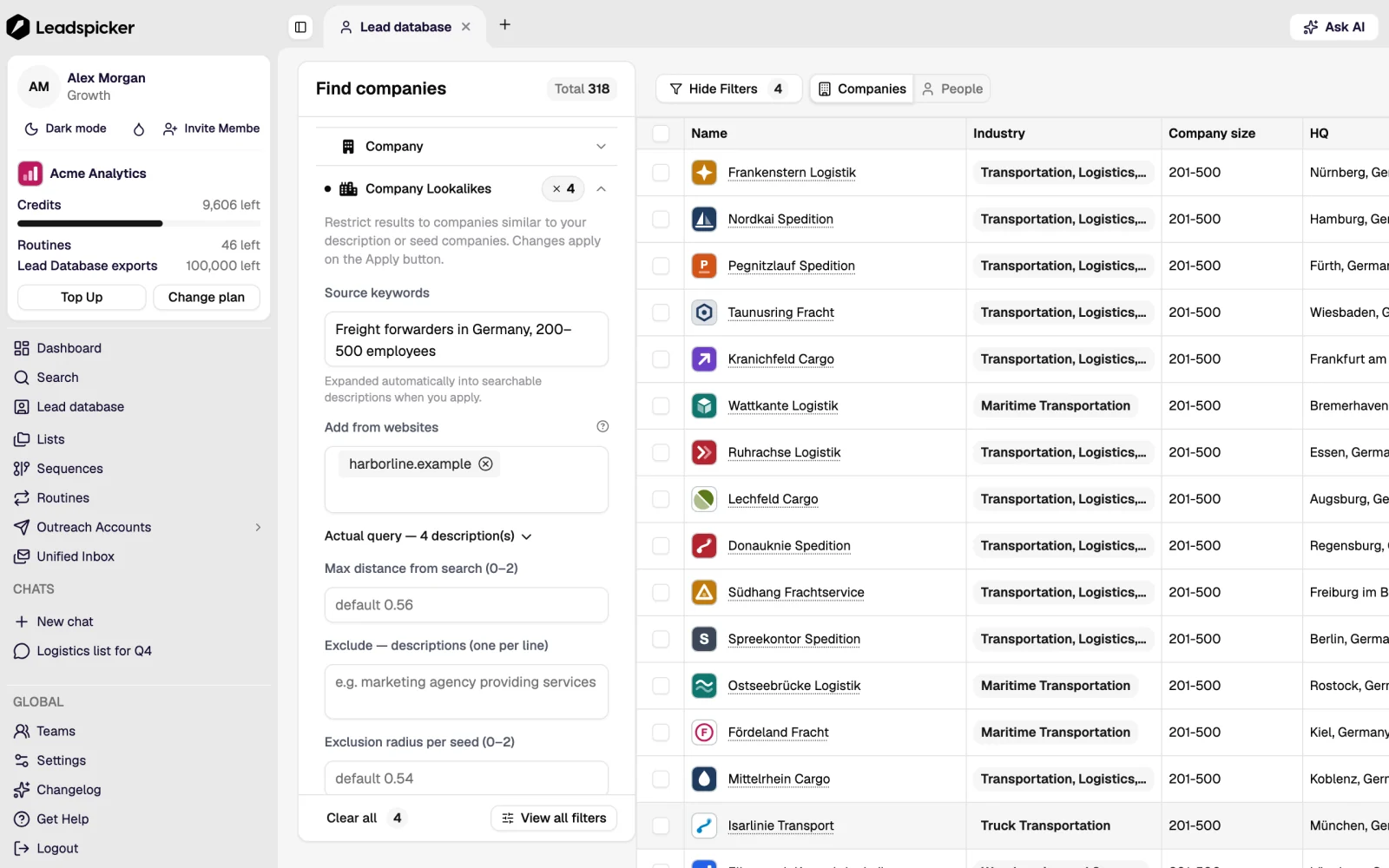
Name five to ten companies you have sold to and search the lead database by similarity. A customer list defines an ICP more precisely than an industry filter, and the result includes companies you would not have thought to filter for.
- Tighten with filters, then preview
Add the hard constraints only: country, size band, and anything that disqualifies. Preview the count. Hundreds is workable; tens of thousands means the definition is still a market, not an ICP.
- Pick the people, not just the companies
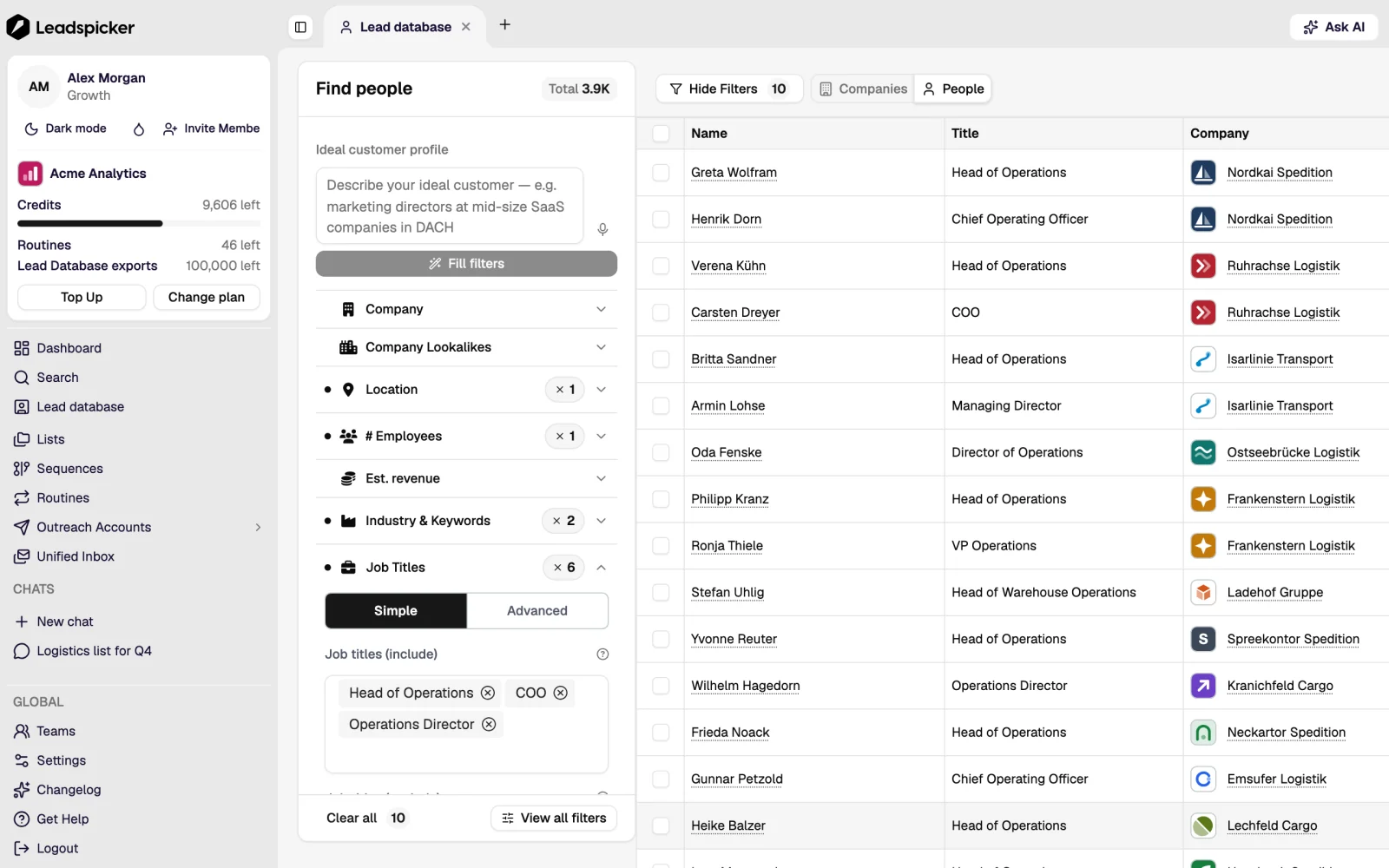
Choose the titles that own the problem and the ones that own the budget. Two or three contacts per company is enough; more reads as a blanket approach from the inside.
- Enrich what the message needs
Verified email for everyone. Website summary when the opener refers to what the company does. Phones only if someone will actually call.
- Score the fit with an AI column
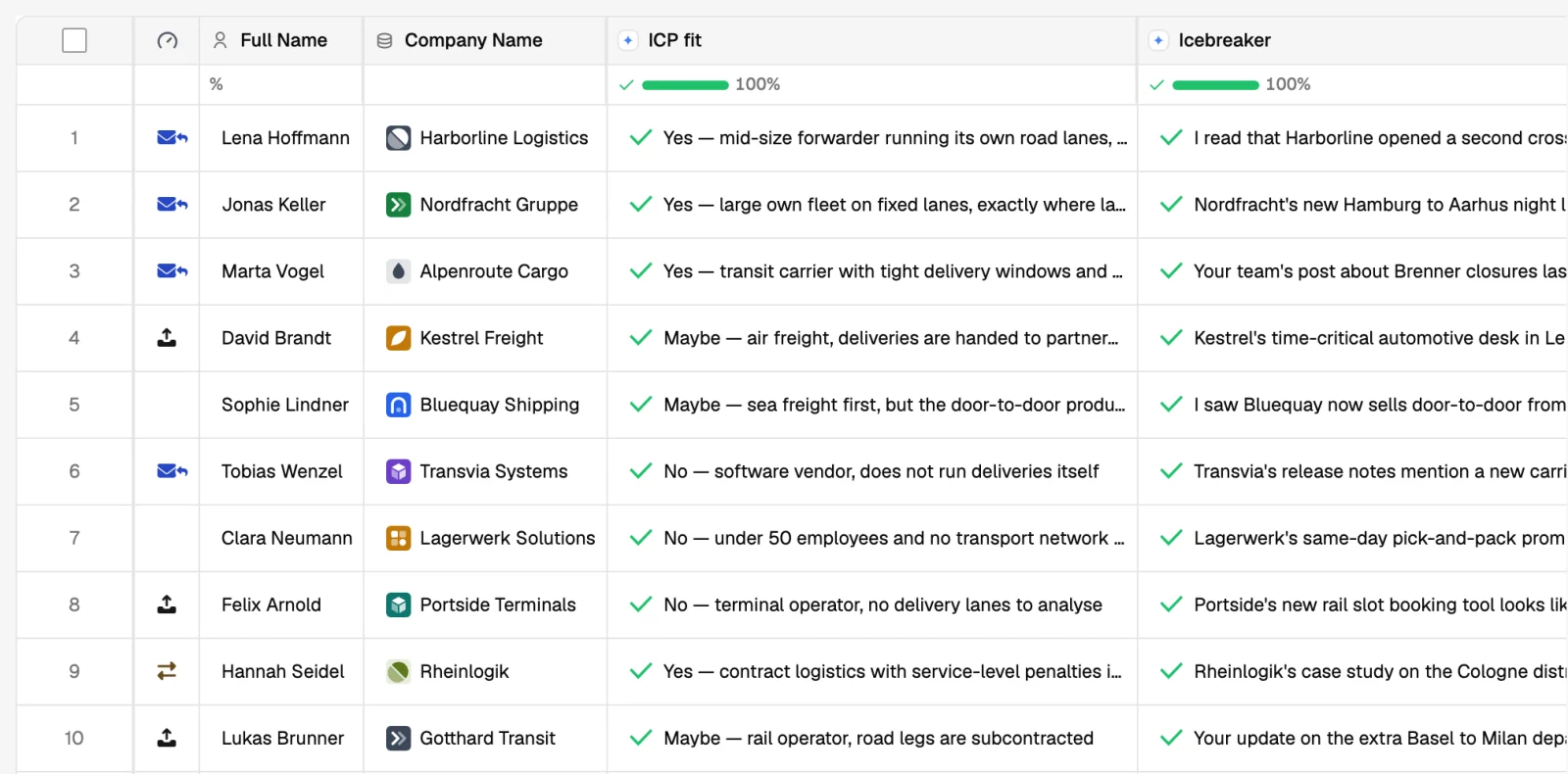
One column scoring 1 to 5 against your ICP definition, and a second explaining the score. Test on ten rows, then run the rest and keep the 4s and 5s.
- Write a sequence about the fit
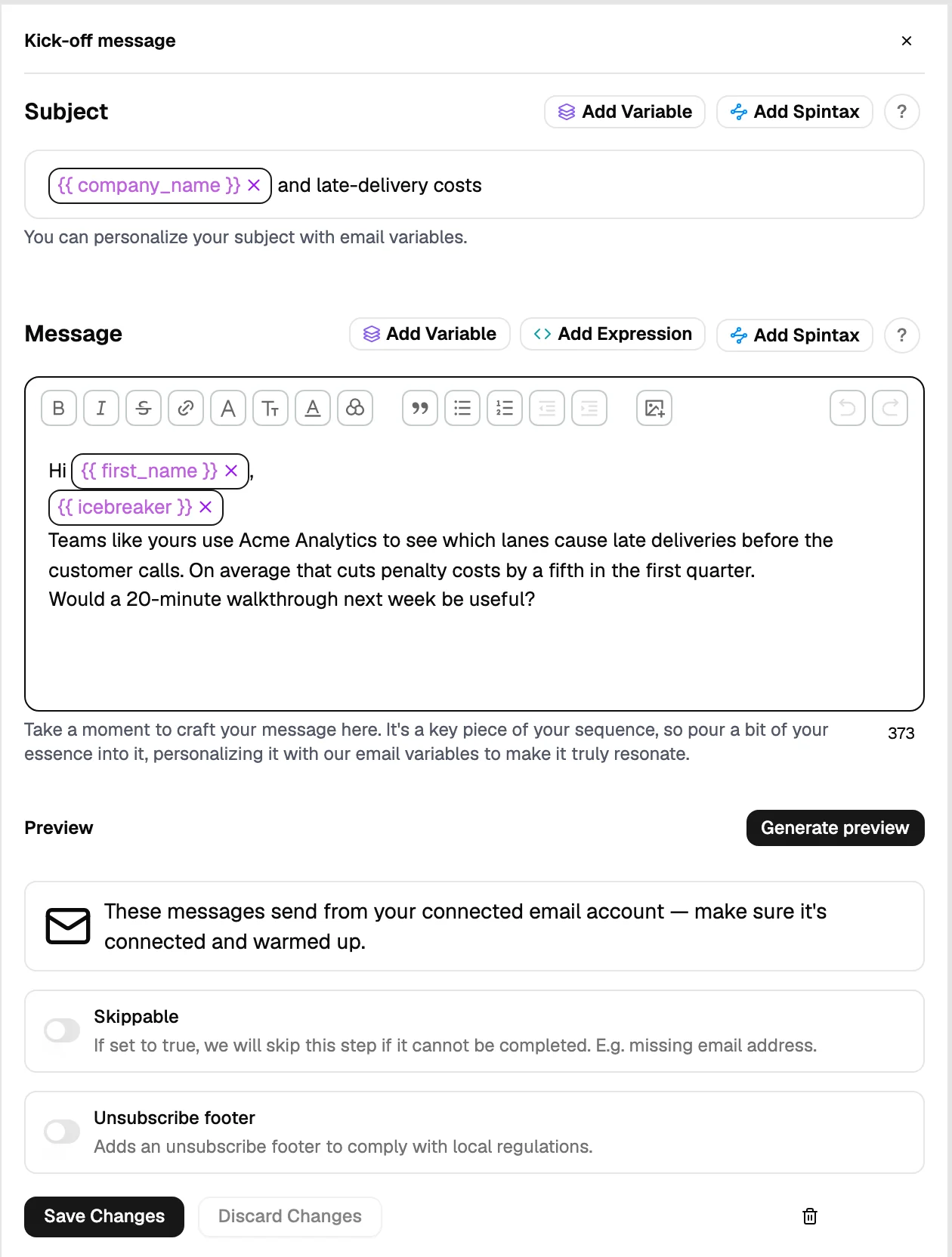
Four steps: an opener naming the specific reason you are writing to this company, a short follow-up with proof, a different angle, and a close. Personalise with the columns you enriched.
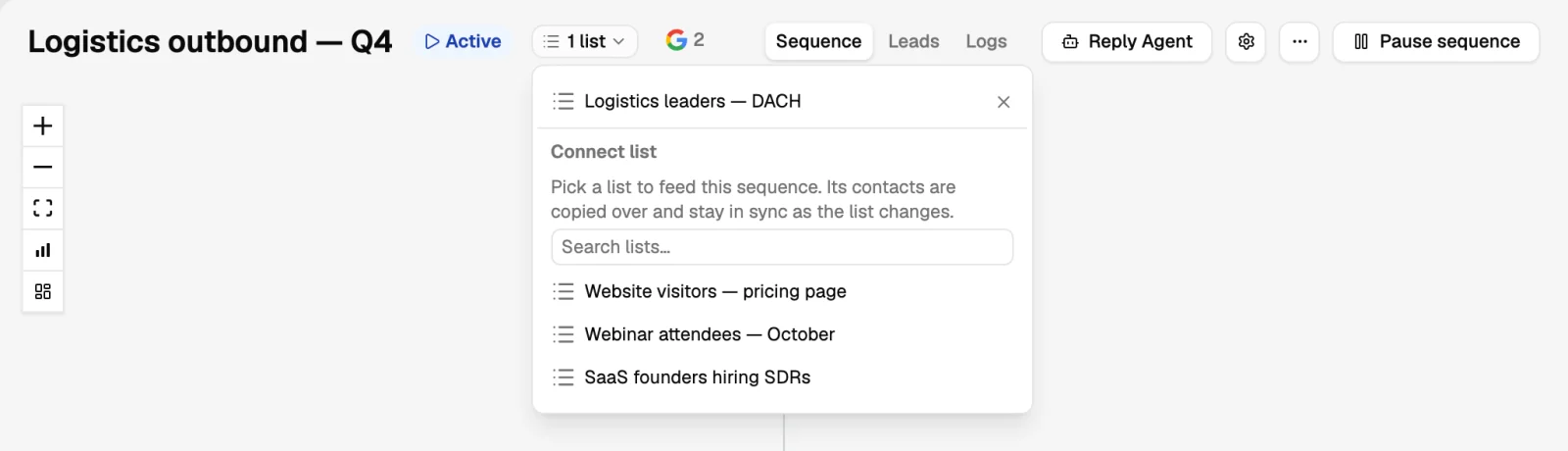
- Connect the list and launch
Keep the daily volume low enough that you can read the replies the same day.
Keep it running
- Add a routine to the same list (a saved people search or a job-ads routine for your ICP) and new matching companies enter the sequence on their own.
- Re-run the similarity search quarterly against your newest customers; the ICP moves.
- Put closed-won and closed-lost on the exclusion list so the next campaign does not reopen a finished conversation.
What good looks like
A scored list where you would be comfortable phoning any row, a sequence whose first step names something specific about the company, and a reply rate you can read after a hundred contacts rather than a thousand.
For reference: OVHcloud raised its response rate from 2% to 15% with automated, multilingual outreach to startups across Europe. Read the OVHcloud case study.
Was this page helpful?
Still stuck? Email support@leadspicker.com or use the chat in the app.
Last updated 2026-11-12




