HubSpot integration
Leadspicker keeps HubSpot contacts and companies in step with your outreach, and opens deals and tasks in HubSpot the moment a reply deserves one.
What you get
- Contacts and companies created or updated as people are added, contacted or reply.
- Deals in the pipeline and deal stage you choose, associated with the contact and the company.
- Tasks for the mapped HubSpot owner, under the deal when there is one.
- Properties set to fixed values, such as lifecycle stage or lead status.
- HubSpot lists and deal pipelines as sources for imports and exclusion lists.
The shared model, tab by tab, is in How CRM integrations work.
Connect HubSpot
- Open the HubSpot card
Go to Settings → Apps and open HubSpot, as an owner or admin of the organisation.
- Sign in to HubSpot
Connect the account, choose the HubSpot account to use and approve the access.
- Set the scope and triggers
On General choose Sync all contacts or pick lists and sequences, tick the events that sync a contact, and decide whether Leadspicker may create records HubSpot does not have.
- Map, switch on, save
Check Field Mapping, pair outreach accounts with HubSpot users on User Mapping, turn Enabled on and Save.
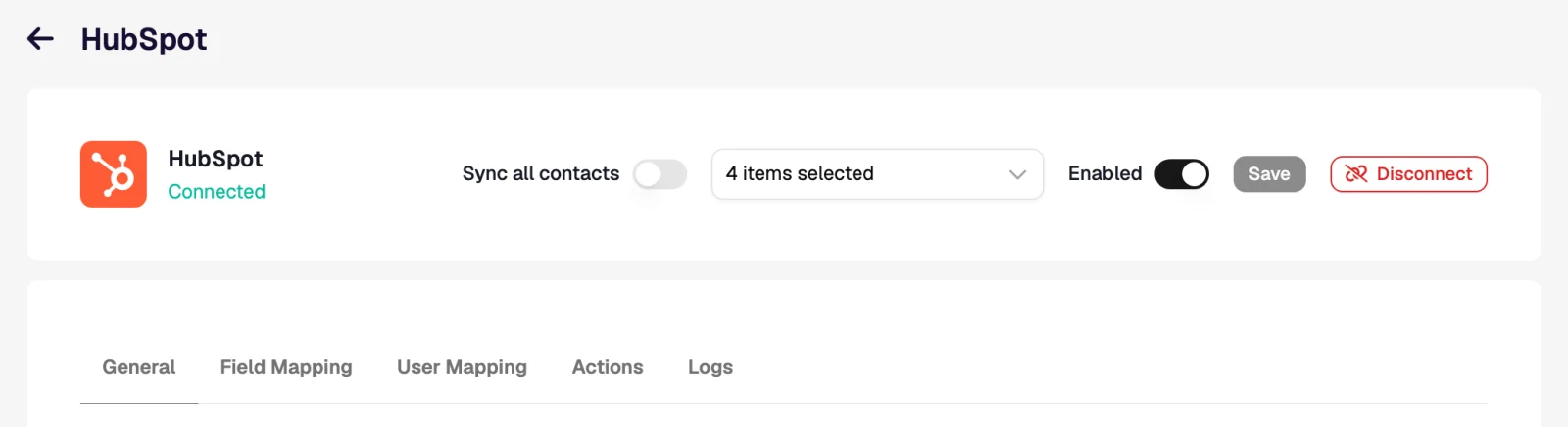
Settings specific to HubSpot
- Overwrite the contact owner in HubSpot when an existing contact is updated. Off by default: the owner from User Mapping is set only on contacts Leadspicker creates, and an existing contact keeps its HubSpot owner.
- Phone properties. A HubSpot phone property holds one number, so the phone action skips a contact that already has one.
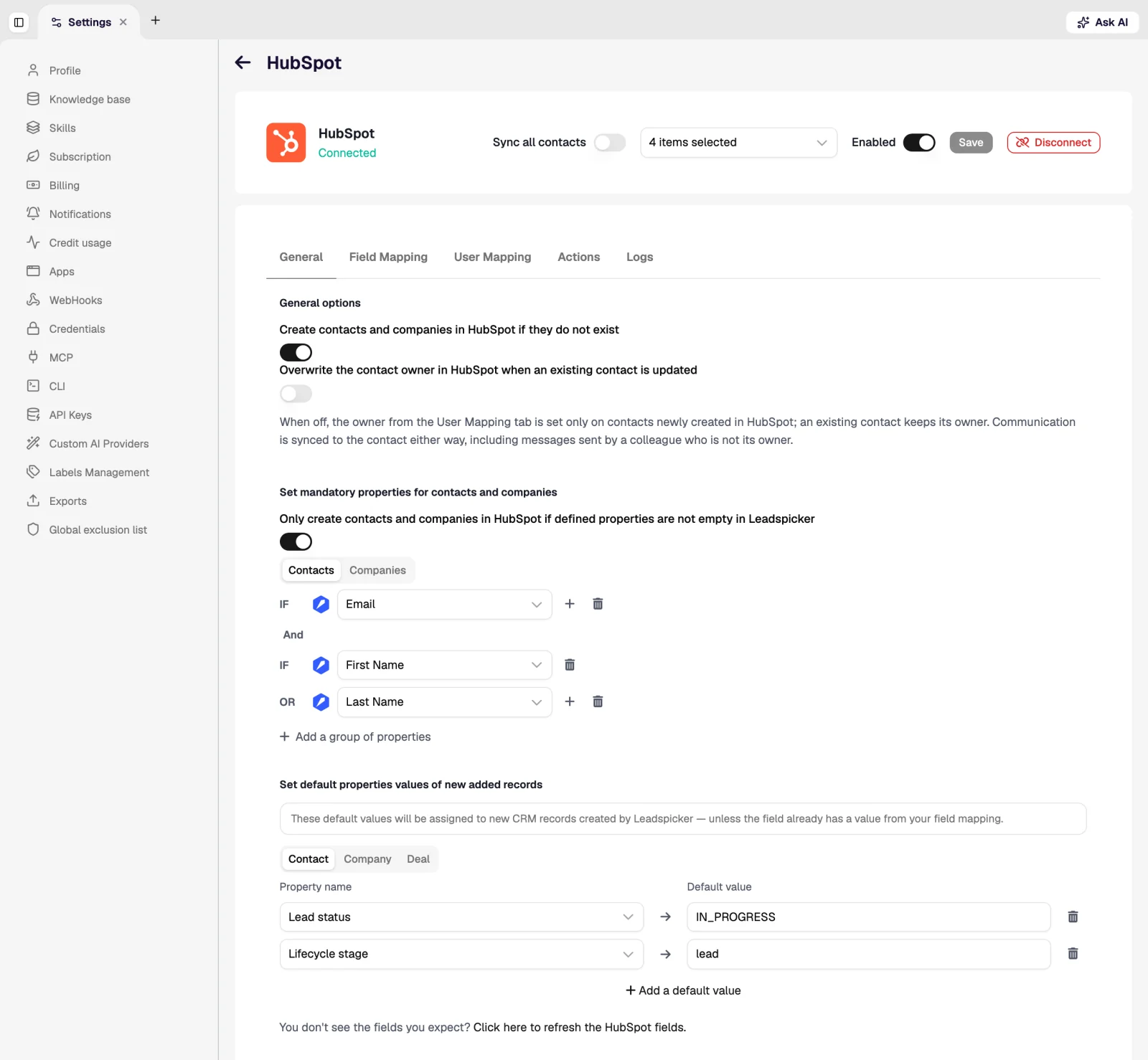
Workflows inside HubSpot
Rules on the Actions tab react to outreach events HubSpot itself never sees:
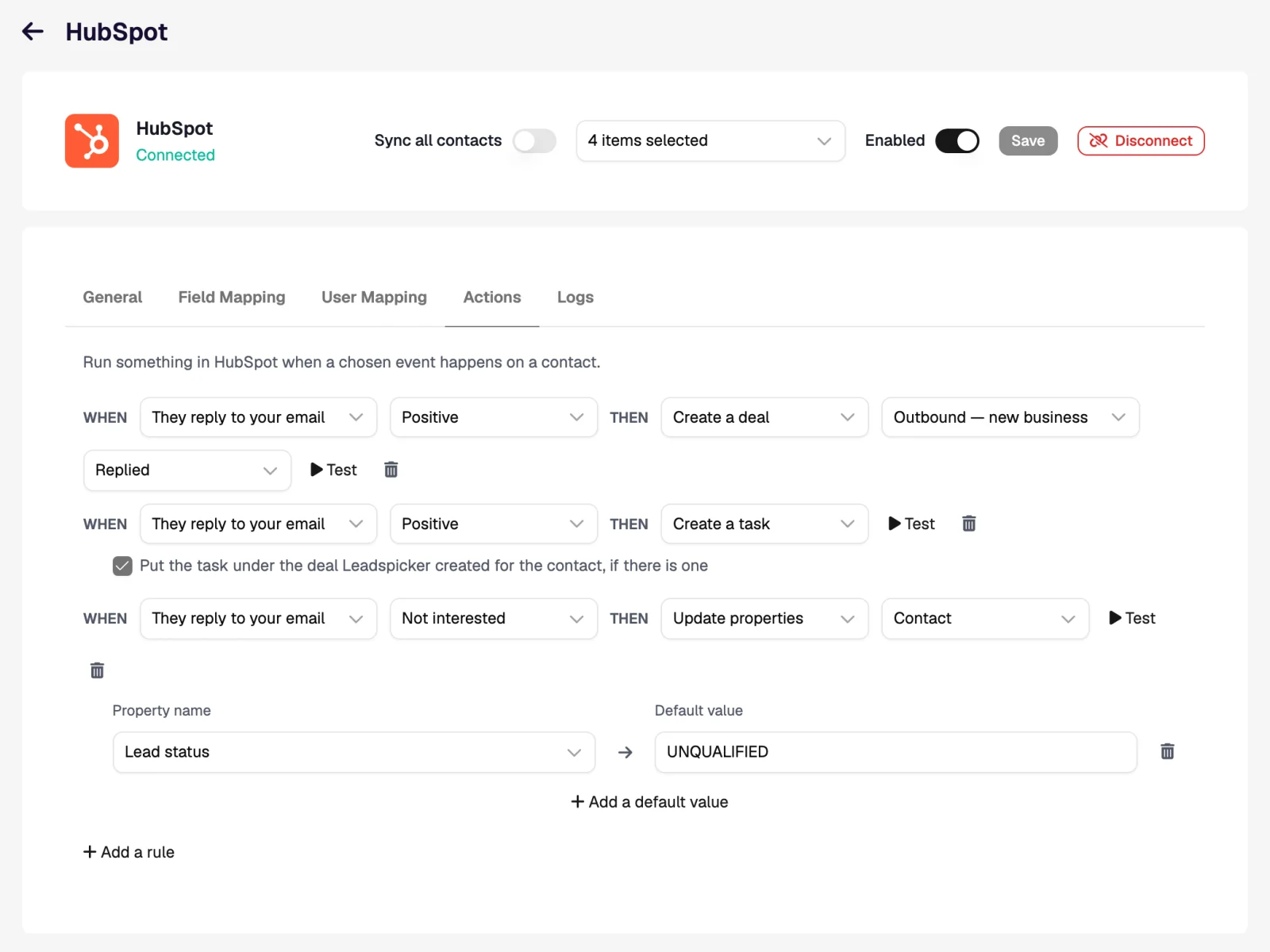
| When | Then | What the rep sees in HubSpot |
|---|---|---|
| They reply to your email, Positive | Create a deal in Sales pipeline, stage Appointment scheduled, plus Create a task | A deal associated with the contact and company, and under it a task Reply from Jana Nováková (Positive) with the reply text. |
| They reply, Maybe | Create a task | A task among the owner's HubSpot tasks, on the contact, with no deal opened. |
| They reply, Not interested | Update properties: lead status → Unqualified | The contact drops out of the lists and views built on that property. |
Import from HubSpot and exclusions
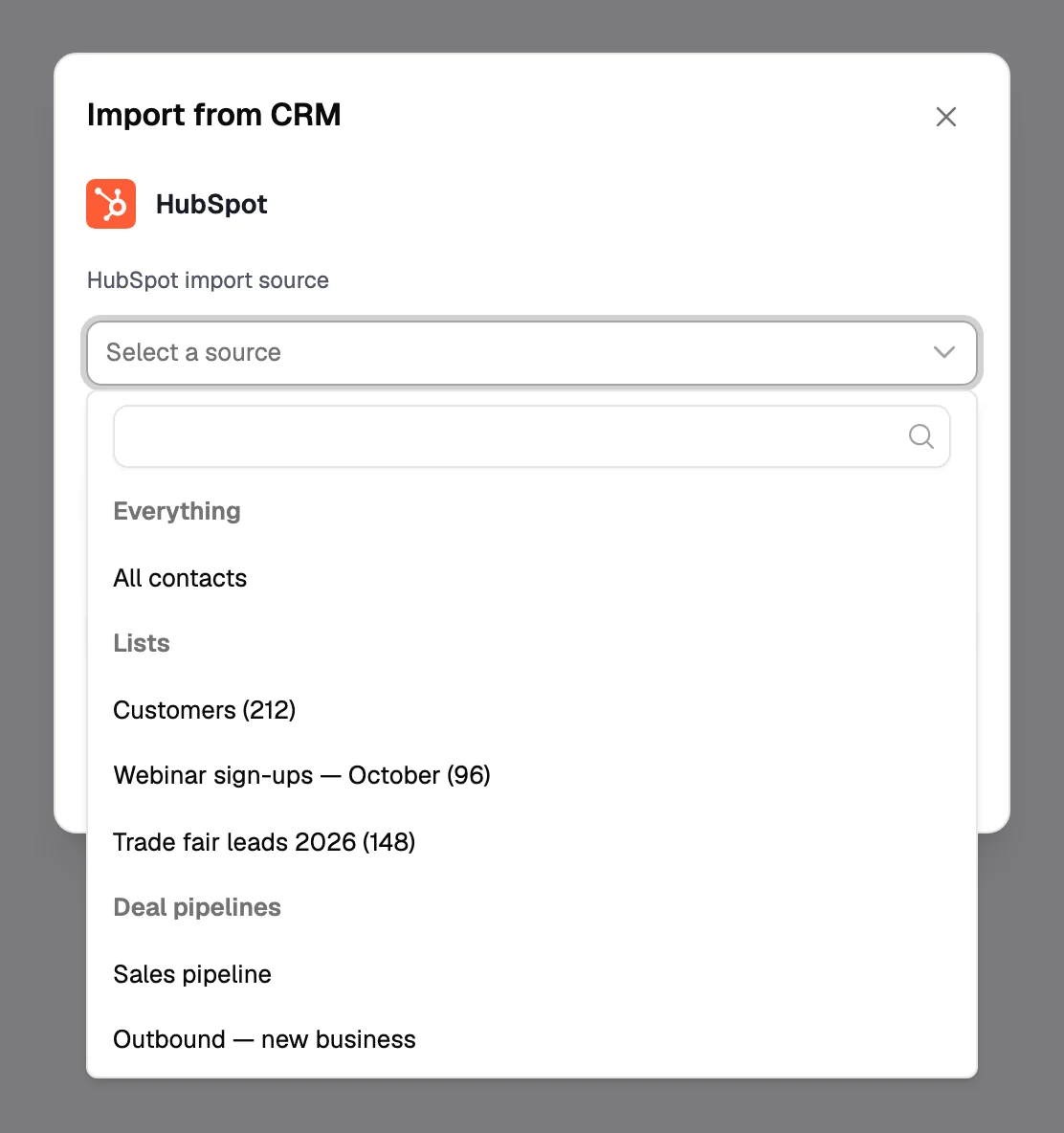
- Import. Import → From CRM on a list takes everything, one HubSpot list, or one deal pipeline with the contacts on its deals. Import new HubSpot contacts every hour keeps the list fed.
- Per-list sync. Sync with HubSpot on a list exports it with its own mapping, hourly if you want.
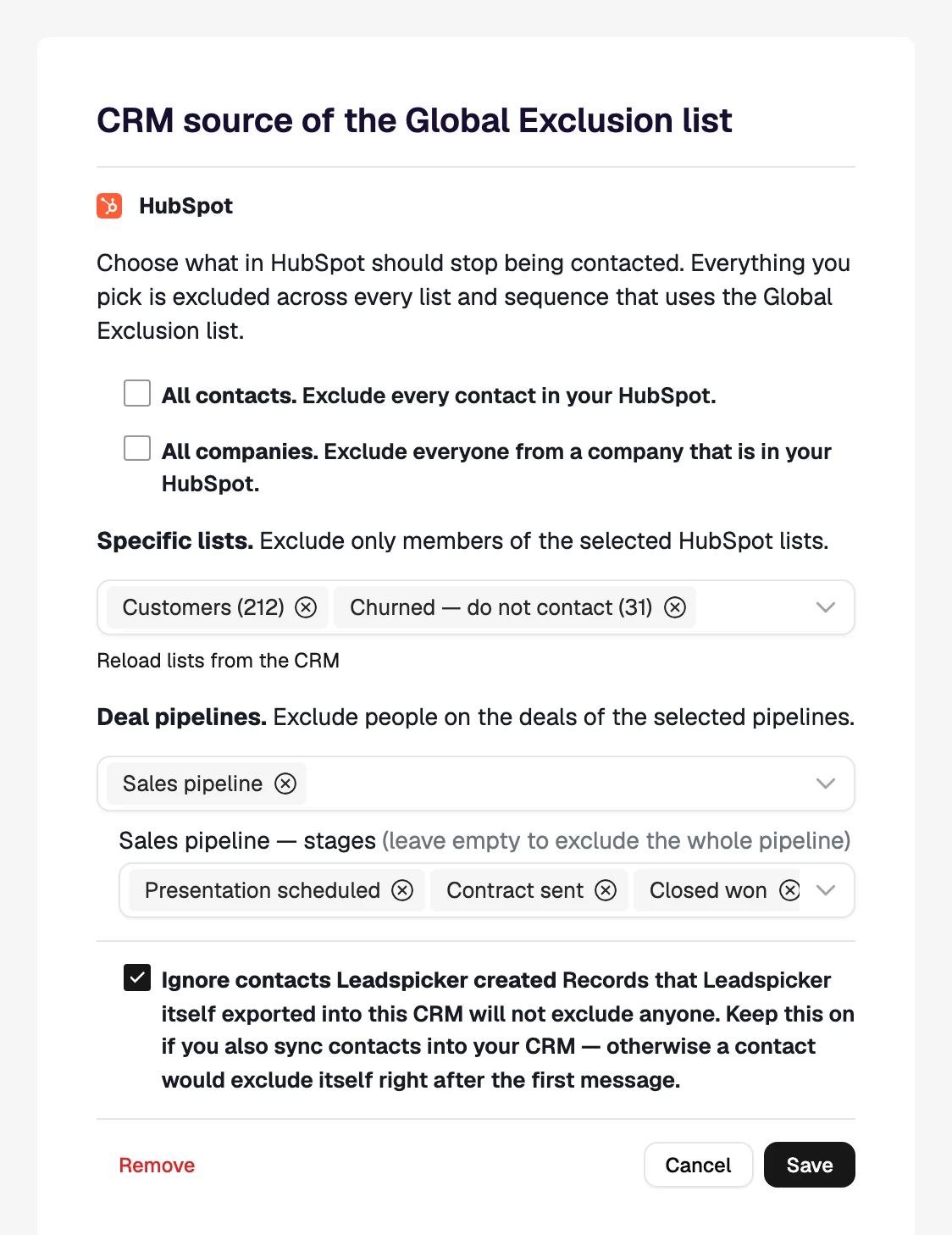
- Exclusions. Exclude all contacts, all companies, specific lists, or deal pipelines narrowed to stages. Leave Ignore contacts Leadspicker created on, or a synced contact would exclude itself.
Will this create duplicate contacts in HubSpot?
No. An existing contact is matched by email or profile URL and only updated. New contacts and companies are created only when that option is on.
Why did the contact owner not change?
By default an existing contact keeps its HubSpot owner. Turn on the overwrite option on General if outreach should reassign contacts.
Was this page helpful?
Still stuck? Email support@leadspicker.com or use the chat in the app.
Last updated 2026-11-12




