Leadspicker in Claude Code
Claude Code gets the full Leadspicker server and the assistant skills. Setup is one command and one sign-in.
What you can do from Claude Code
Ask in plain language, in the terminal where you already work. Three prompts to start with:
- Find freight forwarders in Germany with 200 to 500 employees and put their heads of operations into a new list.
- Write a three-step sequence for the list DACH freight and show it to me before saving.
- Which replies from this week still need an answer?
Claude Code also reads the files in your working folder, so the two combine: import the contacts in leads.csv into a new list and find their work emails.
Set it up
Three steps. The installer is the shortest way; two alternatives follow below.
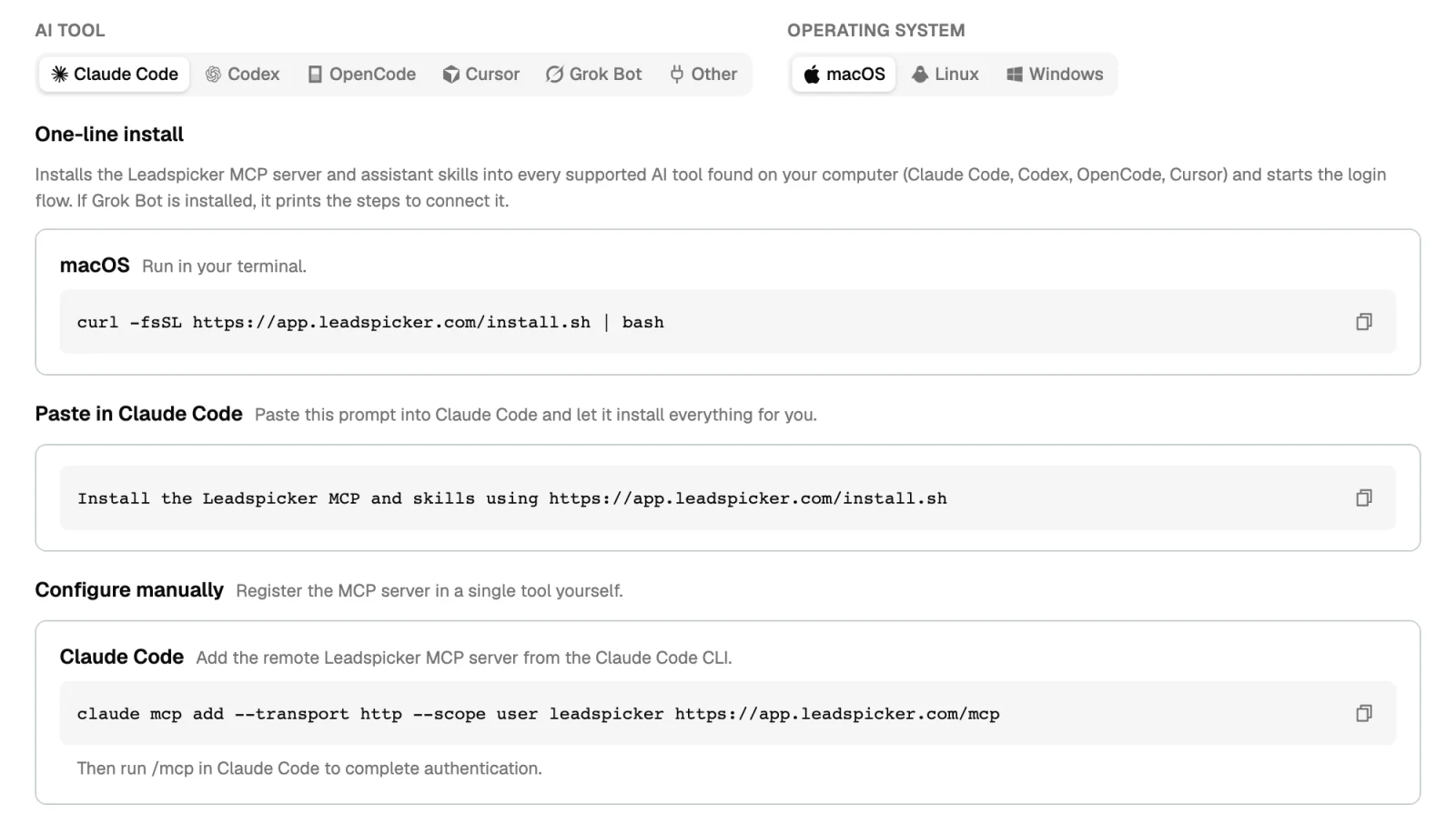
- Run the installer
In a terminal run
curl -fsSL https://app.leadspicker.com/install.sh | bashon macOS or Linux, orirm https://app.leadspicker.com/install.ps1 | iexin PowerShell on Windows. It registers the server and installs the skills. - Sign in
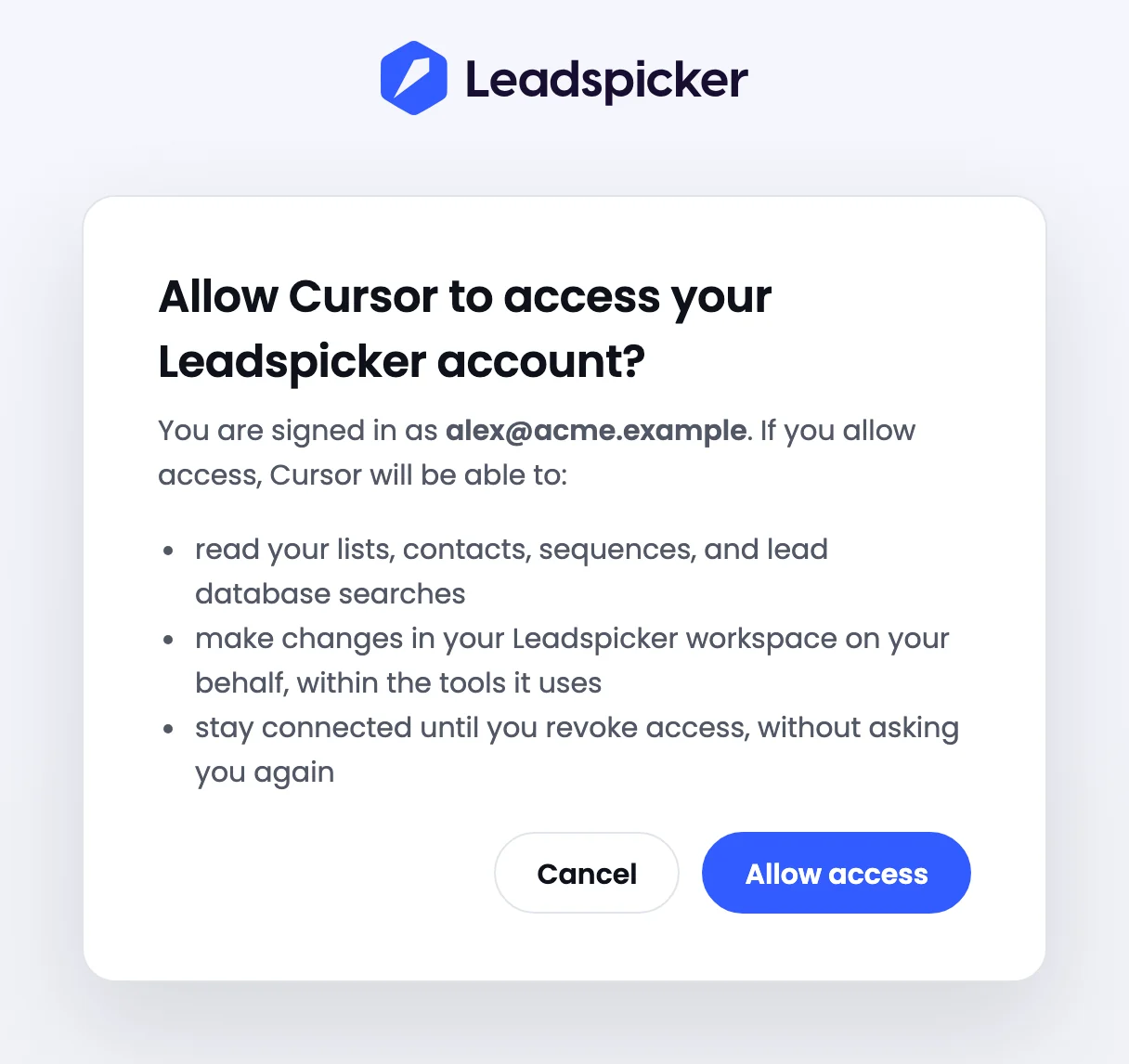
Open Claude Code and run
/mcp. Choose leadspicker and authenticate: a browser window opens, you sign in to Leadspicker and allow access. - Try it
Ask list my Leadspicker lists. When your lists come back, the connection works.
| Another way | What to do |
|---|---|
| Let Claude Code install it | Paste this prompt into Claude Code: Install the Leadspicker MCP and skills using https://app.leadspicker.com/install.sh |
| Add only the server | Run claude mcp add --transport http --scope user leadspicker https://app.leadspicker.com/mcp, then /mcp in Claude Code to authenticate. |
What gets installed
| Piece | What it is |
|---|---|
| MCP server | An entry named leadspicker at user scope, pointing at https://app.leadspicker.com/mcp. User scope means it is there in every folder you start Claude Code in. |
| Skills | The leadspicker-… assistant skills, in ~/.claude/skills. They come with the installer, not with the manual command. |
Limits
- Claude Code is on the full server, which includes sending a message. Read what it is about to run when it asks for permission.
- Actions cost the same credits as in the app. The conversation itself runs on your own model.
- The manual
claude mcp addcommand registers the server alone. Run the installer if you want the skills too.
/mcp shows leadspicker as not authenticated. What now?
Select it and authenticate again. The same step fixes an expired session.
Do I have to add it in every repository?
No. Both the installer and the manual command register the server at user scope.
How do I remove it?
Run claude mcp remove leadspicker --scope user.
Was this page helpful?
Still stuck? Email support@leadspicker.com or use the chat in the app.
Last updated 2026-11-12




