Job change tracking
Someone who liked your product and just started somewhere new is a contact worth reaching quickly. They know the product, they have a new budget, and they are expected to change things.
When to use it
You have users, champions or evaluators whose careers you can follow: a customer list, the contacts in a won deal, closed-lost champions, or anyone who ever replied positively.
Build it
- Build the watch list
Import the people worth following: current users, past champions, closed-lost contacts. Keep it to real relationships; this is not a volume play.
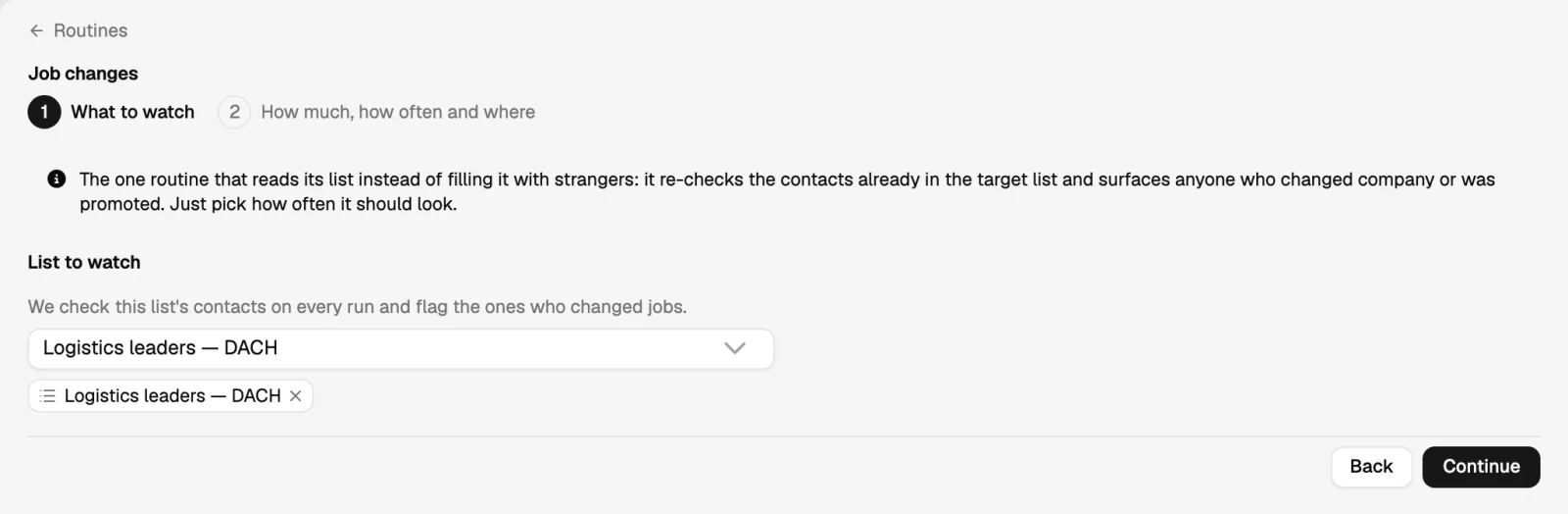
- Add the job-change routine
It watches the contacts in that list and flags the ones whose company or title changed.
- Route the movers into their own list
Movers need a different message from the watch list they came from, so give them their own list and sequence.
- Write a short, human first message
Congratulate, say you noticed, and make the offer about their first ninety days. Two or three sentences.
- Tell the account team too
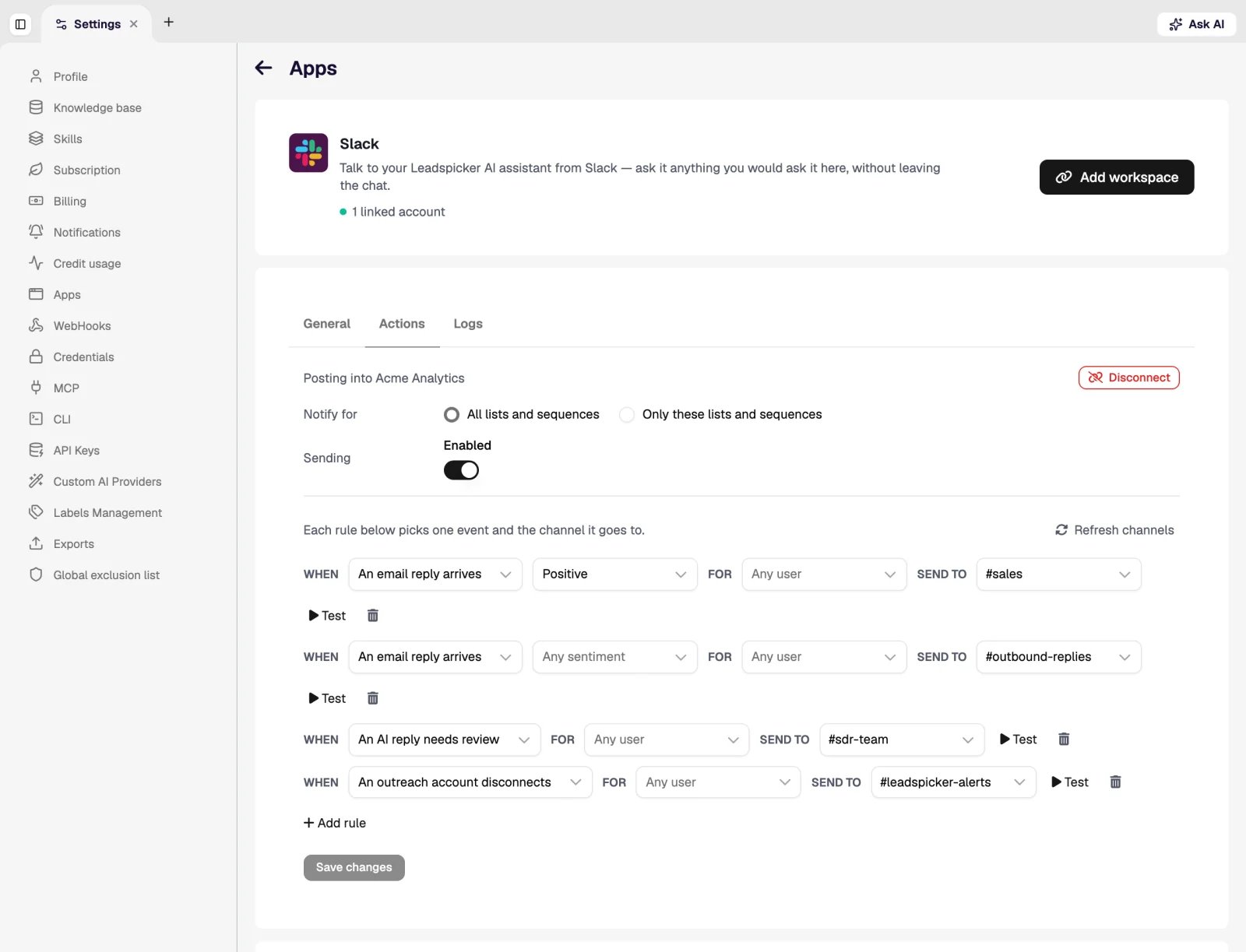
A champion leaving a customer is a churn risk as much as it is an opportunity. A CRM task or a chat notification covers both sides.
What good looks like
A small, steady stream (a handful a month rather than hundreds), replies from people who already know the product, and the occasional new logo that cost one message.
ClosePlan, which acted on detected job changes and account activity, reports 3x higher response rates using real-time signal-based outreach. Read the ClosePlan case study.
Was this page helpful?
Still stuck? Email support@leadspicker.com or use the chat in the app.
Last updated 2026-11-12




