Where your data comes from
Contacts arrive in a list from five places. They can be mixed in the same list, and every contact keeps the source it came from.
The lead database
Leadspicker's own searchable database of companies and the people inside them. Search it two ways: with filters (industry, size, country, title, seniority), or by similarity. Name companies you already sell to and get the ones that look like them. Similarity search is usually the better opening move, because a customer list describes an ICP more precisely than a set of industry codes.
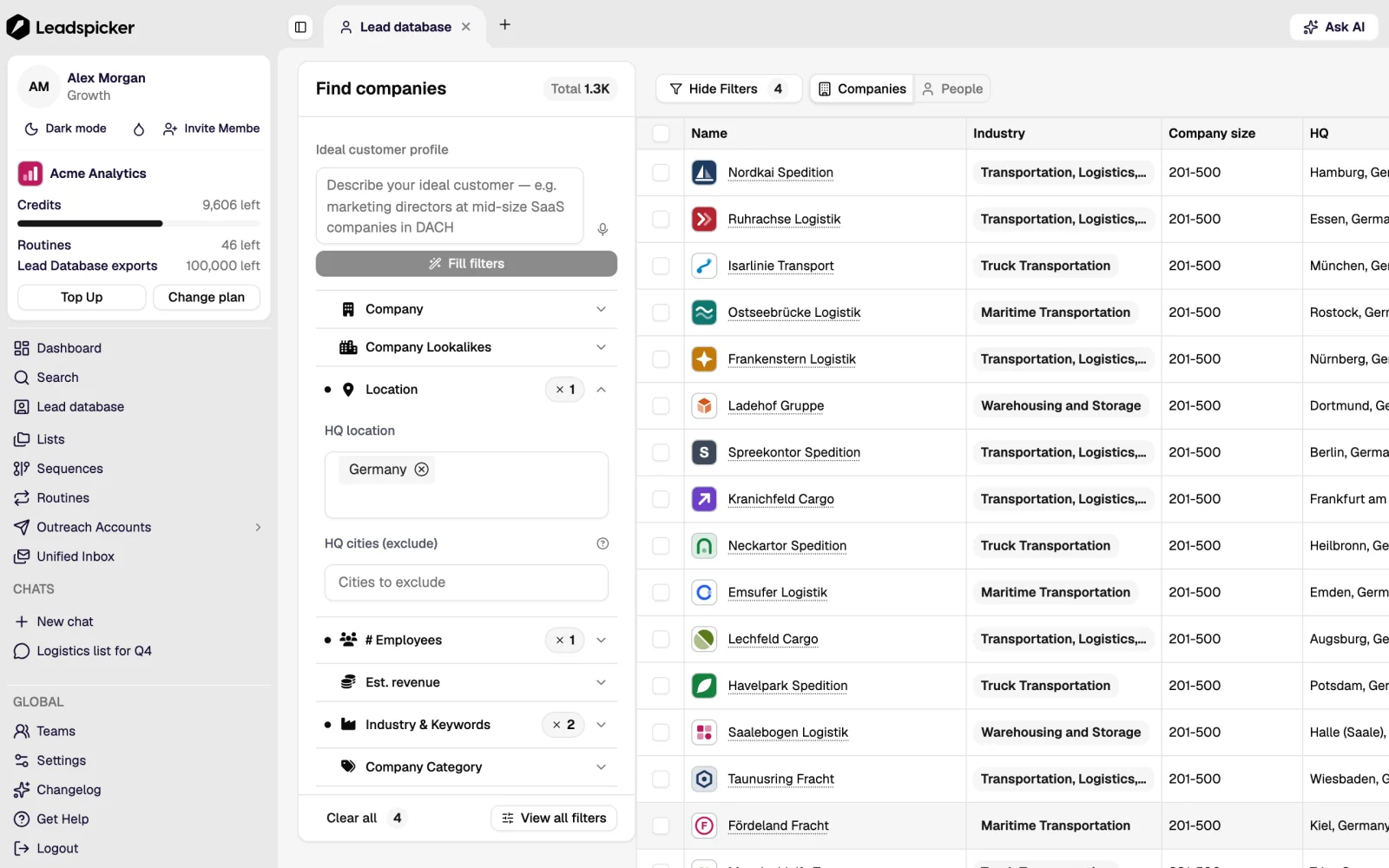
Searches can be previewed with a count before anything is imported, so you can tighten the definition before spending anything.
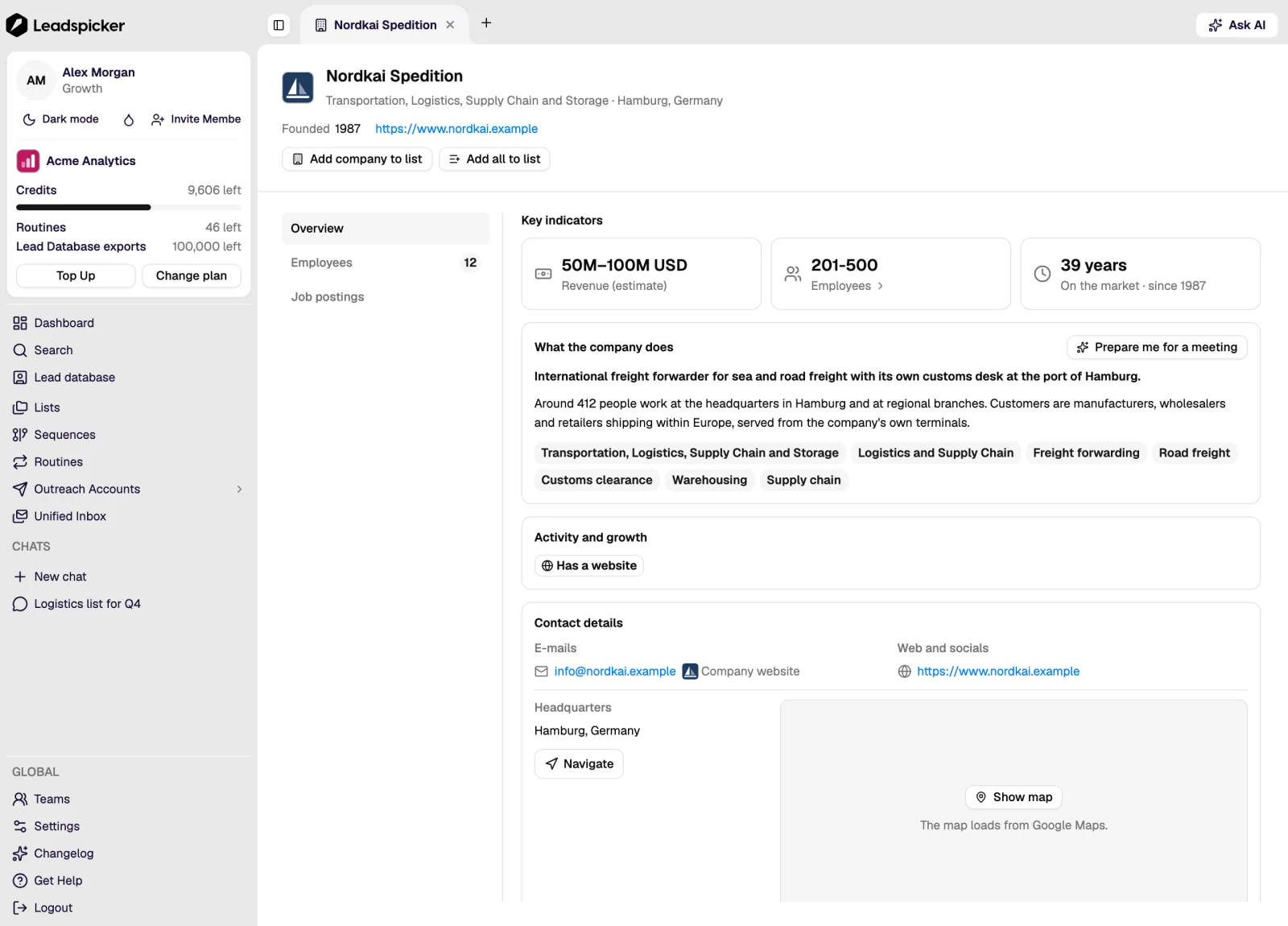
Company intelligence
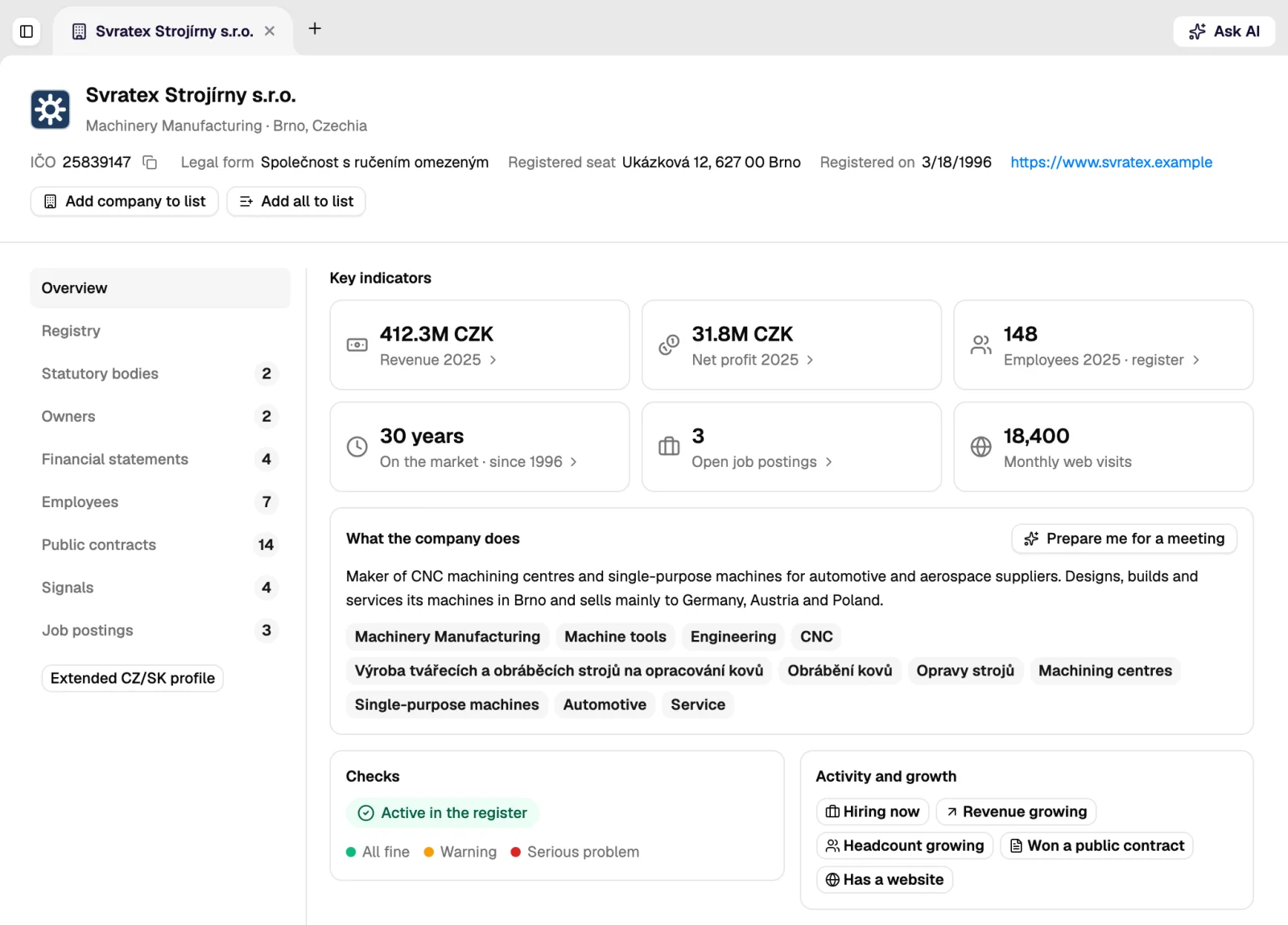
Company-level data used both to find companies and to brief you on one: firmographics, financials, funding, executives, technologies in use, job ads, public contracts, e-shops and local businesses. For the Czech and Slovak markets it includes figures filed in the public register (revenue, profit, headcount) plus contract wins, grants and insolvency events.
Buying signals
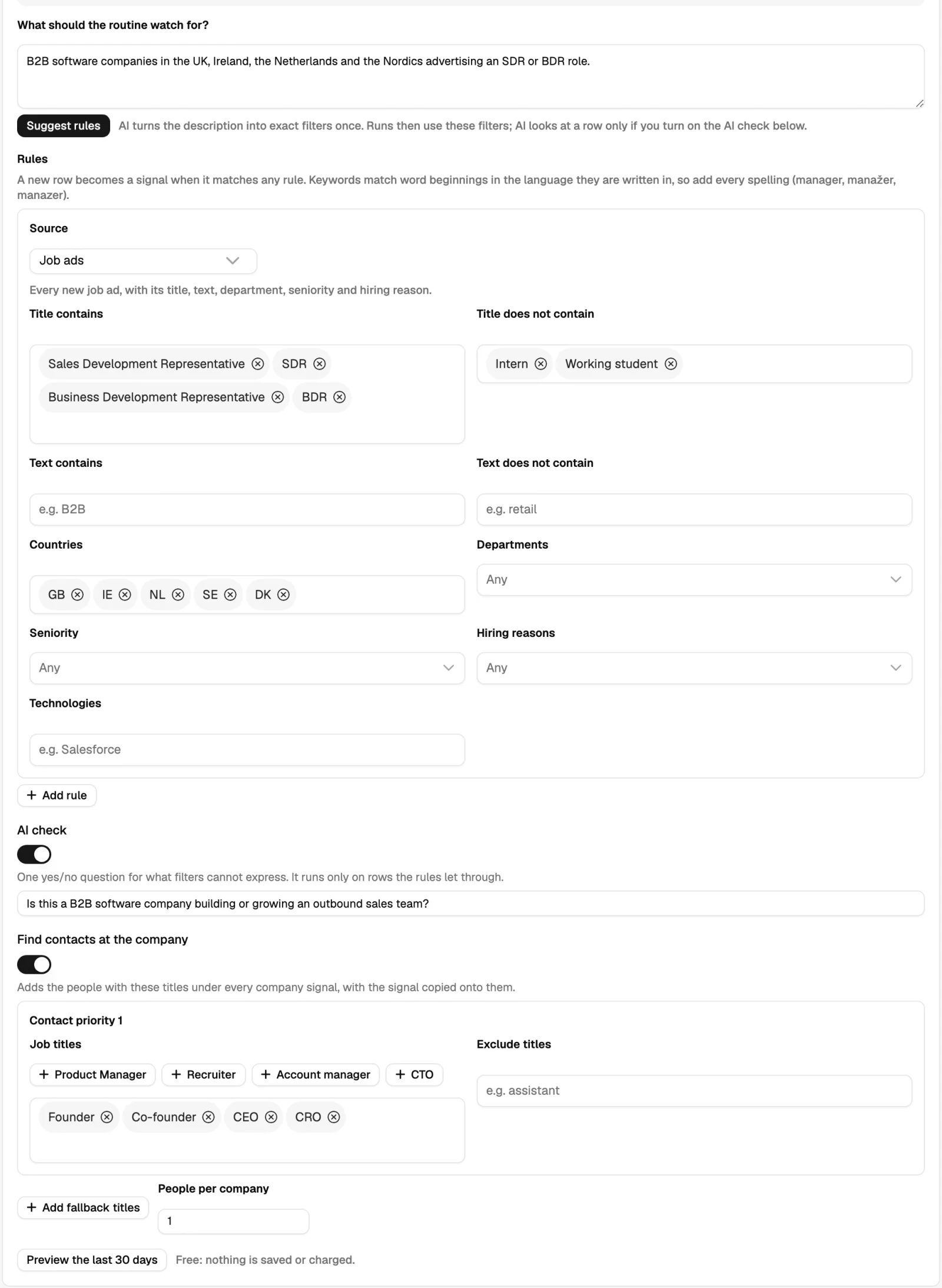
A signal is an event that suggests a company may be ready to buy: it is hiring for a role that implies your problem, it raised money, it changed a C-level executive, it adopted or dropped a technology, it won a public contract. Ready-made signals are switched on in one click for the markets you pick; anything else can be described in a sentence and watched as a custom signal.
Routines
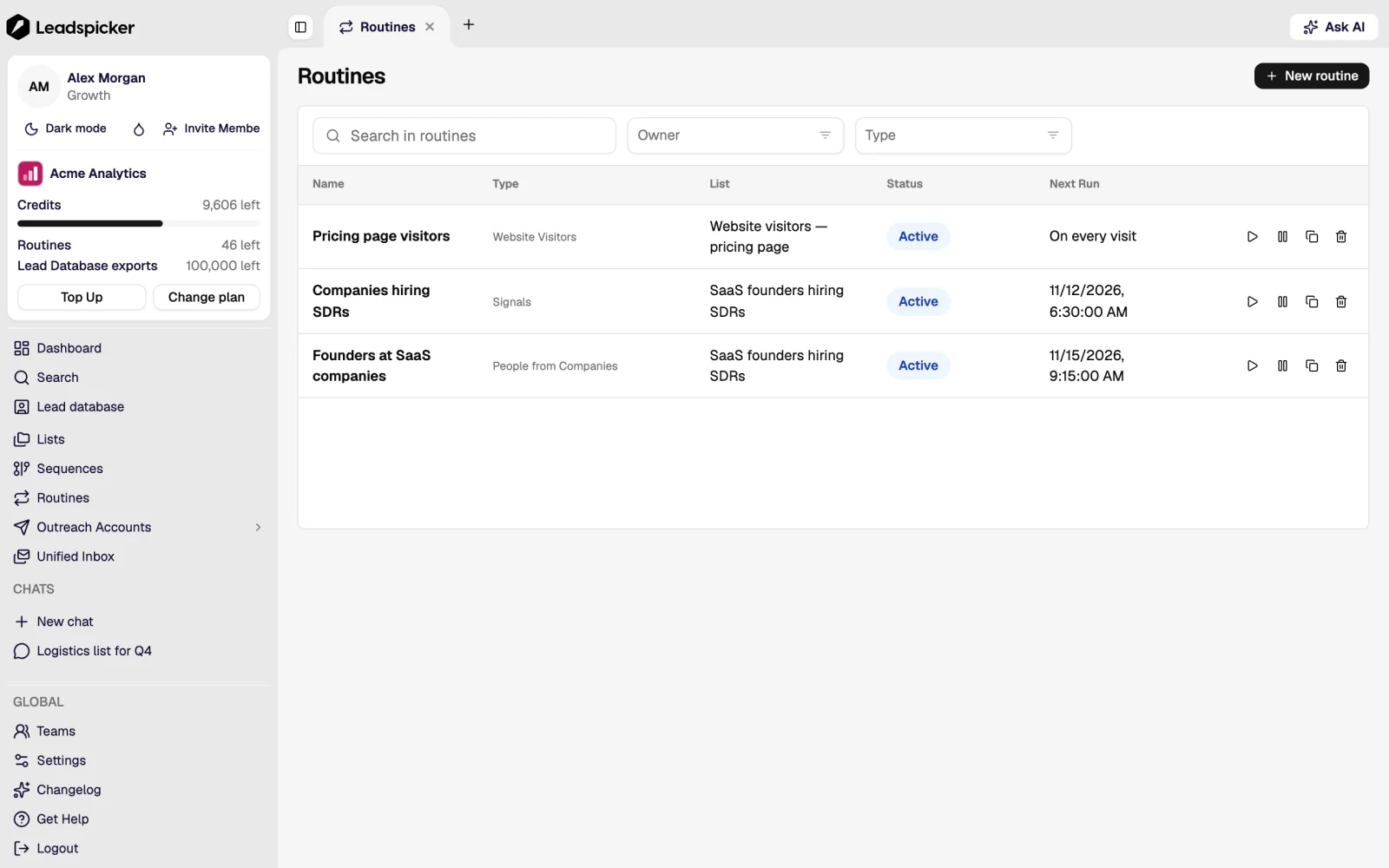
A routine is a scheduled collector that keeps a list filled. Each one points at a source and runs on its own schedule:
- People search: a saved search on a professional network, collected on a schedule.
- Post monitoring and engagement: posts from accounts you follow, posts matching keywords, and the people who liked or commented on them.
- People at target companies: the right titles inside a set of companies you name.
- Job postings: new ads on the portals you pick, with the hiring company and up to three people to contact.
- Job changes: the contacts in a list who moved to a new company, a signal worth acting on quickly because the person already knows you.
- Website visitors: a snippet on your own site turns visiting companies into leads.
Your own data
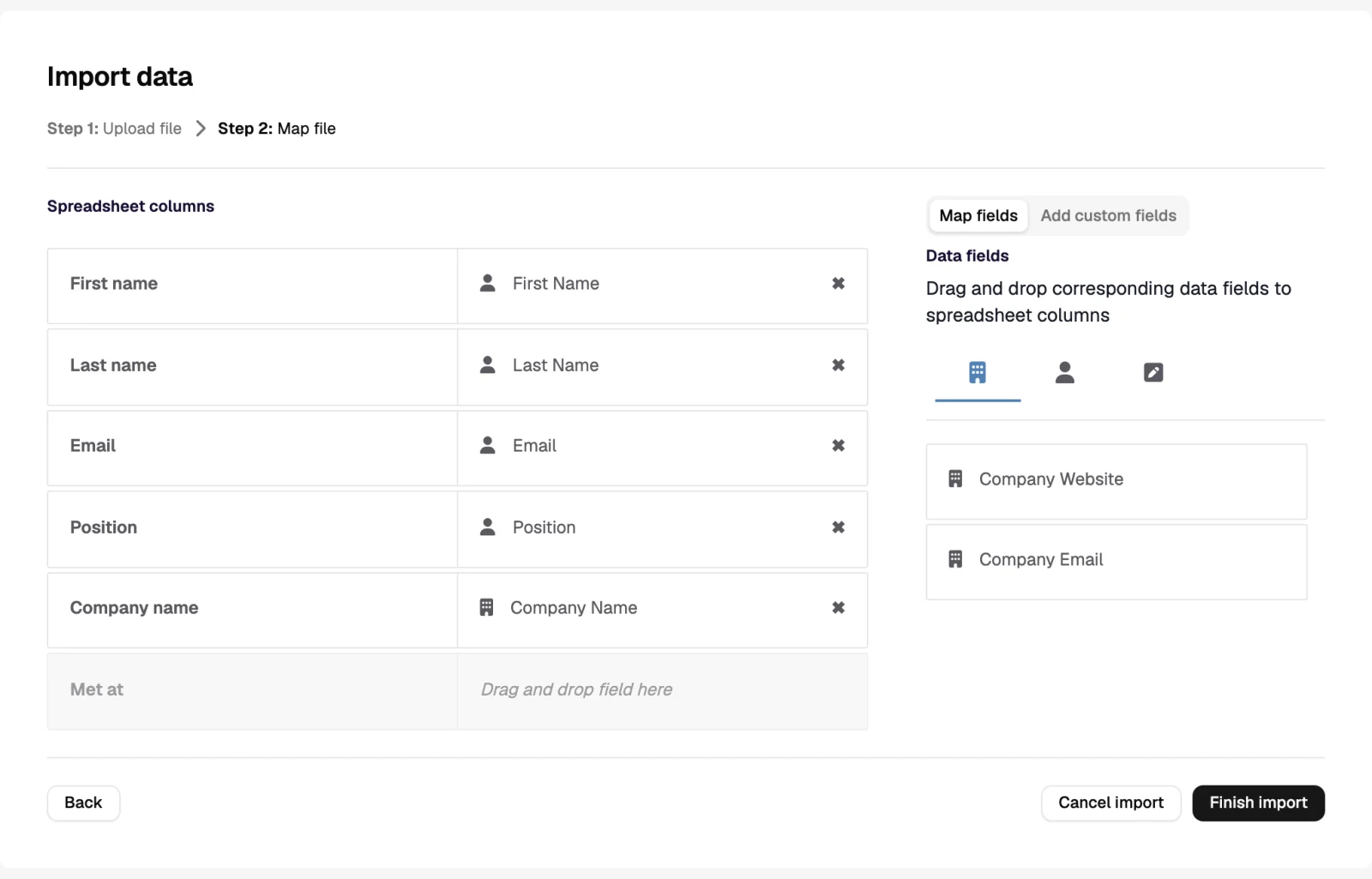
Import a CSV or Excel export, pull records in from a connected CRM, paste a handful of people into the assistant, or add a contact by hand. Imported contacts are enriched by the same columns as everything else, which is how most teams clean up an old CRM export.
What is guaranteed about a contact detail
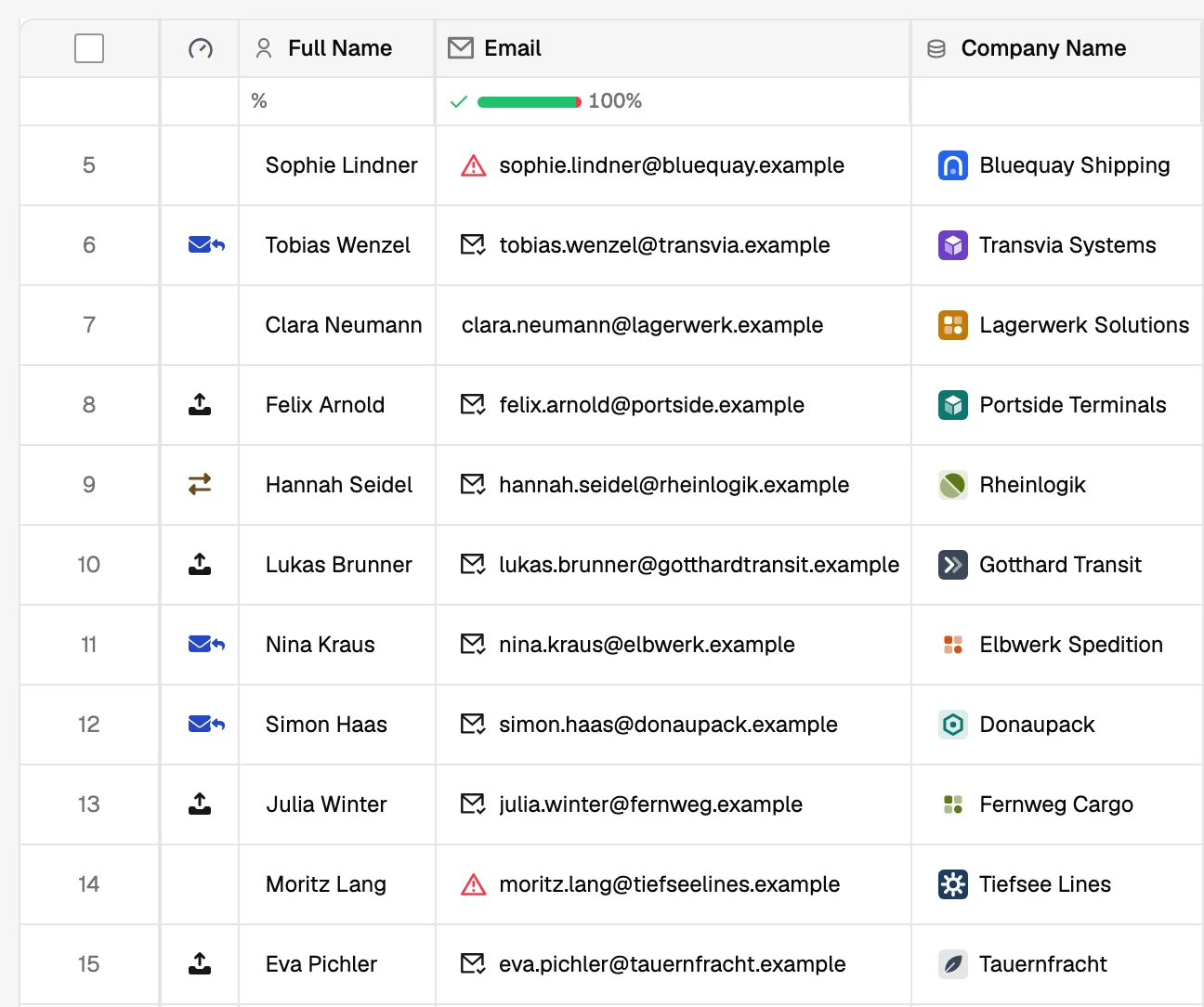
- Emails and phone numbers are found and verified, never generated. If nothing is found, the cell stays empty.
- A company switchboard number and a personal mobile are different things and live in different columns.
- Every value carries where it came from, so a number from a company website and a number from enrichment are told apart.
- Data is refreshed on a schedule rather than captured once, so a list prepared three months ago can be re-enriched before it is reused.
How big is the lead database?
70M+ companies and 500M+ people, with coverage strongest in Europe. The honest test is a preview count for your own ICP, which takes a minute.
Can I bring my own source?
Yes. Anything you can export becomes an import, and the API and MCP server let another system write contacts into a list directly.
How does Leadspicker handle GDPR?
Leadspicker works with business contact data and gives you the tools to respect people's choices: removal requests found in replies are added to the exclusion list automatically, and outreach never crosses that list. Whether a campaign is lawful depends on how you run it, so check it with your own data protection adviser. How Leadspicker processes personal data is described in the privacy policy.
Was this page helpful?
Still stuck? Email support@leadspicker.com or use the chat in the app.
Last updated 2026-11-12




