Connect your outreach accounts
Outreach goes out from accounts you own and connect: mailboxes for email steps, a social account for connection requests and messages. Replies land where you already work, and the sending reputation stays yours.
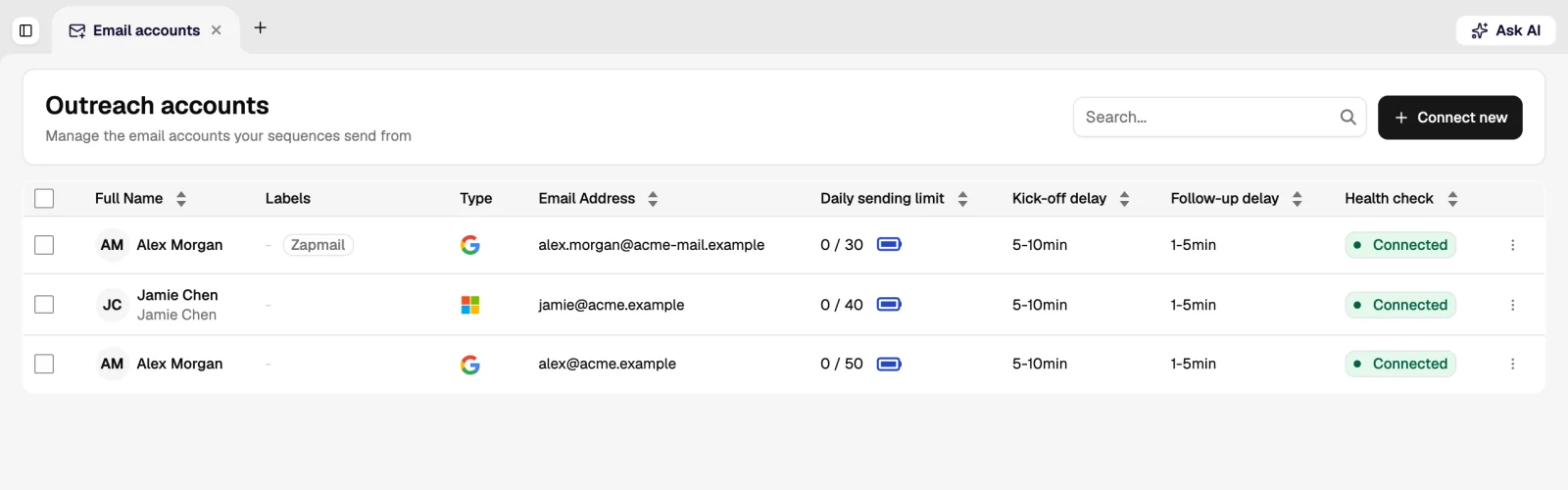
Mailboxes
Connect a Google Workspace or Microsoft 365 mailbox with OAuth, or any provider over SMTP and IMAP. A connected mailbox can send sequence steps, and its replies are read back into the inbox.
- Several mailboxes per sequence. Volume is spread across them, which keeps each one inside a safe daily number.
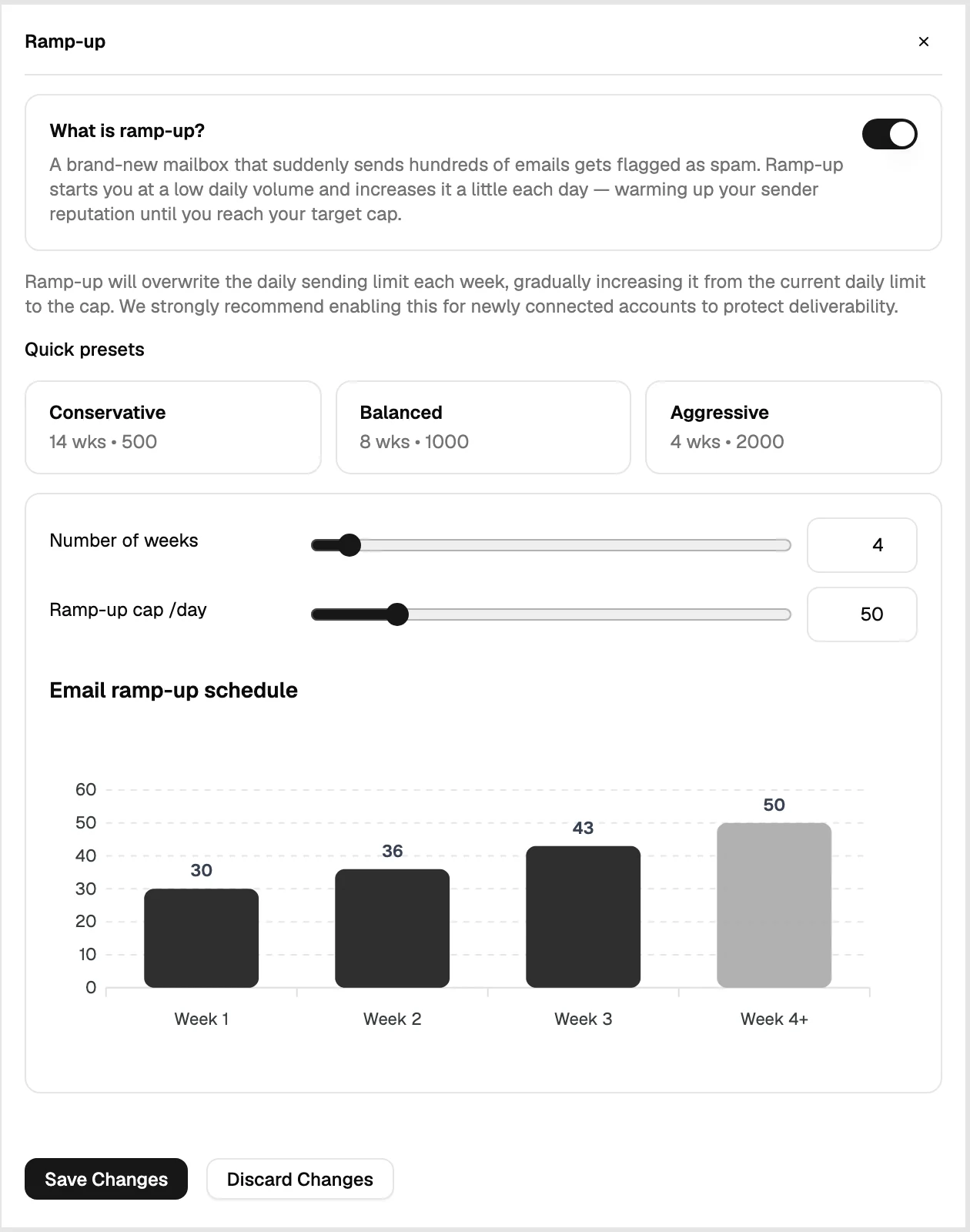
- Ramp-up. A new mailbox starts at a low daily volume and increases over days rather than sending at full rate on day one.
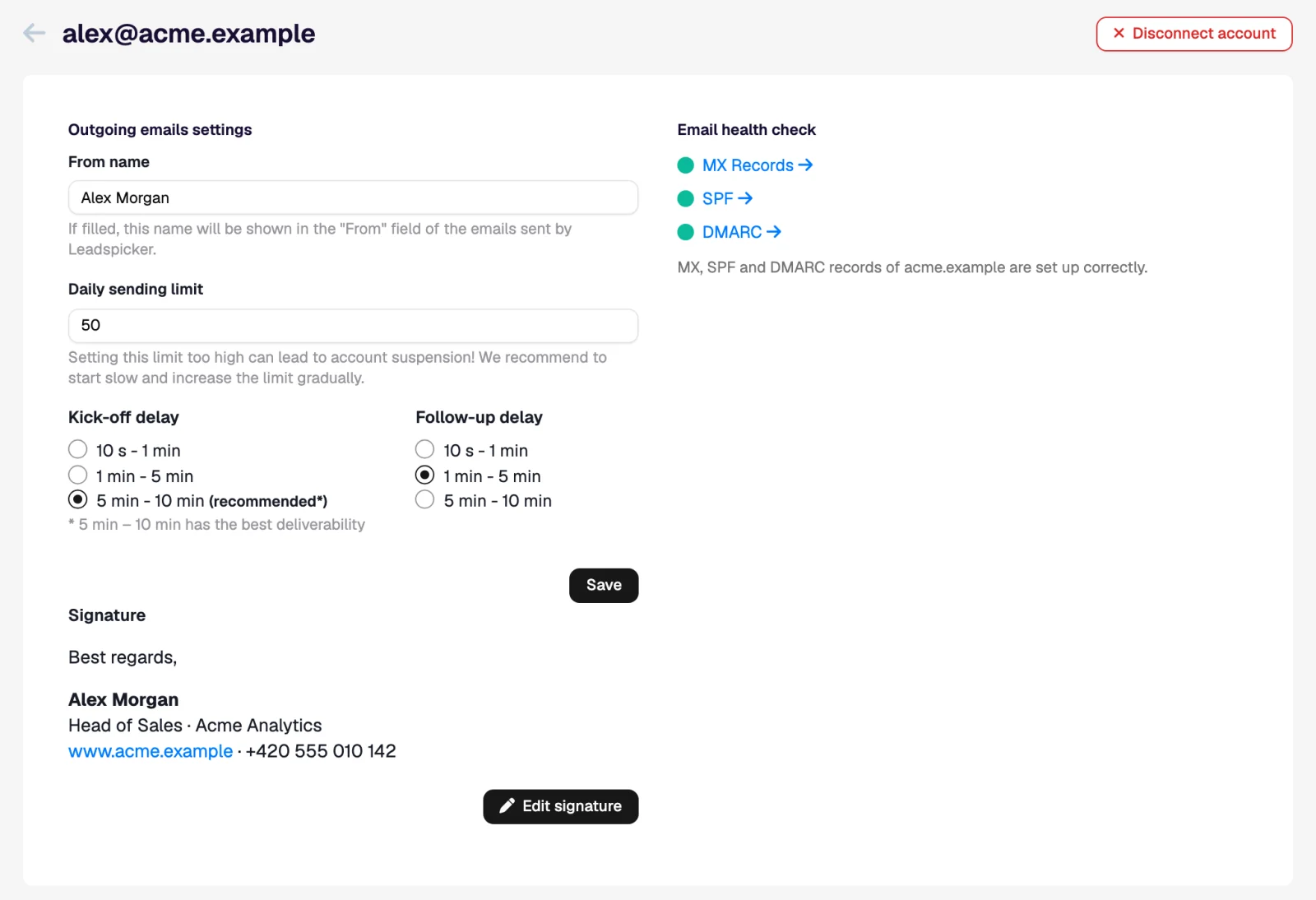
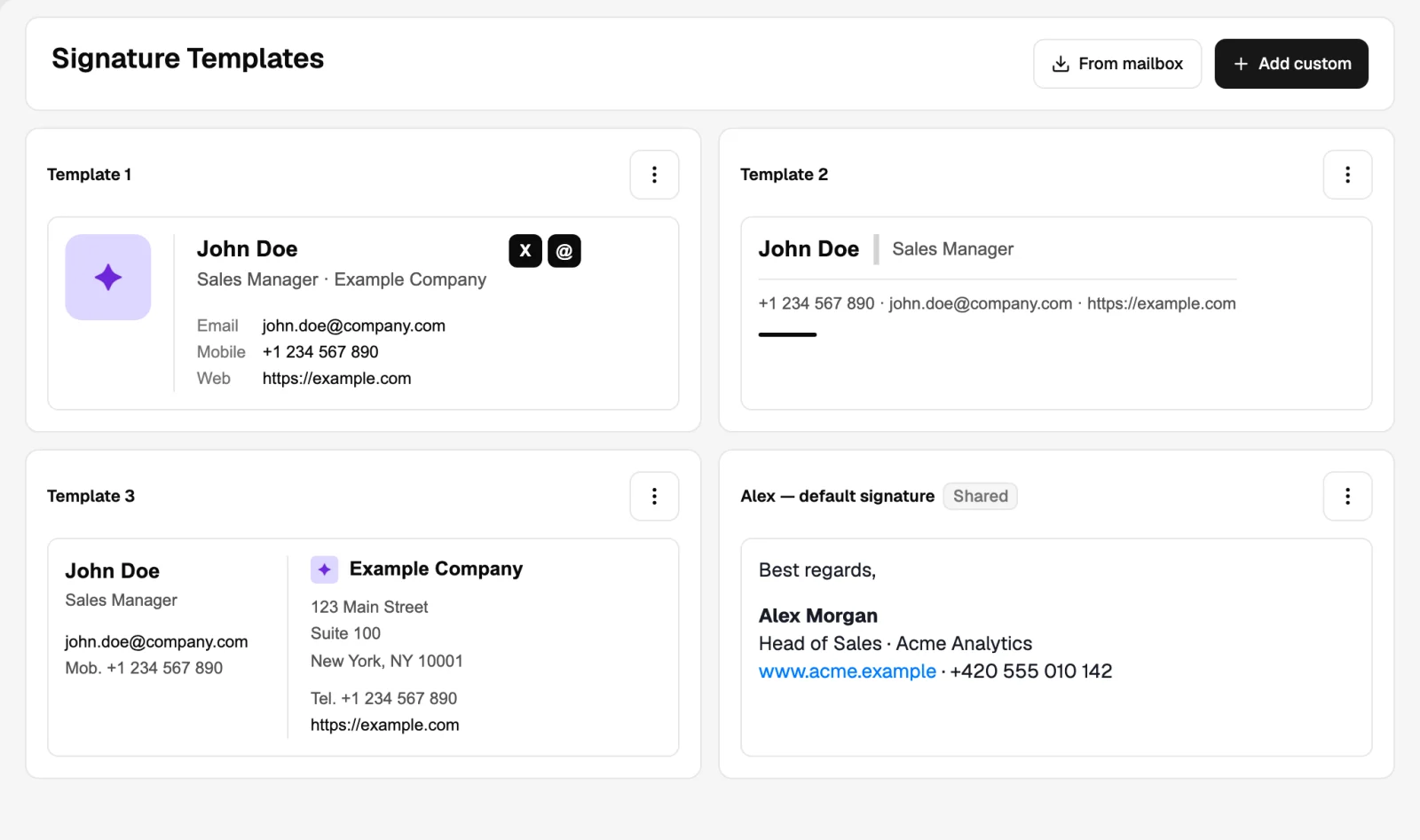
- Signatures. Each account has its own signature, imported from the mailbox or written in Leadspicker.
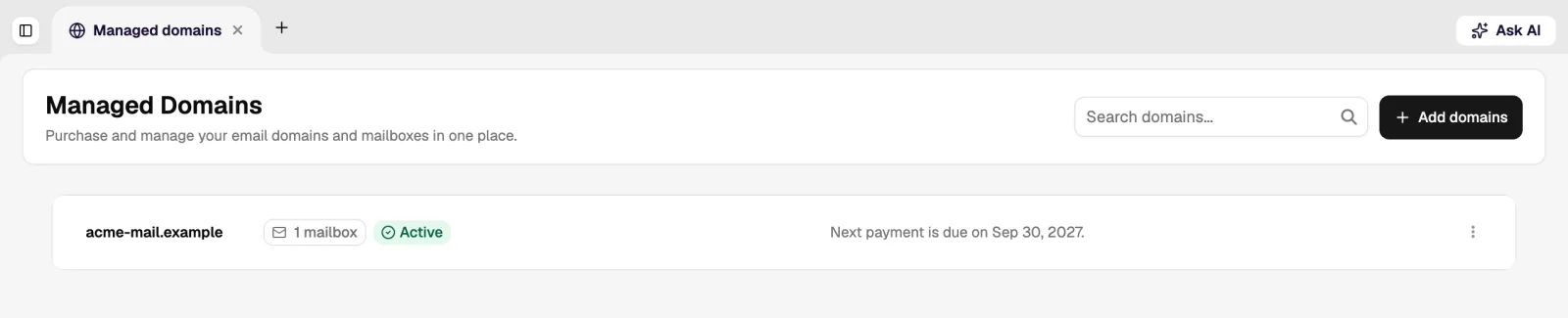
- Managed mailboxes and domains. When you need more sending capacity than your own domain should carry, Leadspicker can provide mailboxes on separate domains that it keeps warm.
Social accounts
A connected social account can send connection requests, messages and paid direct messages as sequence steps, and its conversations appear in the same inbox as email. The session runs on Leadspicker's infrastructure, not in a browser extension on your laptop, so it keeps working when your machine is off.
- Daily action limits are enforced per account and spread through the day.
- Paid direct messages to people outside your network need an account with a premium seat; without one, those steps wait while the rest of the sequence keeps sending.
- If the network asks for a new sign-in, the account is marked for reconnection and its steps pause until you reconnect it.
Deliverability basics
| Do this | Why |
|---|---|
| Authenticate the sending domain (SPF, DKIM, DMARC) | Unauthenticated mail is filtered before anyone reads the subject line. |
| Warm a new mailbox before using it | Sudden volume from a brand-new address is a common spam signal. |
| Keep daily volume per mailbox modest | Several mailboxes at low volume beat one mailbox at high volume. |
| Write for a reply, not for a click | Link-heavy, image-heavy mail is filtered more aggressively and answered less. |
| Honour removals immediately | Removal requests are classified as such and added to the exclusion list, which protects the domain as much as the recipient. |
The authentication and unsubscribe rules come from the mailbox providers themselves. Check the current requirements in Google's email sender guidelines and Yahoo's sender best practices.
Can two people share one mailbox?
A mailbox is connected by its owner and sends as that person. Team members connect their own accounts; a sequence can use several of them at once.
What happens to a disconnected account mid-sequence?
Its steps stop and the contacts wait. Other accounts on the same sequence keep sending. Reconnecting resumes the waiting steps.
Does Leadspicker read my whole mailbox?
It reads the threads belonging to the outreach it sent, so replies, bounces and removal requests can be matched to contacts.
Was this page helpful?
Still stuck? Email support@leadspicker.com or use the chat in the app.
Last updated 2026-11-12




