Exclusion lists
An exclusion list is the account's hard stop. Anyone on it is never enrolled in a sequence, whichever list they arrive in and whoever on the team imported them.
The global exclusion list
One list for the whole team, holding three kinds of entry:
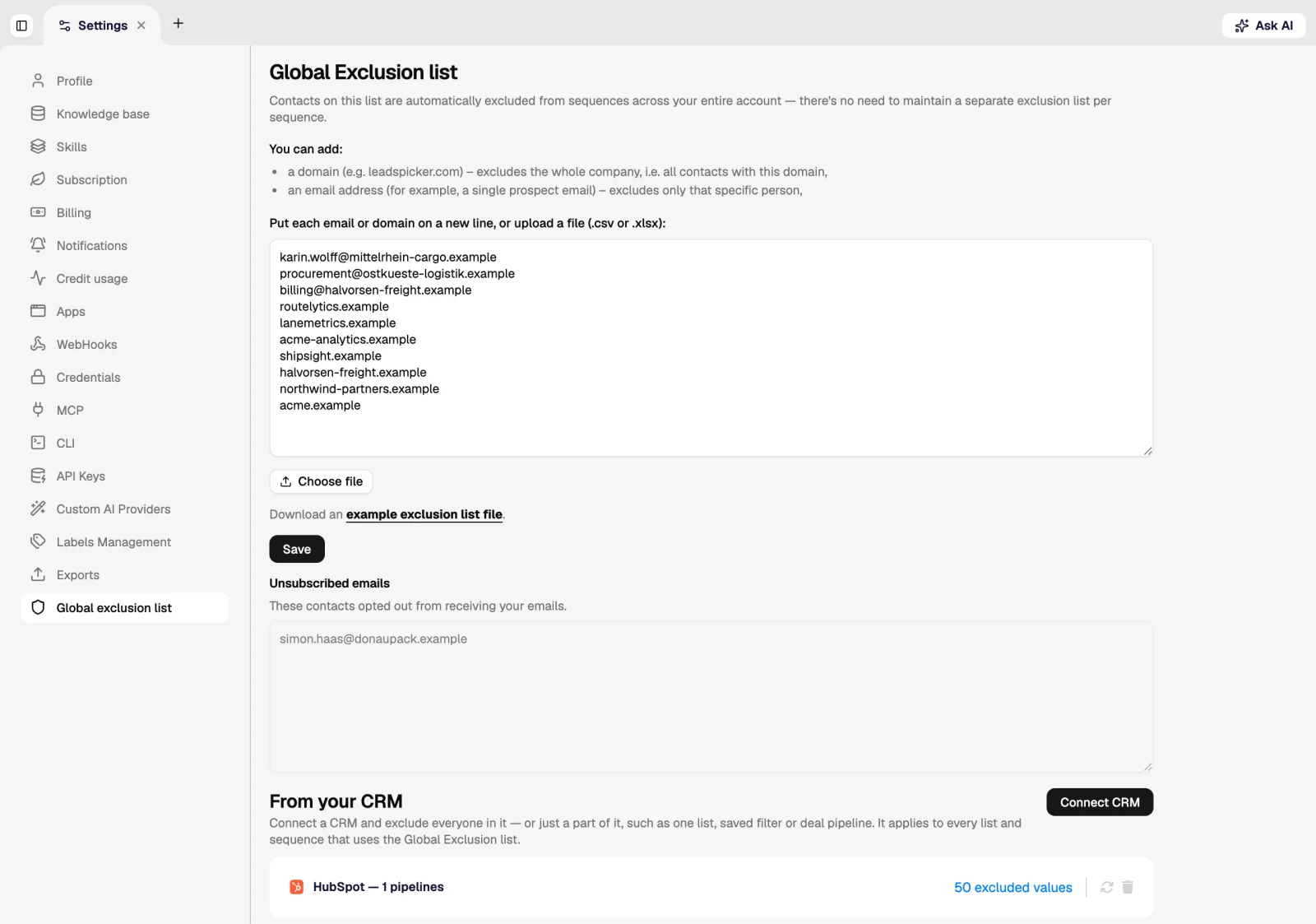
- Contacts: a specific person who must not be contacted again.
- Email addresses: including addresses that never belonged to a contact in your account.
- Domains: the whole company, which is how you protect customers, open opportunities and competitors in one line.
What fills it
| Source | What happens |
|---|---|
| Removal requests | A reply classified as a removal request adds the contact automatically. Nobody has to remember. |
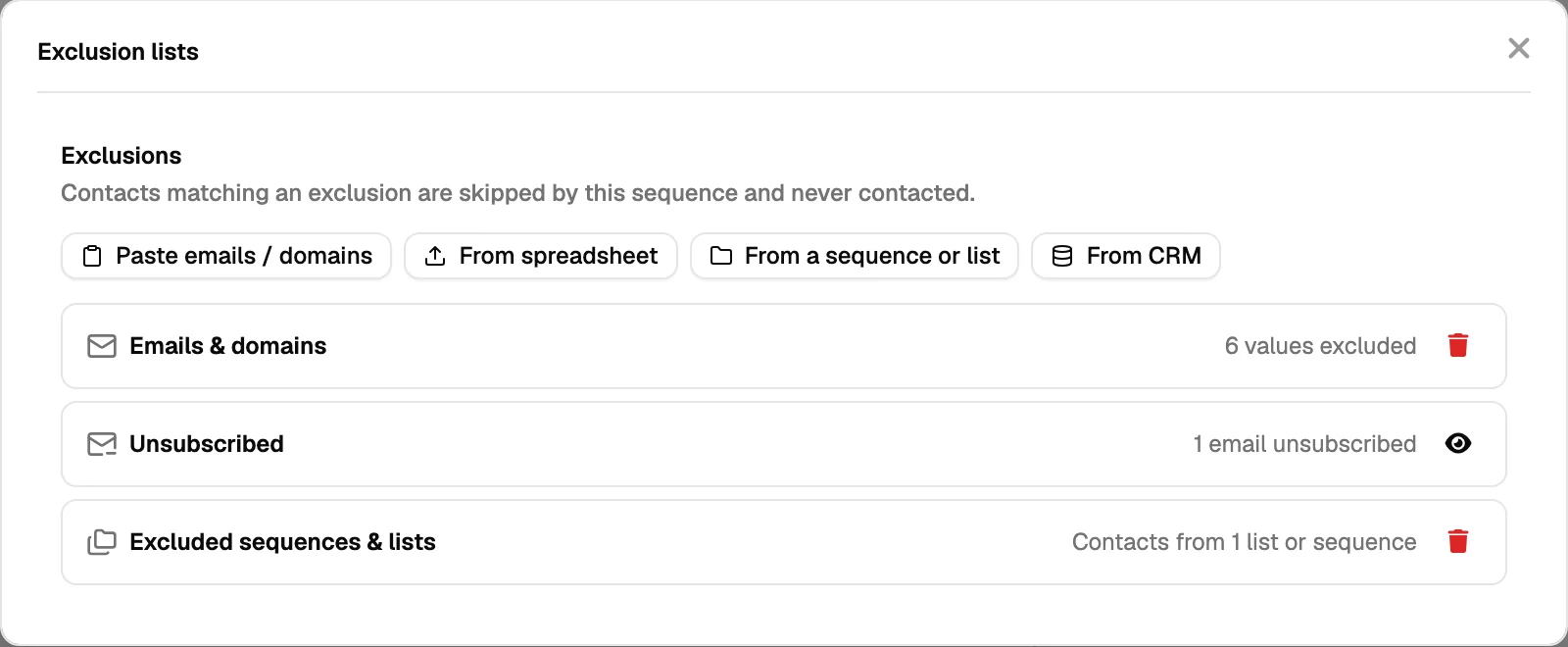
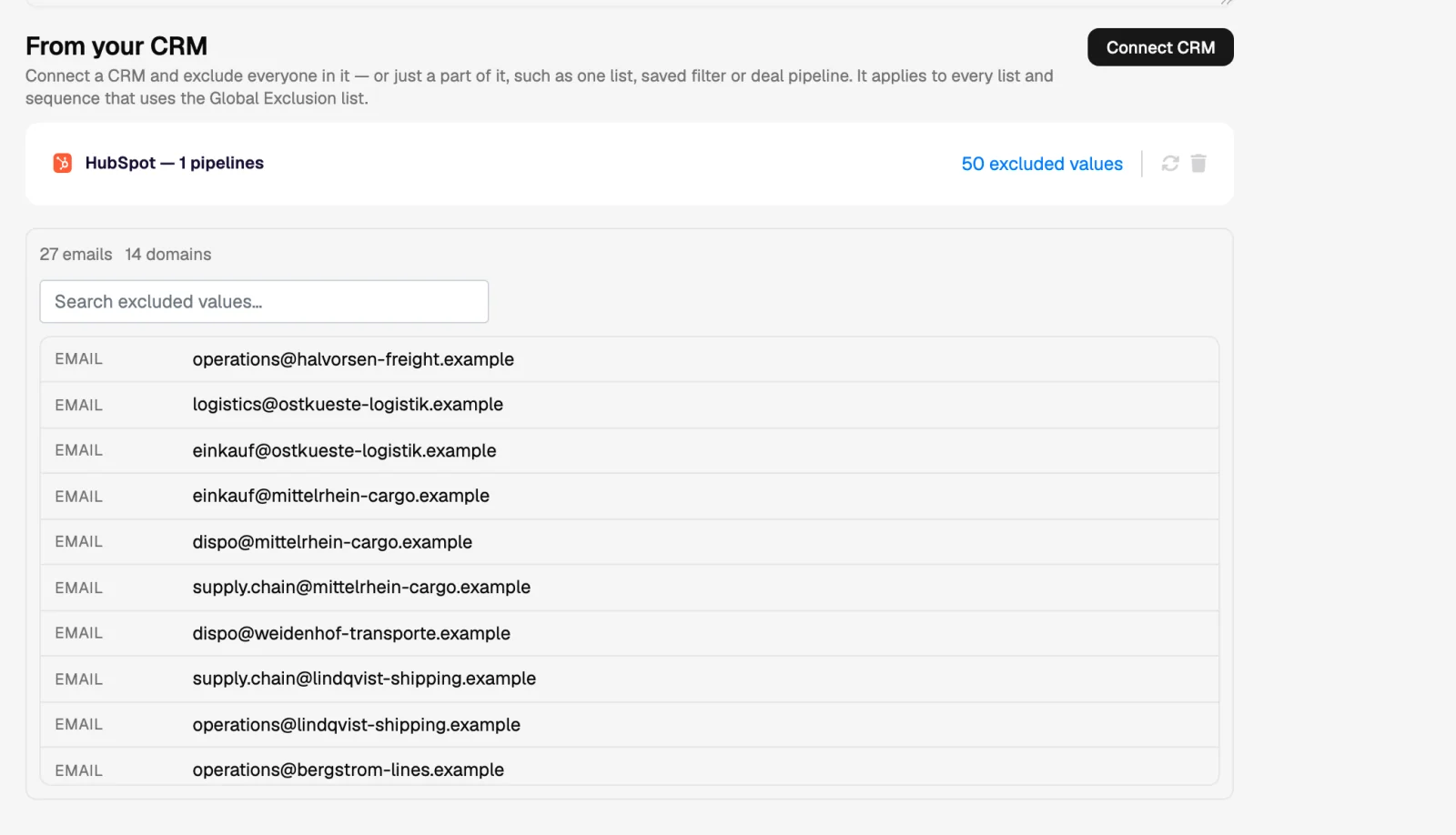
| Your CRM | Customers, open deals or any segment you choose can be synced in, so sales and outreach do not collide. |
| Import | A spreadsheet of addresses or domains, for the list the business already keeps. |
| By hand | One contact, address or domain at a time, from the exclusion screen or from a contact. |
Per-sequence exclusions
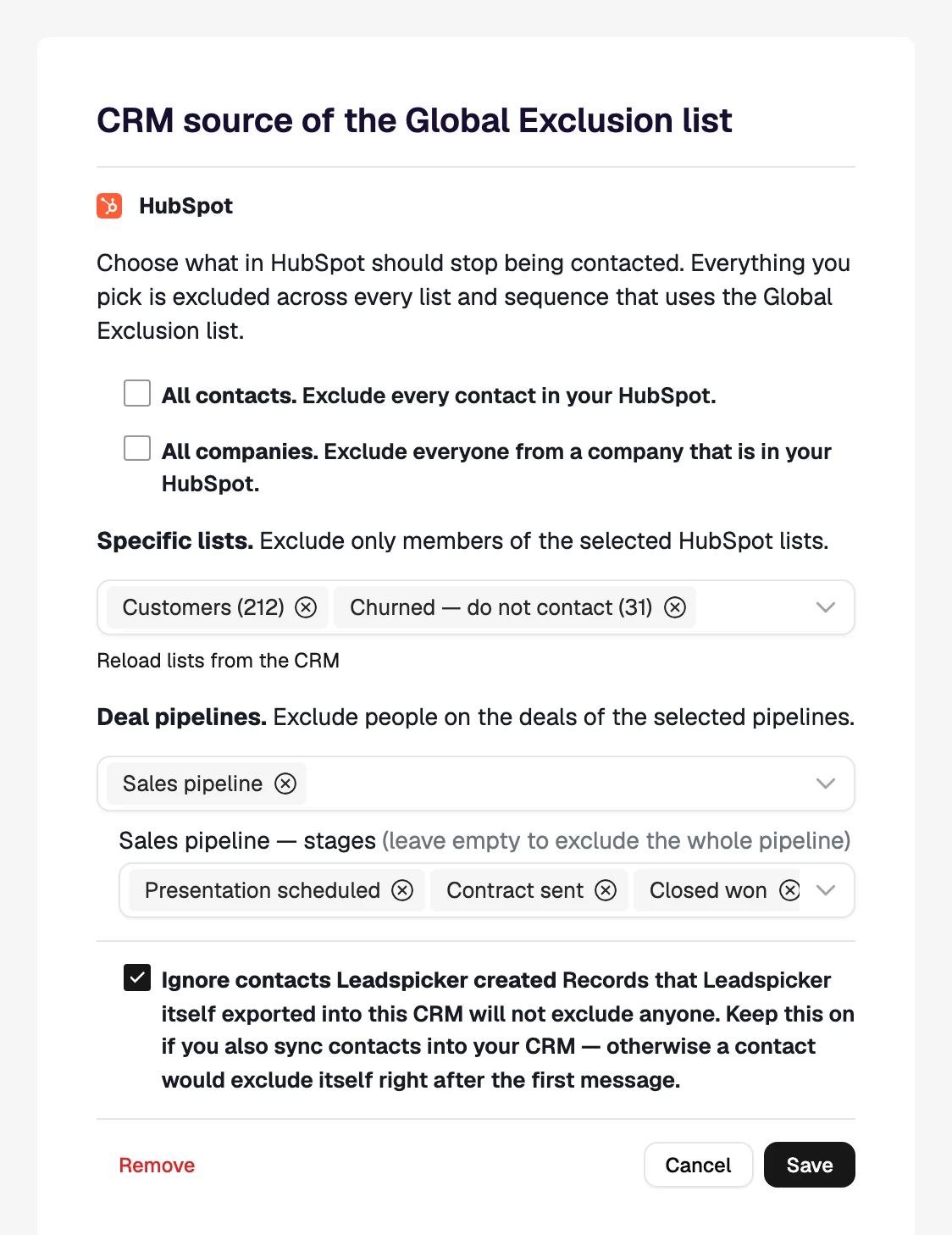
A sequence can exclude more than the global list does: for example, everyone already in another campaign this quarter, or a segment you want a different team to own. The global list always applies on top; a sequence can add to it but never override it.
Checking before a launch
- Sync the CRM segments that matter
Customers and open opportunities first.
- Add competitor domains
A competitor reading your sequence is free intelligence for them.
- Check partner and supplier domains
The relationships a cold email can damage are rarely the ones on a prospect list.
- Then connect the list
Exclusions apply at enrolment, so doing this before launch is what keeps the first send clean.
Was this page helpful?
Still stuck? Email support@leadspicker.com or use the chat in the app.
Last updated 2026-11-12




