The Leadspicker CLI
The CLI puts the Leadspicker API on the command line. Every endpoint is a command, help is built in, and you sign in through the browser instead of handling an API key.
Install and sign in
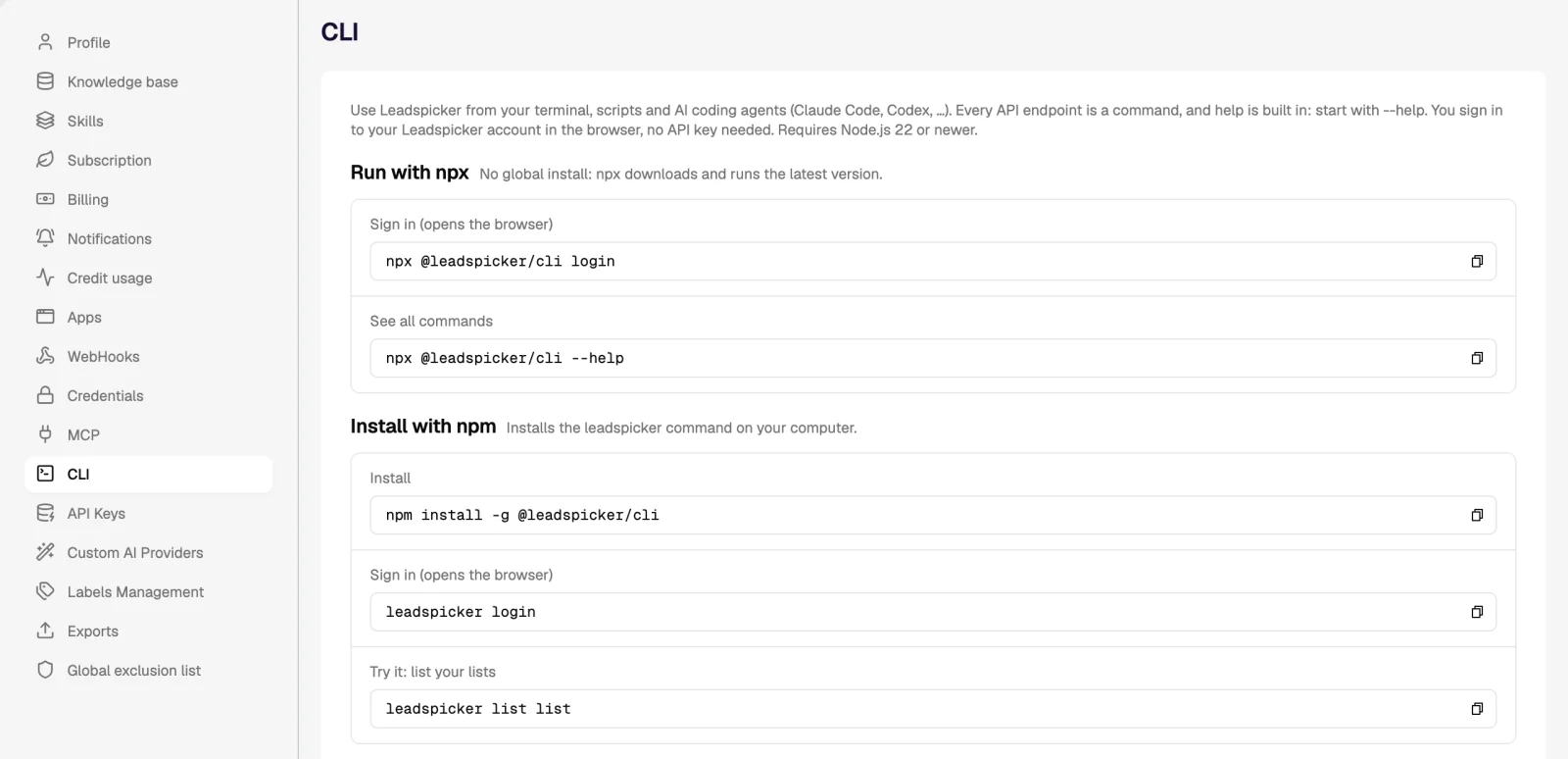
The CLI is the npm package @leadspicker/cli. The same commands, with copy buttons, are in the app under Settings → CLI.
- Check Node.js
The CLI needs Node.js 22 or newer.
- Sign in without installing
Run
npx @leadspicker/cli login. npx downloads the latest version and opens the browser, where you sign in to Leadspicker and approve access. - Or install the command
Run
npm install -g @leadspicker/cli, thenleadspicker login.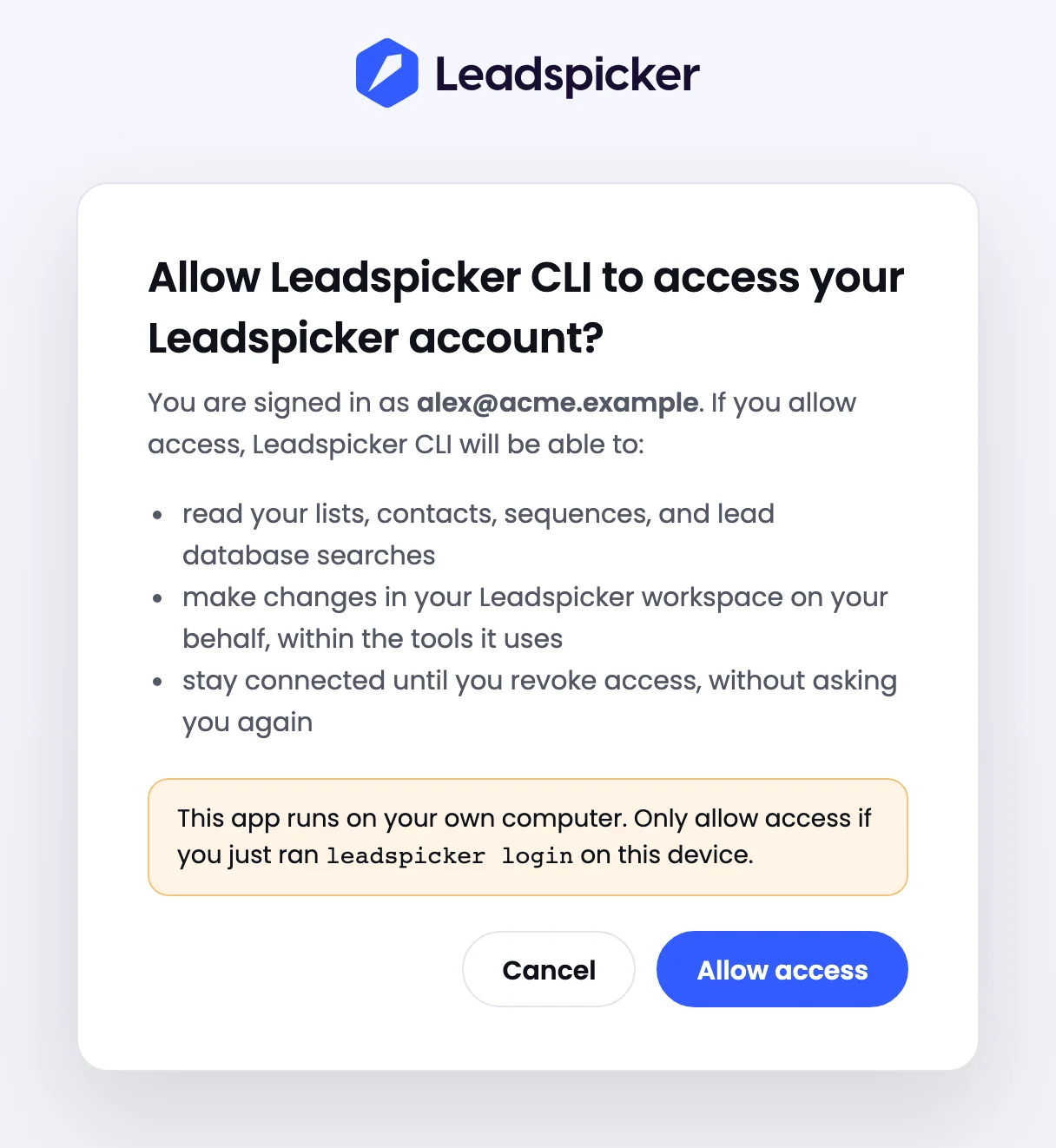
- Try it
Run
leadspicker list list. It prints your lists.
On a machine without a browser use leadspicker login --no-browser: open the printed address anywhere and paste back the address you are redirected to. leadspicker whoami shows who is signed in, and leadspicker logout ends the session.
Every API endpoint is a command
A command has the shape leadspicker <group> <action>. Groups are the sections of the API and actions are its endpoints. They are generated from the API's own description, so a new endpoint shows up without a CLI update.
| Command | What it does |
|---|---|
leadspicker --help | Lists every group and its actions. |
leadspicker list --help | Shows one group's actions, with examples. |
leadspicker list create --help | Shows the flags, types, defaults and examples of one action. |
leadspicker list create --name "DACH founders" --timezone Europe/Prague | Creates an empty list. |
leadspicker sequence list --order-by-field created --limit 20 | Prints the 20 newest sequences. |
leadspicker replies list | Prints replies from your inbox. |
leadspicker api GET /lists | Sends a raw request to any API path. |
- Output. JSON, pretty in a terminal and compact when piped. Exports such as CSV are written as they are, so
> export.csvworks. - Input.
--input file.jsonsends a JSON body and flags are merged into it. File fields take a path, for example--file contacts.csv. - Deleting. A delete that is not run interactively needs
--yes. - Exit codes.
0ok,1API error,2usage error,3not signed in.

CLI or MCP
Both sign in as you and reach the same account. Choose by whether there is a conversation.
| Use | When |
|---|---|
| The CLI | There is no conversation: a shell script, a scheduled job, CI, a bulk job over many rows, or anything that has to run the same way every time. |
| MCP | You want to ask in plain language and let the agent choose the steps. |
| Both | An AI coding agent can drive the CLI too. Give it this instruction: Use npx @leadspicker/cli for Leadspicker; start with --help. |
In scripts and CI
- Results go to stdout and errors to stderr, and nothing prompts when the input is not a terminal.
- The session is stored in
~/.config/leadspicker/config.jsonand refreshed automatically. - Sign in once on the machine that runs the job; on a headless one use
leadspicker login --no-browser. - For events pushed out of Leadspicker, and for the REST API with API keys, see Webhooks and API.
Do I need an API key?
No. leadspicker login uses OAuth in the browser. API keys are for calling the REST API directly.
Where is the full reference?
In the CLI itself: --help works at every level. The endpoints behind the commands are described in the API reference at app.leadspicker.com/app/sb/api/docs.
Why does a command have a different name from the label in the app?
Commands are named after the API, and a few of its paths use older names than the interface does. --help shows what each command calls.
Was this page helpful?
Still stuck? Email support@leadspicker.com or use the chat in the app.
Last updated 2026-11-12




