Cut inbound lead response time
Inbound leads contact several vendors in the same sitting. The one who replies while the tab is still open is in a better position to get the meeting.
When to use it
You get demo requests, contact-form submissions, trial sign-ups or content downloads, and they currently wait in somebody's inbox until the next working morning.
Build it
- Land submissions in a list
Post the form to Leadspicker through the API, your automation tool or the CRM sync, so every submission becomes a contact in one inbound list.
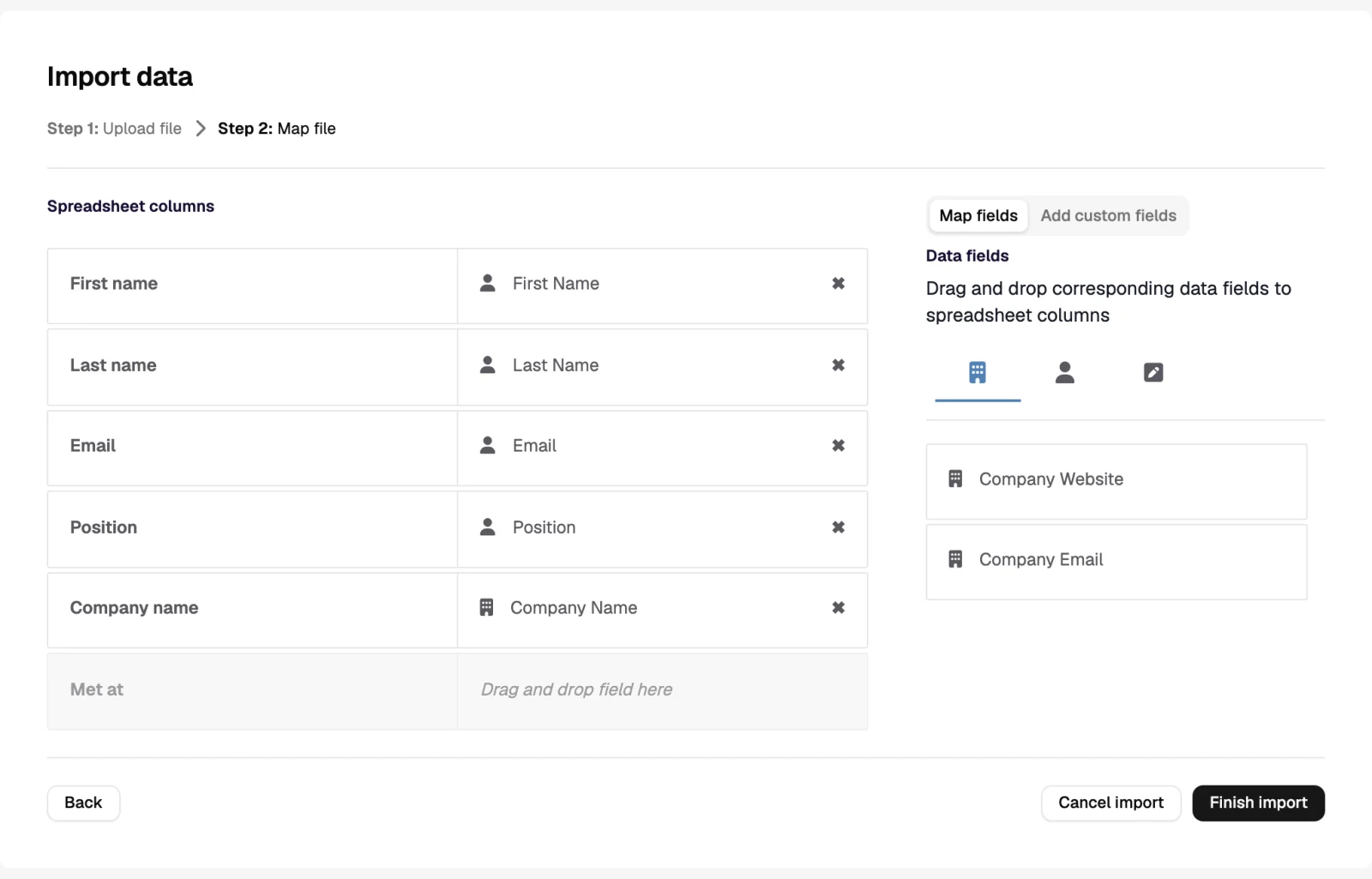
- Enrich on arrival
Turn on auto-enrichment for new rows: company data, size, website summary, and the work email if the form only captured a personal one.
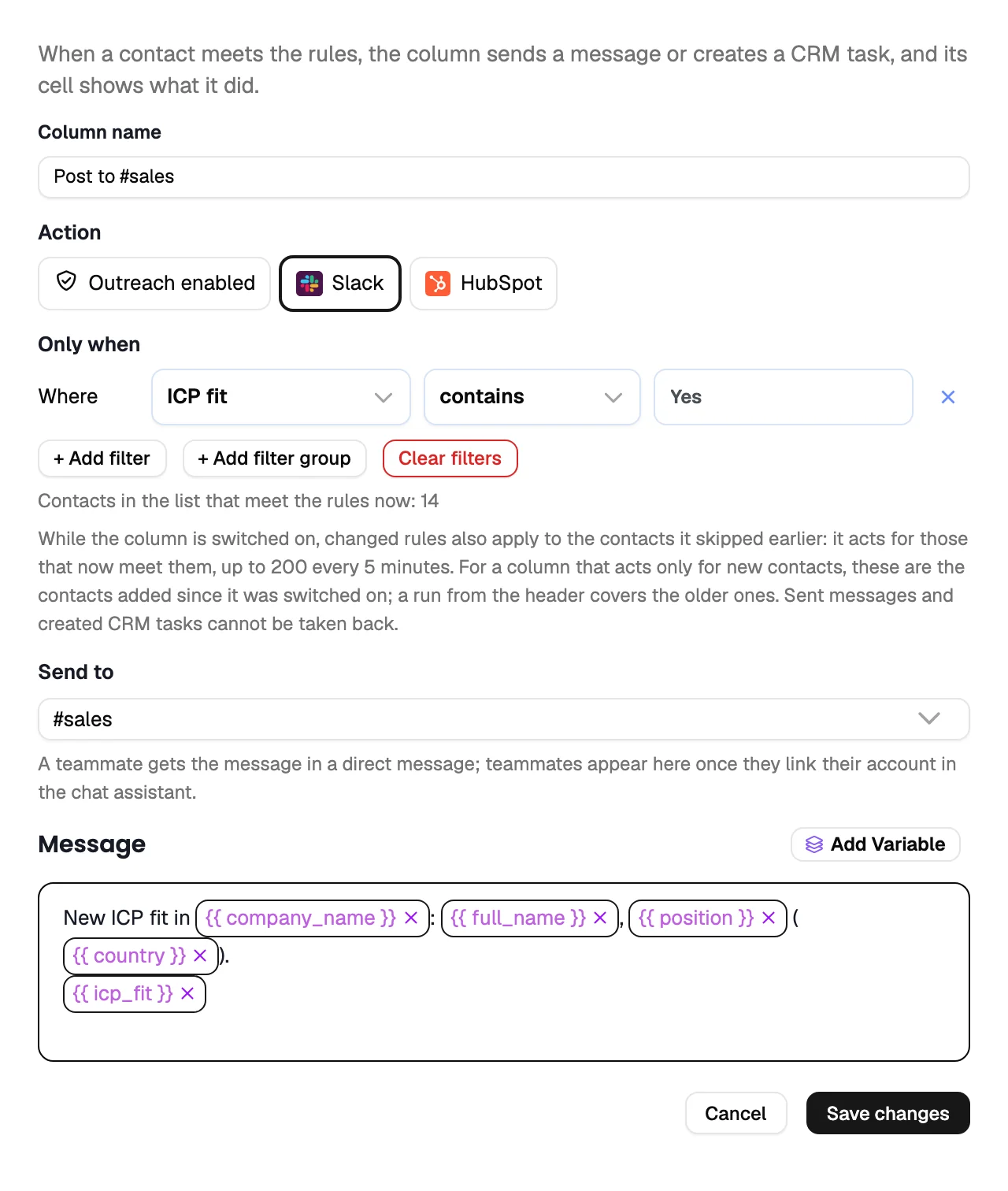
- Score and route automatically
An AI column reads the enriched row and writes the segment (size, region, product interest) and a custom action notifies the right owner in Slack, Microsoft Teams or Google Chat with the context attached.
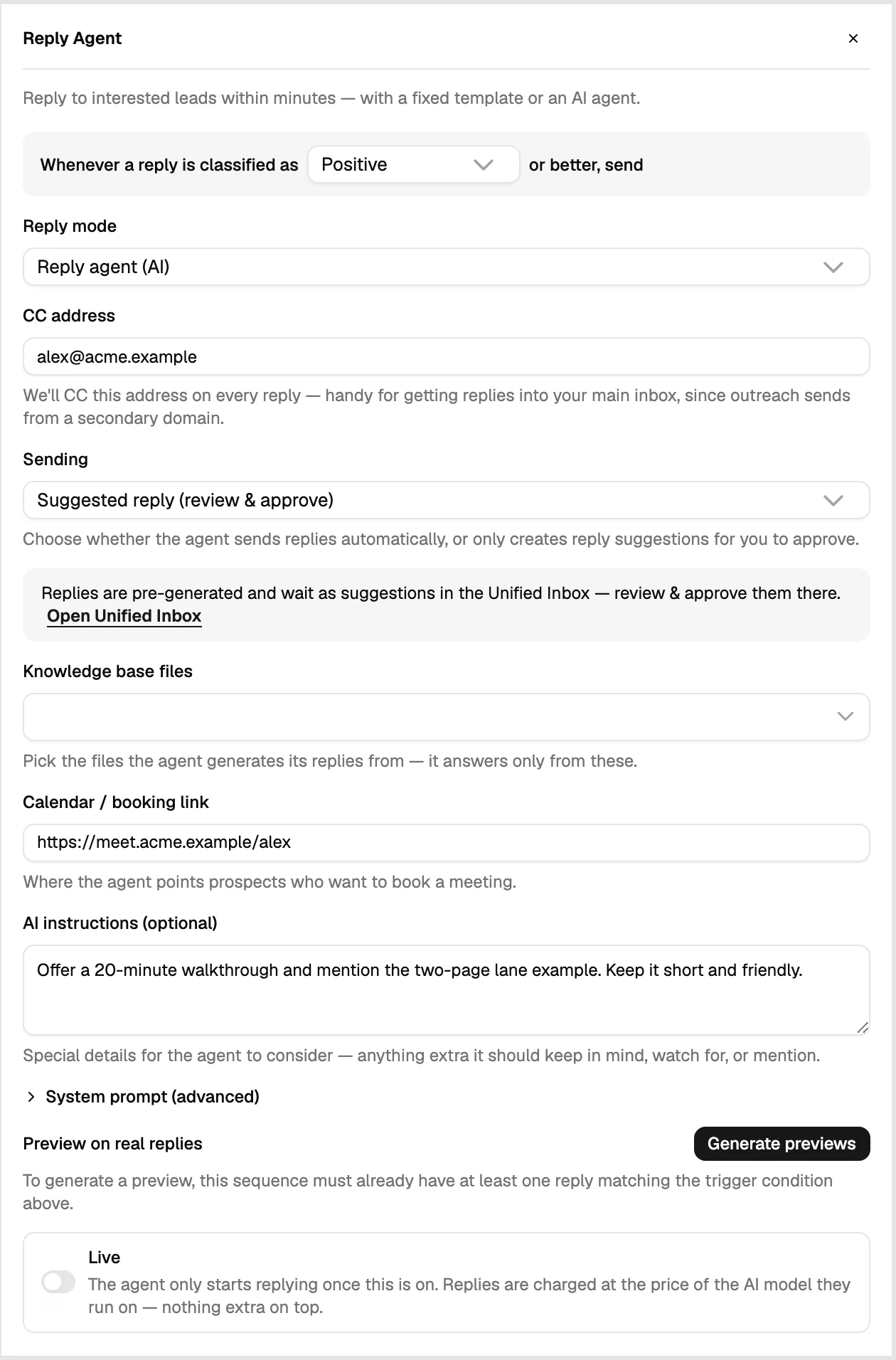
- Answer immediately
A short sequence connected to the inbound list sends the first reply within minutes, acknowledging what they asked for and offering times. The Reply Agent can answer the questions that come back from your knowledge base and the calendar.
- Hand over warm
When a reply turns into a conversation, the owner takes over with the full history on the contact, and the CRM gets the task or deal automatically.
What to measure
- Time from submission to first reply. Minutes, not hours, is the point of the play.
- Share answered before a human touched it, and how many of those still needed one.
- Meeting rate by segment, which tells you whether routing is sending the right leads to the right people.
What good looks like
An inbound list that fills itself, a first reply out within a few minutes at any hour, and a sales team that only sees the submissions worth their time, with the context already on the record.
Was this page helpful?
Still stuck? Email support@leadspicker.com or use the chat in the app.
Last updated 2026-11-12




