CRM lead reactivation
An audience most companies already own and rarely use is the one in their CRM: people who evaluated the product, did not buy, and were never contacted again.
When to use it
You have closed-lost opportunities older than six months, dormant accounts, or a pile of records nobody has touched since the last tooling change. Something has changed on your side (a feature, a price, a proof point) or on theirs.
Build it
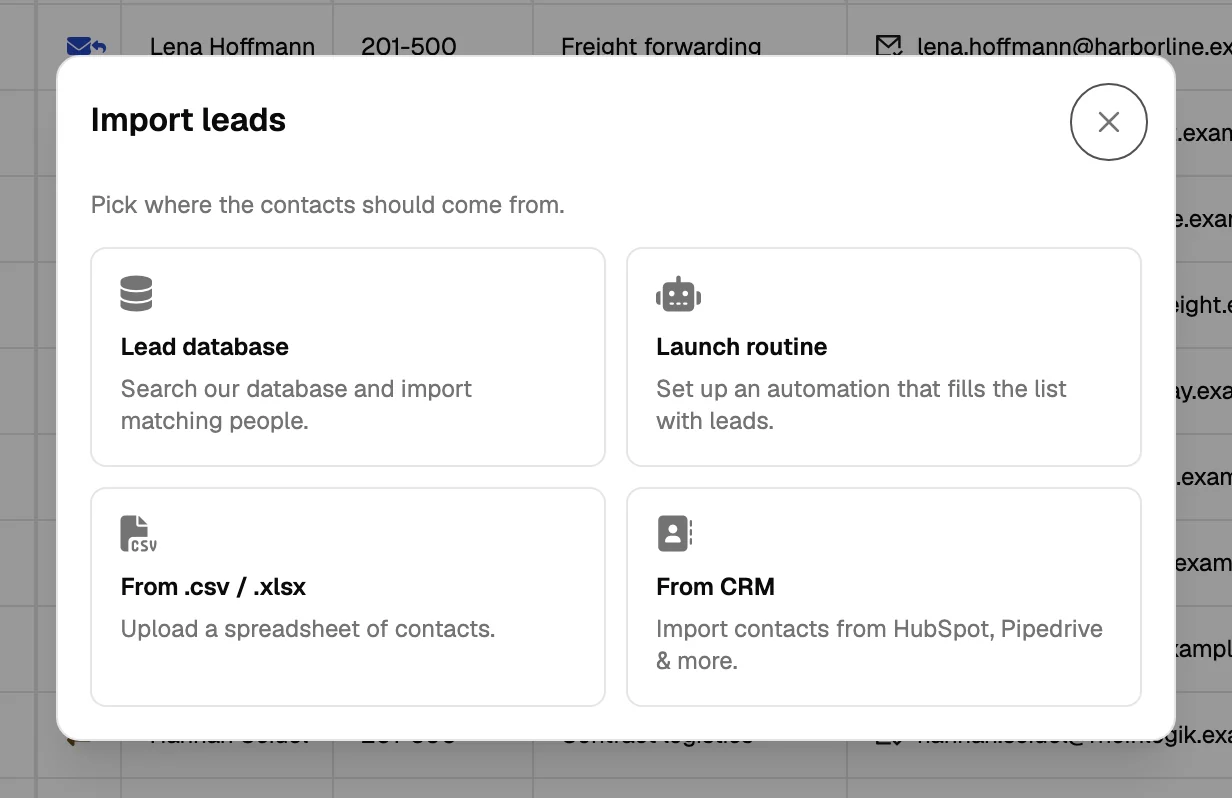
- Import the segment, not the CRM
Pull one defined segment: closed-lost in a date range, or accounts with no activity for a year. A whole-CRM import produces a list nobody trusts.
- Re-enrich everything
Contact data decays by roughly a quarter a year. Re-run email validation and company data before deciding who is still reachable.
- Split the movers from the stayers
People who changed company are a different campaign; see job-change tracking. People still in the same seat get the re-engagement message.
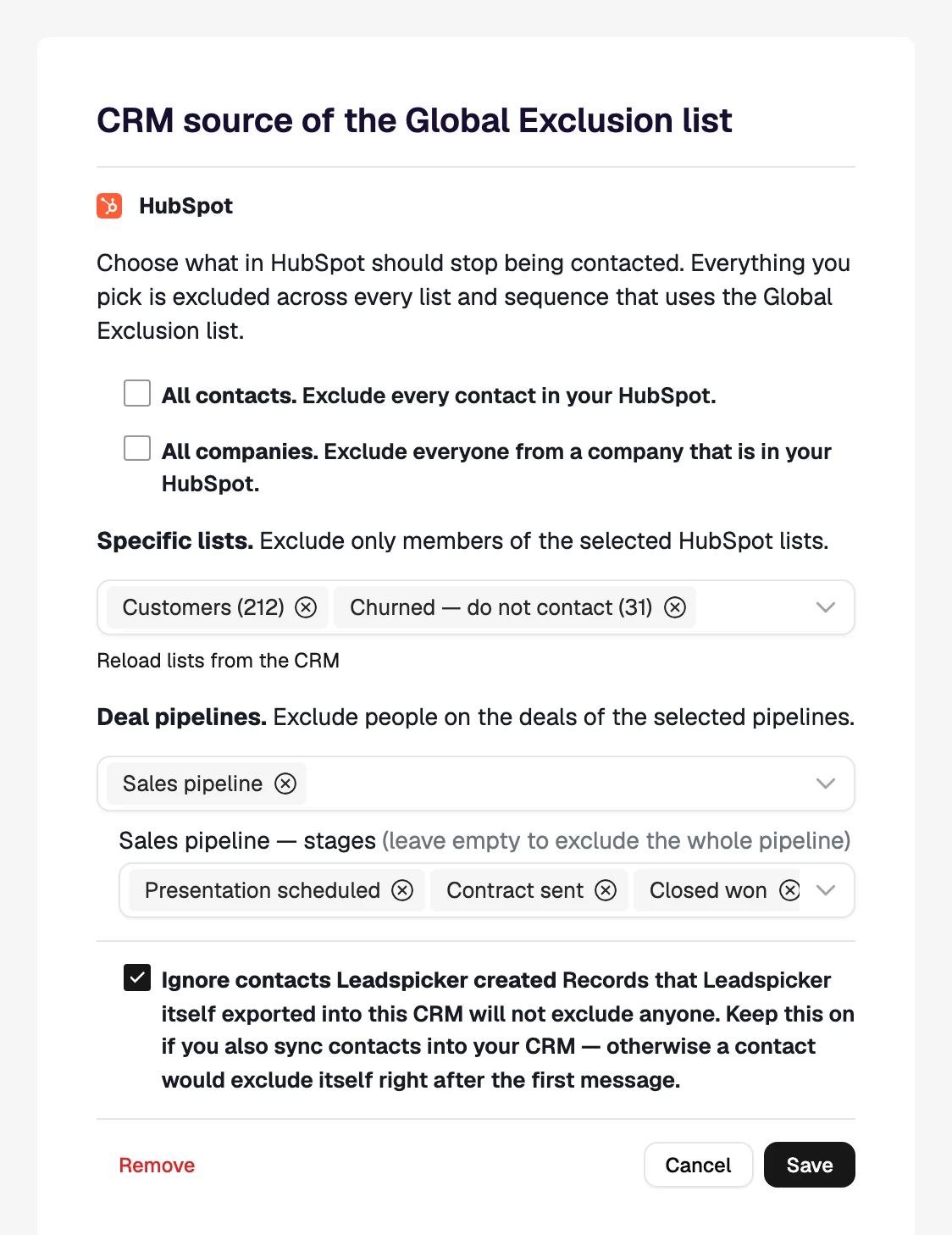
- Check the exclusion list
Open opportunities and current customers must not receive this. Sync them in before the first send.
- Write about the change, not the anniversary
"We spoke last March" is not a reason to write. "The thing you said was missing now exists" is.
- Keep it short
Two steps. This audience already knows what you do; the question is only whether the reason is good enough.
What good looks like
A clean split between people who are still reachable and people who moved, replies that reference the earlier conversation, and a handful of re-opened opportunities that cost no new data at all.
Was this page helpful?
Still stuck? Email support@leadspicker.com or use the chat in the app.
Last updated 2026-11-12




