How Leadspicker works
Leadspicker is one system for the whole outbound motion. Rather than a database here, an enrichment tool there and a sending tool somewhere else, the same account finds the companies, fills in the people, runs the messages and collects the answers.
The five stages
- Find the companies and people
Search the lead database by filters or by similarity to companies you already sell to, switch on a signal that watches for buying intent, point a routine at a source that keeps producing, or import contacts you already have.
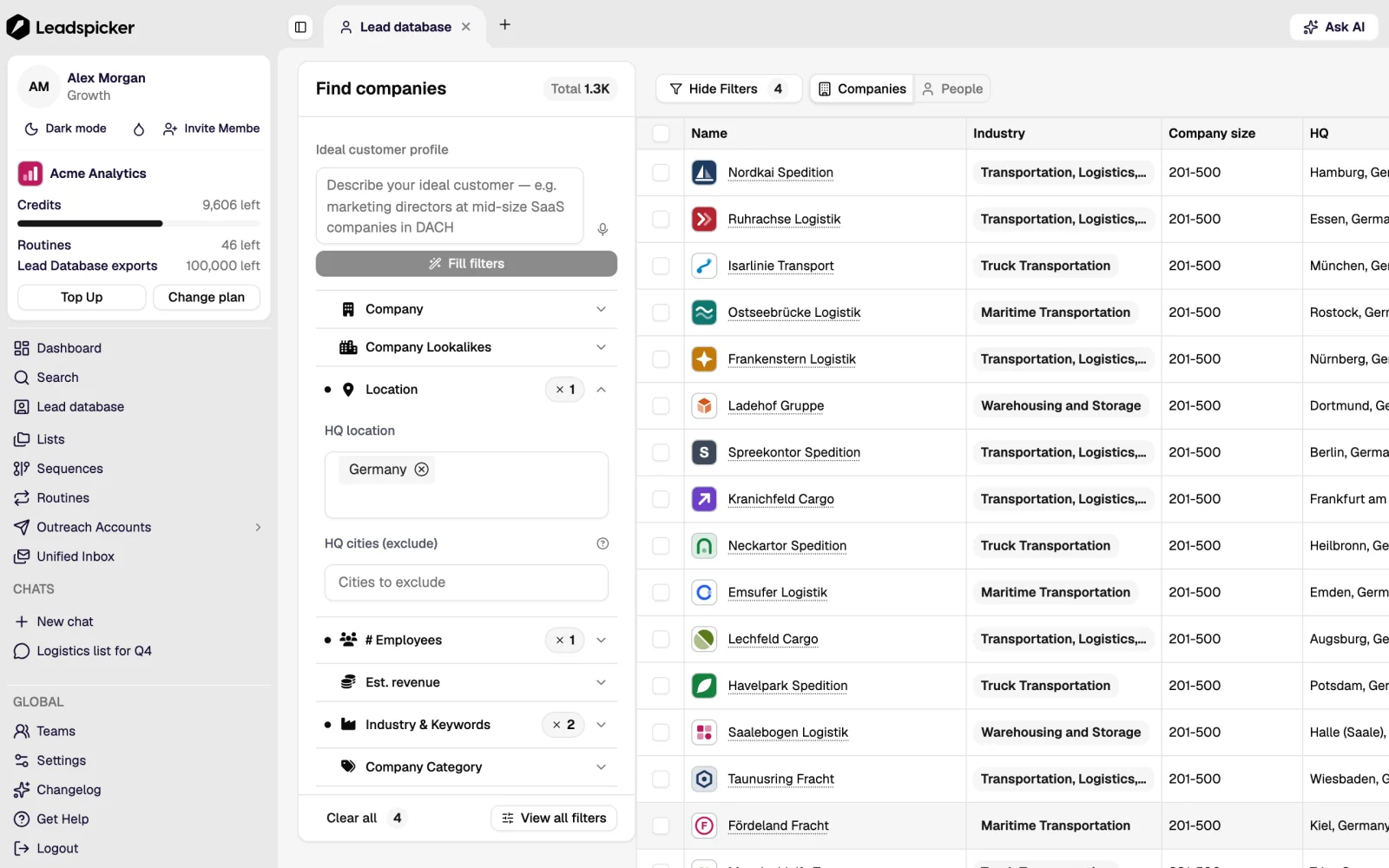
- Fill in the data
Enrichment finds and verifies work emails, phone numbers, company data and social profiles. AI columns add anything that is not a lookup: a classification, a score, a one-line opener.
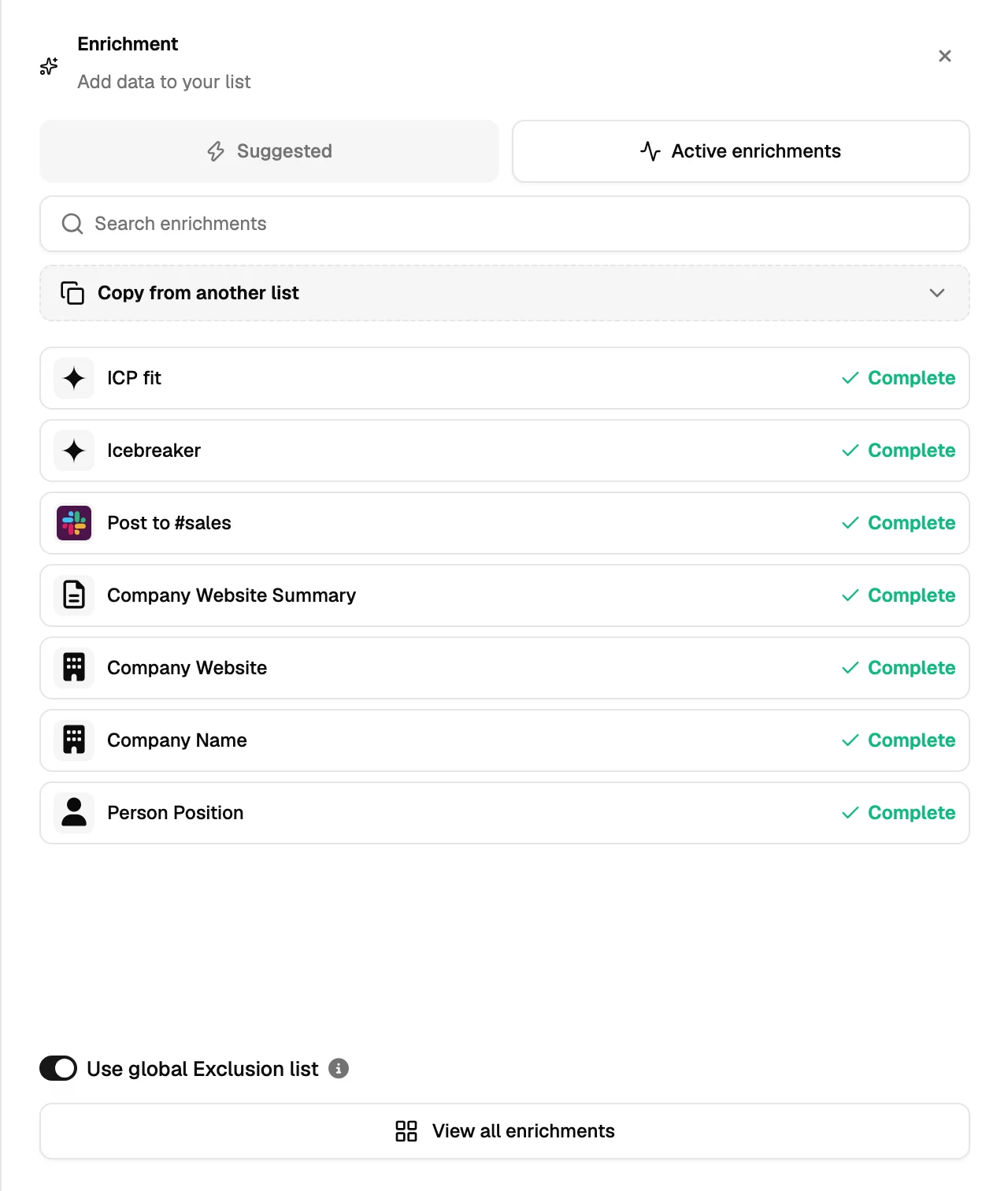
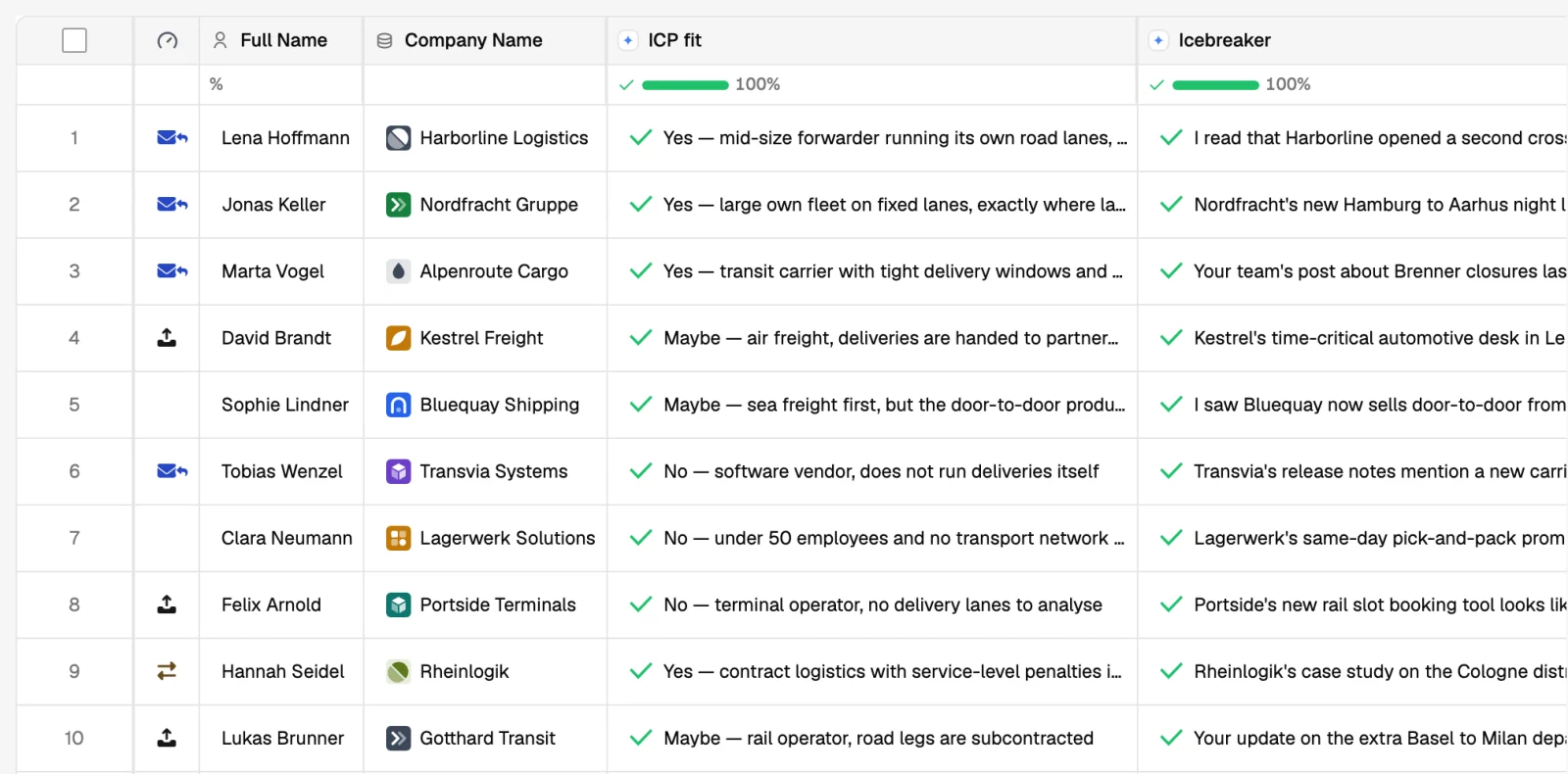
- Decide who is worth contacting
Filter and label the list, let an AI column score fit, and remove everyone on an exclusion list. What is left is the audience.
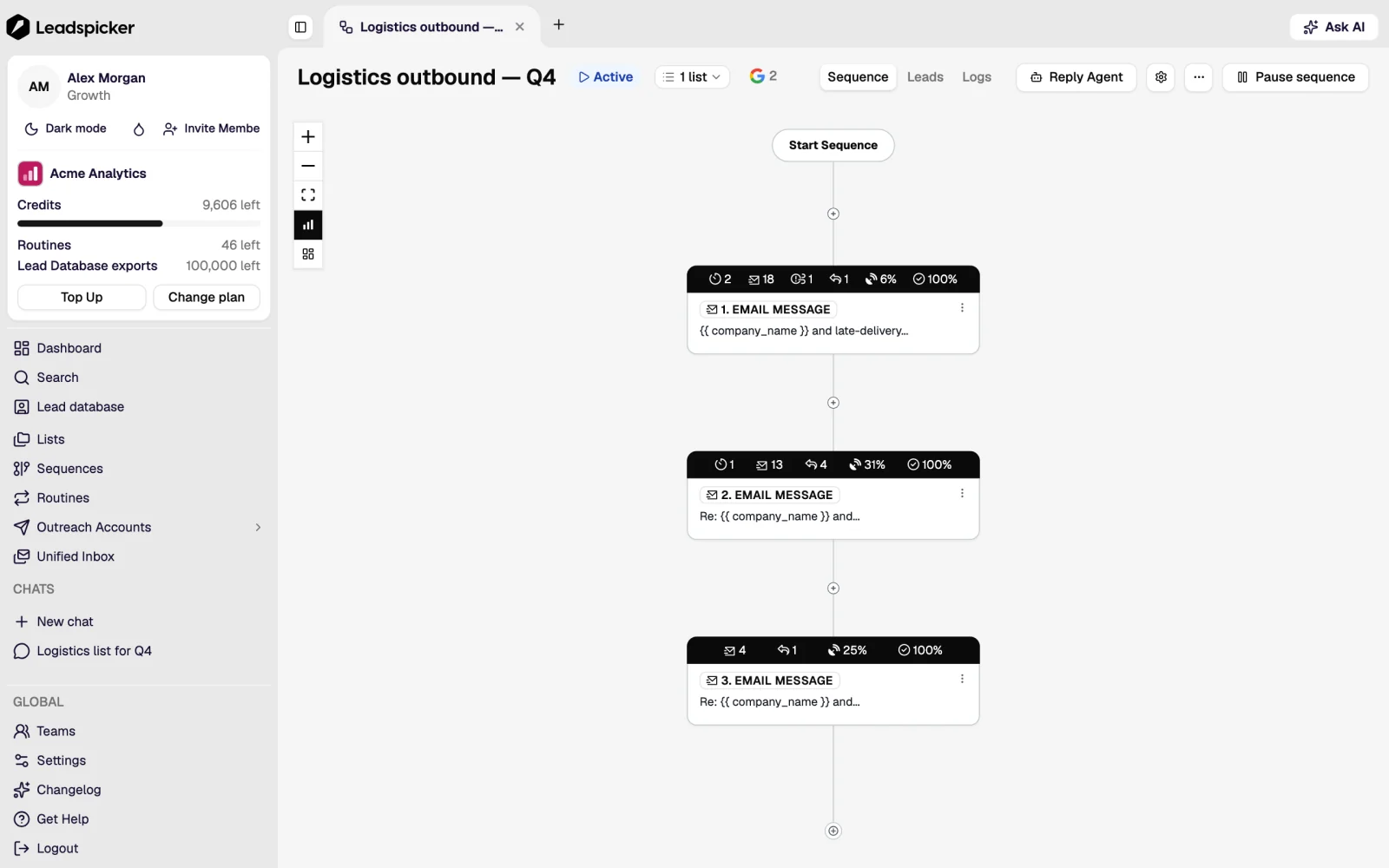
- Run the outreach
A sequence holds the steps: emails, social connection requests and messages, and waits in between. Connect the list and the contacts start flowing through it from your own accounts.
- Work the replies
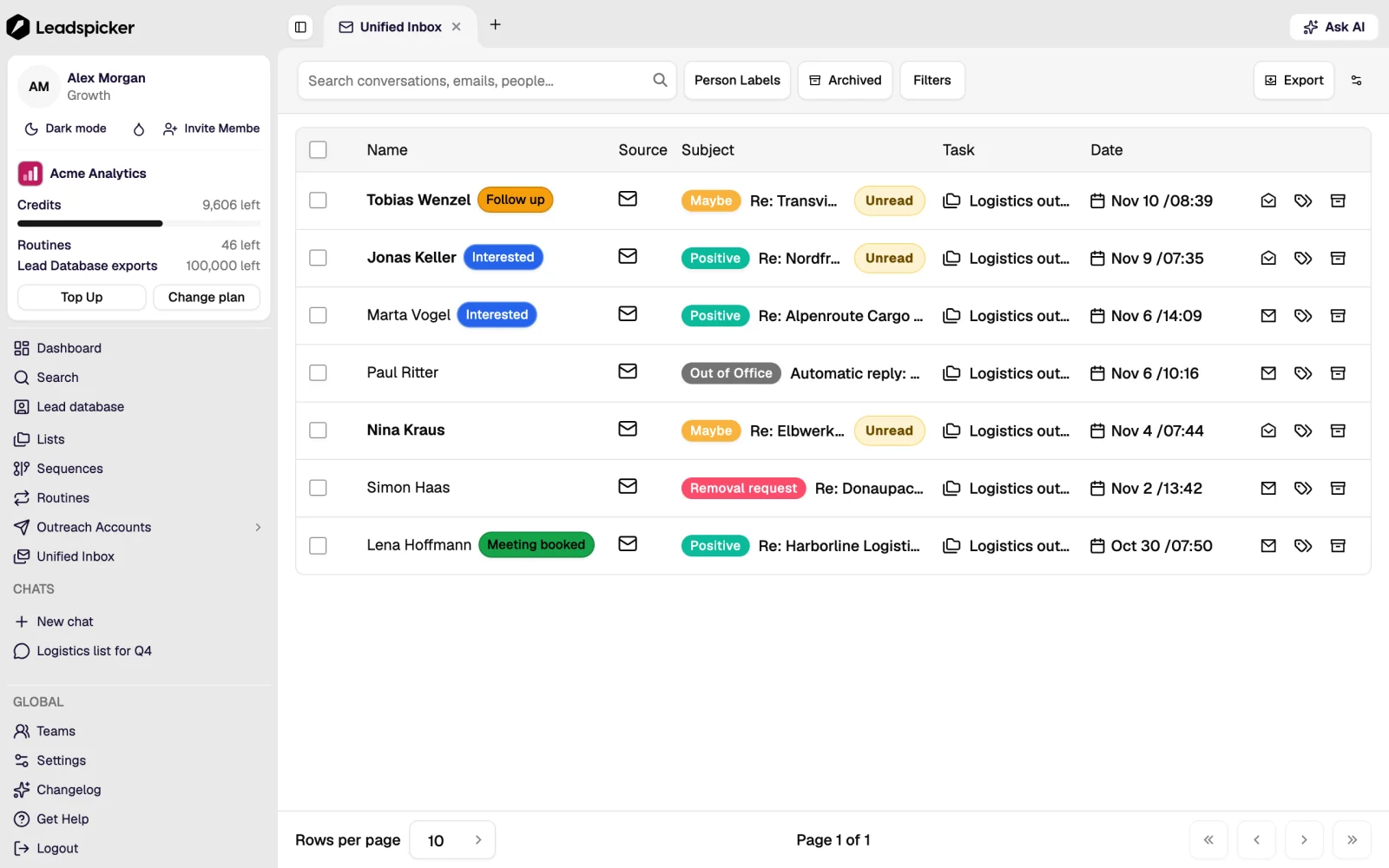
Every answer lands in one inbox, classified by sentiment. Positive replies can be answered by the Reply Agent or drafted for a person, and every outcome can be written to your CRM.
What makes it one system
- Two ways to run a column. Run all empty or out-of-date rows in this list fills only the rows without a value, and its estimate counts only those. Changing a column's instruction or restarting it clears the values and bills every row again, so test a change on the first rows before running the rest.
- The audience stays live. A connected list keeps feeding the sequence, so a routine that finds three new companies on Tuesday puts those people into outreach without anyone re-importing anything.
- Exclusions are account-wide. The global exclusion list applies to every sequence, so a customer, a competitor or an unsubscribed contact cannot be reached by accident from another campaign.
- Replies come back into the same records. Sentiment, bounce and unsubscribe states live on the contact, drive the statistics and can trigger CRM actions.
Where the AI sits
Three distinct things are called AI in Leadspicker, and they do different jobs.
| What | What it does | Where you meet it |
|---|---|---|
| AI columns | Write one field per contact from your instructions: classify, score, clean a value, or draft a personalised opener. | On a list |
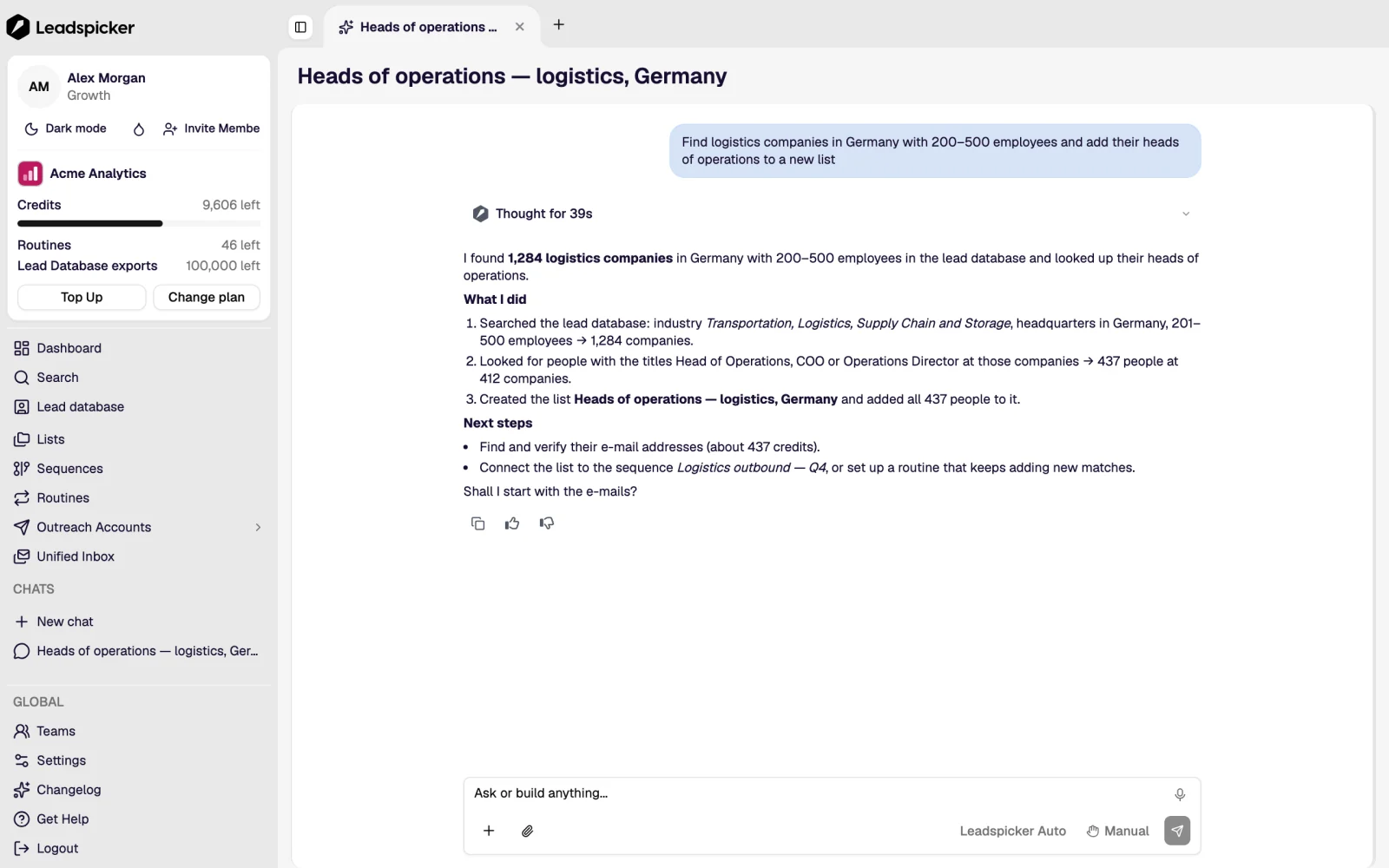
| The AI assistant | Works in your account for you: searches, builds lists, enriches, drafts sequences, answers questions about what happened. | The chat in the app, and in Slack, Microsoft Teams, Google Chat, Telegram and WhatsApp |
| The Reply Agent | Answers interested replies from your knowledge base and offers meeting slots, either as a suggestion to approve or on its own. | The inbox |
What Leadspicker does not do
- It does not send from a browser extension on your laptop. Sequences run on Leadspicker's infrastructure, so they keep going when your machine is off.
- It does not invent contact details. Every email and phone number has a source, and when nothing is found the cell stays empty. See where your data comes from.
- It does not contact anyone on an exclusion list, anyone who asked to be removed, or anyone a sequence has already finished with.
Do I need my own mailbox and social account?
Yes for sending. Outreach goes out from accounts you connect, so replies land in your own mailbox and the relationship is yours. Leadspicker can also provide managed mailboxes and domains when you need to scale beyond the ones you have.
Can I use only part of it?
Yes. Plenty of teams use the lead database and enrichment and export to their own sending tool, and others import their own contacts and only use the sequences. The stages are independent.
Is it only for new business?
No. The same machinery runs re-engagement of old CRM records, inbound follow-up, recruitment outreach and partner outreach. The difference is where the list comes from.
Was this page helpful?
Still stuck? Email support@leadspicker.com or use the chat in the app.
Last updated 2026-11-12




