Microsoft Dynamics 365 integration
Leadspicker syncs outreach into Microsoft Dynamics 365 Sales as Leads or as Contacts and Accounts, and creates opportunities and tasks when prospects reply.
What you get
- Leads, or Contacts linked to Accounts, your choice.
- Opportunities at the sales stage you pick; there is one set of stages, so a single pipeline.
- Tasks for the Dynamics user mapped to the sender.
- Field updates on the Lead, the Contact or the Account.
- Marketing lists and opportunities as sources for exclusion lists.
What all CRMs share is covered in How CRM integrations work.
Connect Dynamics 365
- Open the Dynamics 365 card
Go to Settings → Apps and open Microsoft Dynamics 365, as an owner or admin.
- Sign in with Microsoft
Connect the account and sign in with the Microsoft account you use for Dynamics 365.
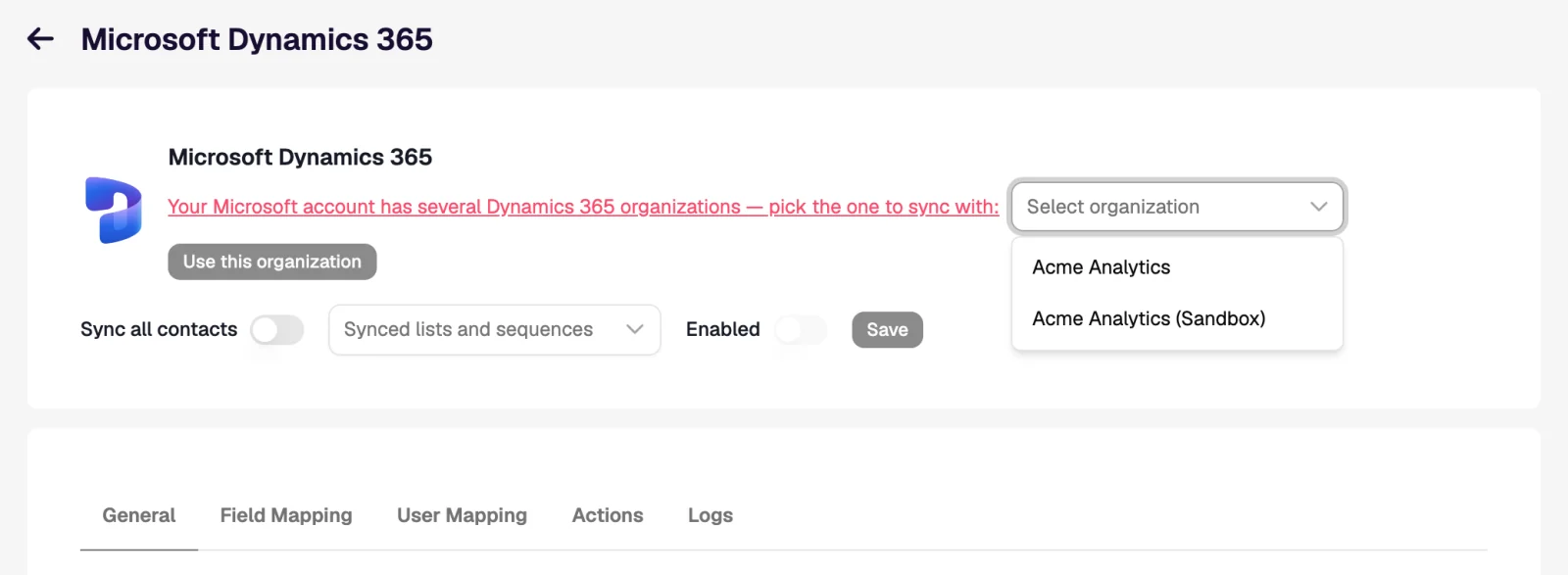
- Pick the organisation
If the account has several Dynamics 365 organisations, select the one to sync with and confirm with Use this organization.
- Choose records, map, save
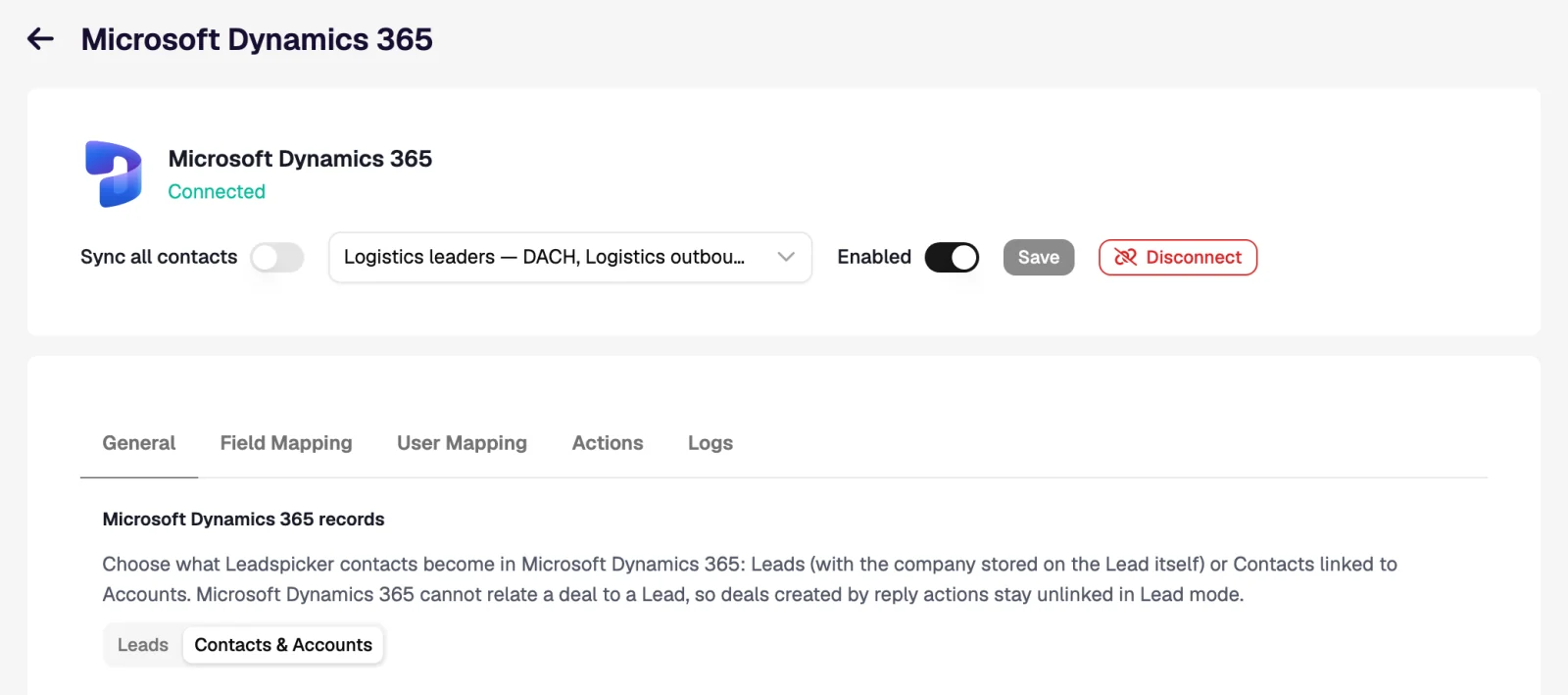
On General pick Leads or Contacts & Accounts, set the scope and triggers, check both mapping tabs, turn Enabled on and Save.
Settings specific to Dynamics 365
| Topic | How it behaves |
|---|---|
| Leads (default) | One Lead with the company on it. A Lead cannot parent an opportunity, so opportunities stay unlinked and tasks stay on the Lead. |
| Contacts & Accounts | A Contact with its Account. An opportunity gets both as its parents. |
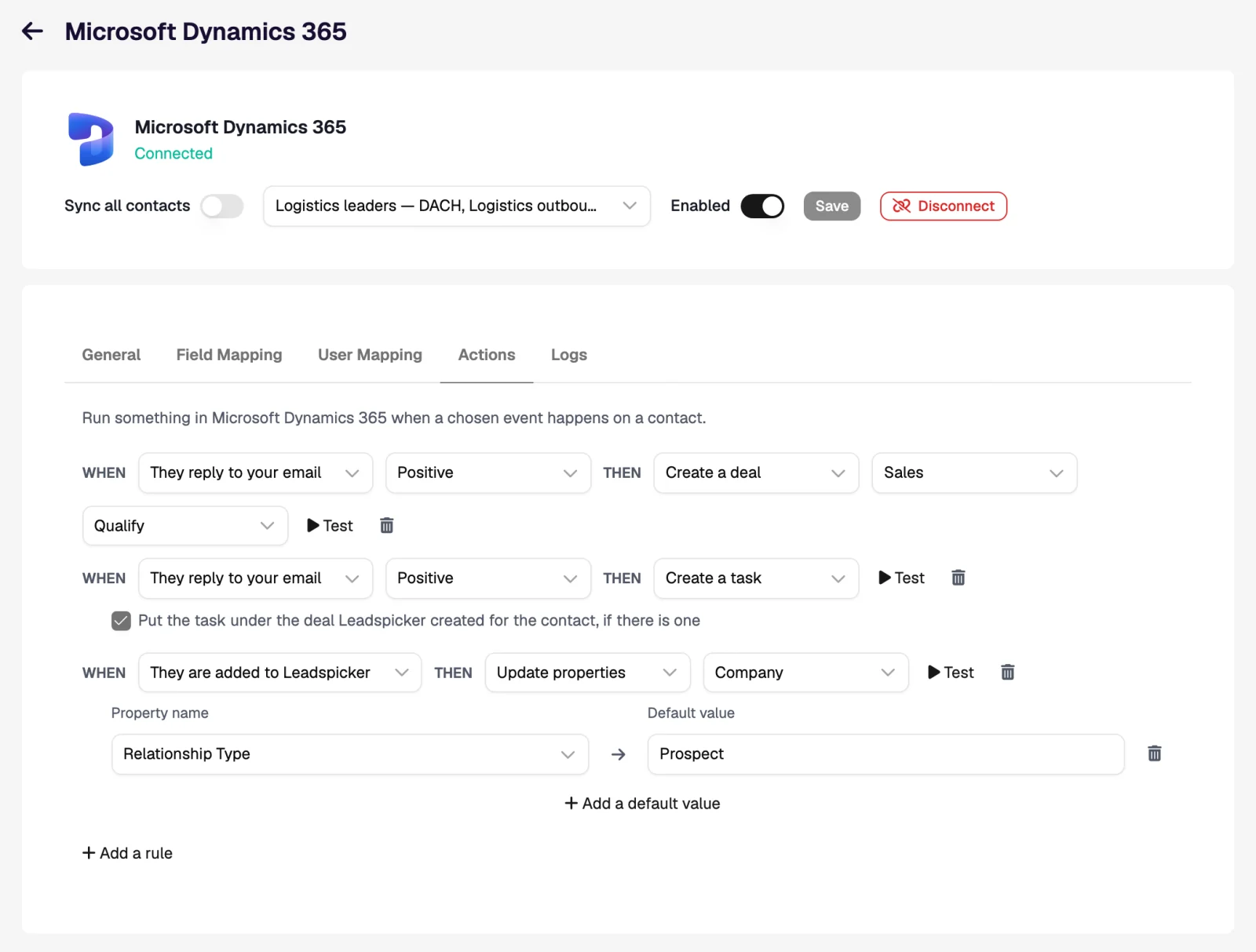
| Regarding | A task has exactly one Regarding record. Filed under an opportunity, it is regarding the opportunity, not the contact. |
| Phone field | One number per field: the phone action does not run for a record that already has one. |
Workflows inside Dynamics 365
| When | Then | What the rep sees in Dynamics 365 |
|---|---|---|
| They reply to your email, Positive (Contacts & Accounts) | Create a deal at sales stage Qualify, plus Create a task | An opportunity with the Contact and Account as parents, and a task regarding the opportunity with the reply text. |
| They reply, Maybe | Create a task, with the deal option off | A task regarding the Contact, or the Lead in Leads mode, in the owner's activities. |
| They reply, Negative | Update properties on the Contact | Your status field set to the value that takes the record out of active views. |
Import from Dynamics 365 and exclusions
- Import. Import → From CRM on a list brings in your Leads or Contacts, hourly if you want.
- Exclusions. Exclude all contacts, all companies, static marketing lists, or the people on opportunities at chosen sales stages.
I have several Dynamics environments. Which one is used?
The one you picked while connecting. If it should be a different one, connect again and pick it then.
Why is the task not on the contact?
It was filed under the opportunity, and a task has one Regarding record. Switch the deal option off in the rule.
Does it work with business process flows?
Rules set the opportunity's sales stage. The stages of a business process flow are not written by Leadspicker.
Was this page helpful?
Still stuck? Email support@leadspicker.com or use the chat in the app.
Last updated 2026-11-12




