The Sales OS
Leadspicker is a sales operating system, and a living one. It covers the whole sales cycle in one place, and with every action you take it learns, advises and recommends what to do next. The rest of this documentation hangs from that idea.
What operating system means here
An operating system is the layer everything else runs on. Here that comes down to four choices.
- One system. Finding companies, outreach, replies and meetings happen in one account, not in five tools joined by exports.
- One set of data. A contact is one record from the first search to the last call, and every reply, sentiment and meeting outcome is written onto it.
- Agents for every step. The AI assistant builds lists and sequences, routines keep lists filled, AI columns score and write, the Reply Agent answers, and on a call an agent briefs you, takes notes and coaches.
- Your choice of autonomy. The agents can just advise, prepare everything for your approval, or run the whole step themselves.
It is not a tool you configure once and leave. The system changes with what you do in it.
The loop: you act, it learns, it advises, you decide
Every part of the product runs the same loop, whether the step is a list, a message or a call.
- You act
You approve a list, rewrite a draft, mark a reply or finish a call. It is not extra work. It is the work.
- It learns
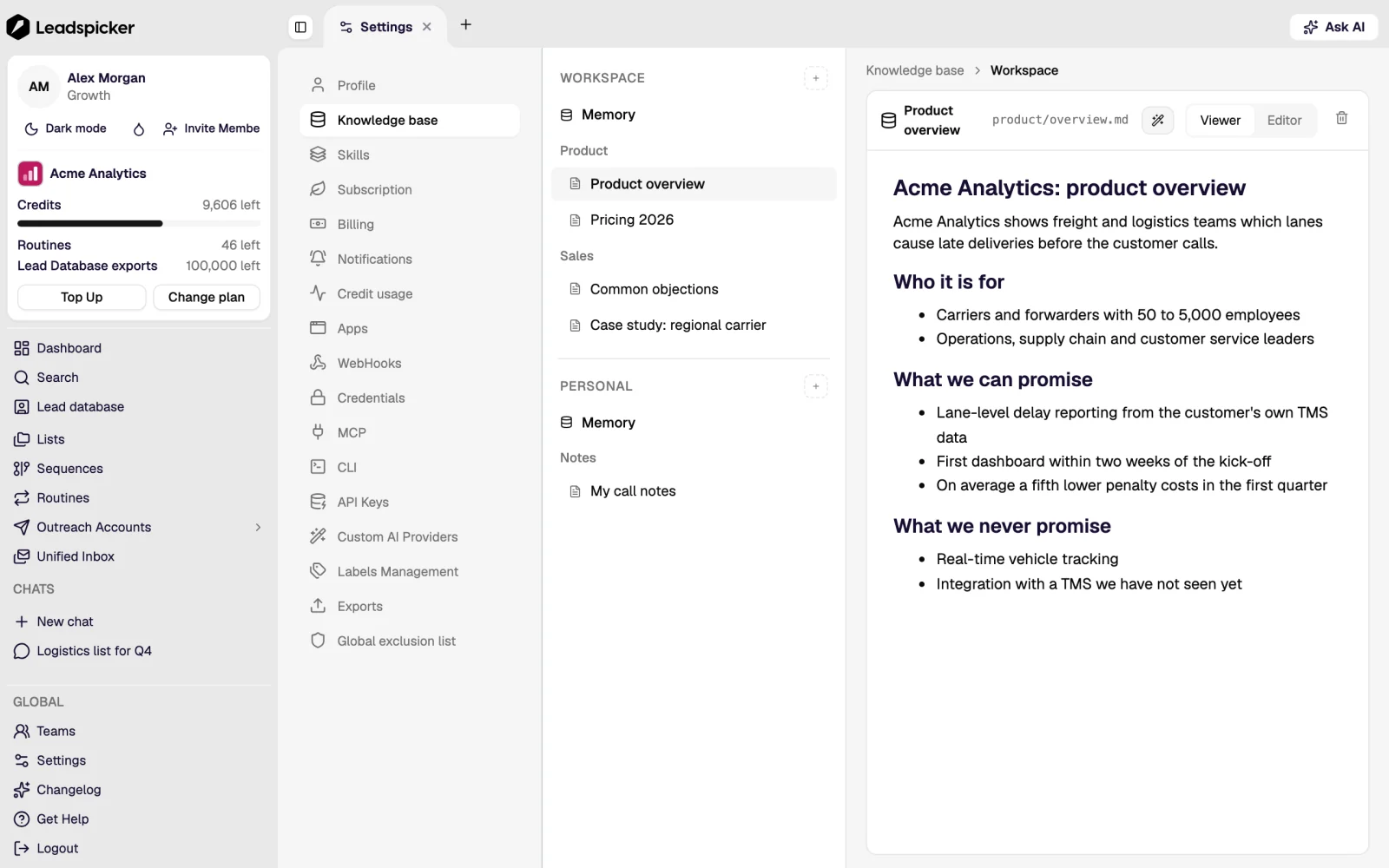
Leadspicker keeps what you approved, edited and recorded: in the knowledge base, in memory, in skills and on the contacts.
- It advises and recommends
Next time the agents pick better companies, prepare better briefs and write better messages, and they tell you what to do next.
- You decide
What goes out is still your call. You choose how much to hand over, and you can take it back at any time.
Where the learning shows up
Learning means something concrete here: Leadspicker uses what you approve, edit and record in your own workspace. None of it is hidden. Every item below sits somewhere you can open and change.
| What you do | What Leadspicker keeps | Where it pays off next |
|---|---|---|
| Describe your company, offer and tone | Knowledge base pages the agents read before they write | Sequence drafts, Reply Agent answers, meeting briefs |
| Correct the assistant or state a preference | Memory: durable facts and corrections | Its next conversation |
| Teach a recurring task | A skill, personal or shared with the team | Anyone can call it by name |
| Edit the Reply Agent's drafts | The Reply Agent instructions | Its next answers in the inbox |
| Refine an AI column | The column's instruction | Every row it scores or writes next |
| Mark the sentiment of a reply | Sentiment on the contact | Who gets contacted next, statistics, CRM actions |
| Switch on a routine or a signal | A list that stays fresh | New contacts reach the sequence with no re-import |
| Finish a call | Notes and the questions left open | The brief for the next meeting |
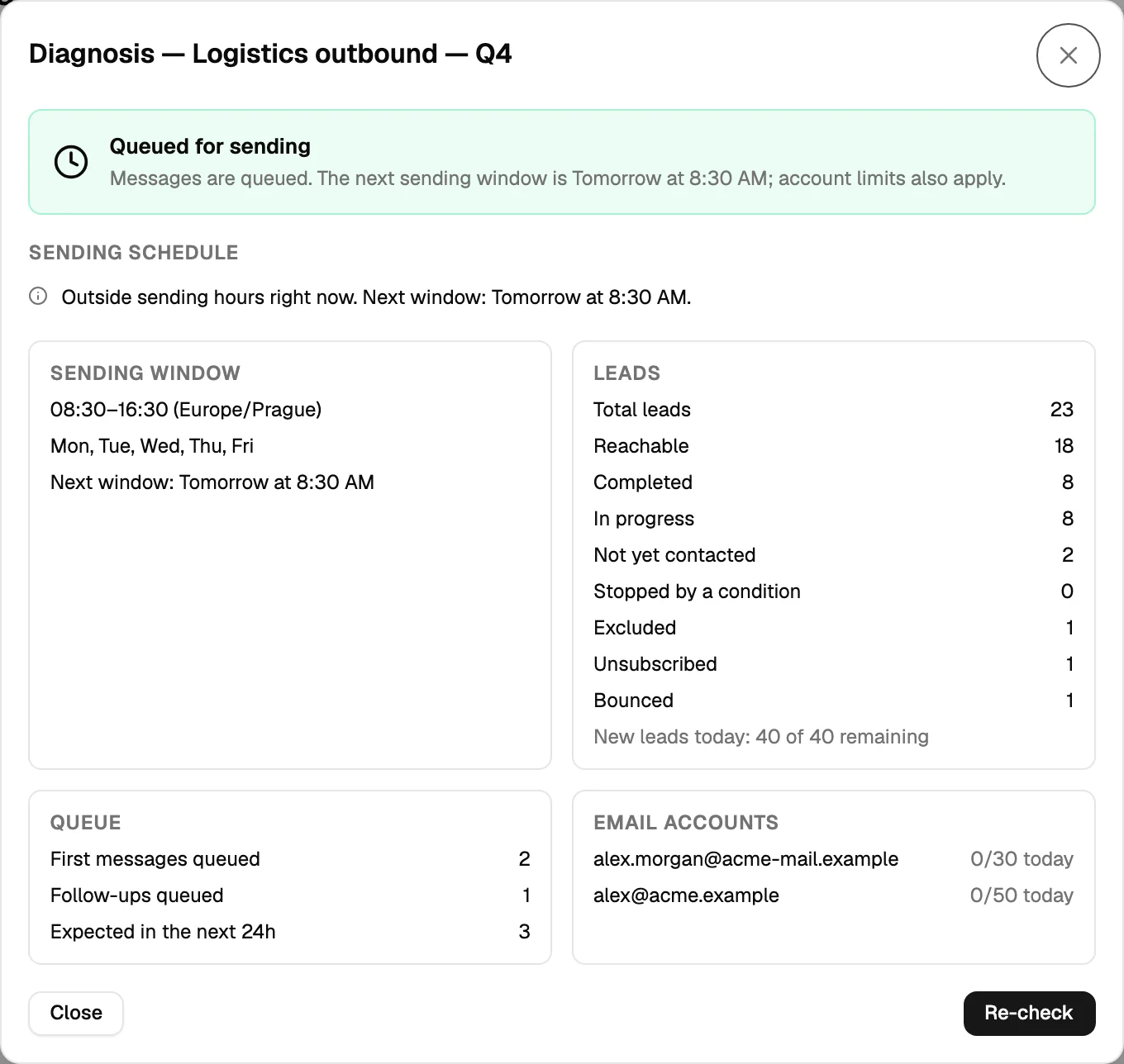
| Open credit usage or a sequence's Diagnosis | Where the credits went, why a sequence is not sending | What to change before the next run |
The whole sales cycle in one place
Most tools cover one stretch of the cycle. Leadspicker carries an account from the first outreach to a customer worth keeping, on the same records.
| Stage | What Leadspicker does | Where in the app |
|---|---|---|
| Activation | Opens a new market or account: finds companies and people, fills in the data, runs the first outreach. | Lead database, lists, outbound to your ICP |
| Signal tracking | Watches for the events that make the timing right: hiring, funding, leadership changes, won contracts. | Routines and signals, hiring signals, register signals |
| Account-based work | Finds the right titles inside the companies you named, one list per audience. | Routines, website visitors, events |
| Outreach and replies | Runs email and social steps from your own accounts and sorts every reply by sentiment. | Sequences, Unified Inbox |
| Meetings | Briefs you before the call, records it and coaches you afterwards. | Meetings |
| Retention and expansion | Follows customers and champions who change jobs, and brings dormant CRM records back into play. | Job-change tracking, CRM re-engagement, integrations |
The stages are not a funnel you run once. A champion who moves from a customer to a new company is an activation again, with a far better starting point.
What stays with people
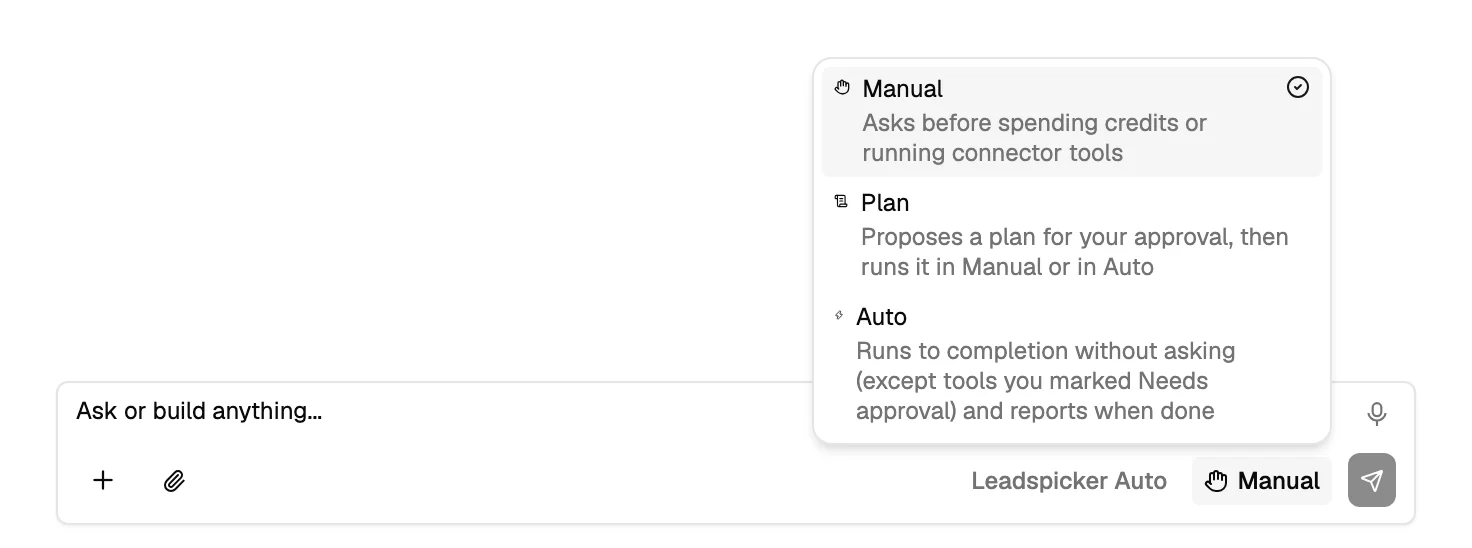
Leadspicker works alongside your team, not instead of it. The assistant has three modes: Manual asks before it spends credits or runs a connected tool, Plan prepares a plan for your approval, and Auto runs the task and reports back.
- What goes out. Messages leave from your own accounts, and the Reply Agent can suggest an answer or send it. You pick.
- Who is off limits. Exclusion lists apply to every sequence, whatever an agent proposes.
- The conversation. On a call the agent takes notes and hints. You lead.
How to start
Start with one play and let it compound.
- Fill in the knowledge base
What you sell, to whom, and how you write. Everything that writes for you reads it.
- Run one play end to end
Take one audience from a list to replies with the quickstart, in Manual mode, and read what the agents propose.
- Correct it where it is remembered
Fix a weak draft in the knowledge base or in a skill, not only in that one message.
- Add the next stage
A signal, a calendar for meeting briefs, job-change tracking for your customers. Each starts from what the first play taught the system.
Is the Sales OS a separate product or plan?
No. It is how Leadspicker is built. The lists, sequences, inbox, meetings and agents in this documentation are its parts.
Do I have to let the agents run on their own?
No. Every step can stay manual. Hand a step over once you have stopped editing what the agents propose for it.
Was this page helpful?
Still stuck? Email support@leadspicker.com or use the chat in the app.
Last updated 2026-11-12




