Daktela integration
Leadspicker hands outreach over to your contact centre: contacts and accounts in Daktela, a ticket when someone replies, and records queued for your operators to call.
What you get
- Contacts and accounts in the Daktela CRM database you choose.
- Tickets. Daktela has no deals or tasks, so the rule that opens a deal elsewhere opens a ticket here.
- The conversation on the ticket: emails, social messages and replies as comments in its activity.
- Phone numbers found from replies, added to the contact for your operators.
- Campaign records: exported contacts queued for dialling in an outbound campaign.
For the parts shared with other CRMs, see How CRM integrations work.
Connect Daktela
- Open the Daktela card
Go to Settings → Apps and open Daktela, as an owner or admin of the organisation.
- Enter the instance name
The name of your Daktela instance, or the full address if you run Daktela on your own domain.
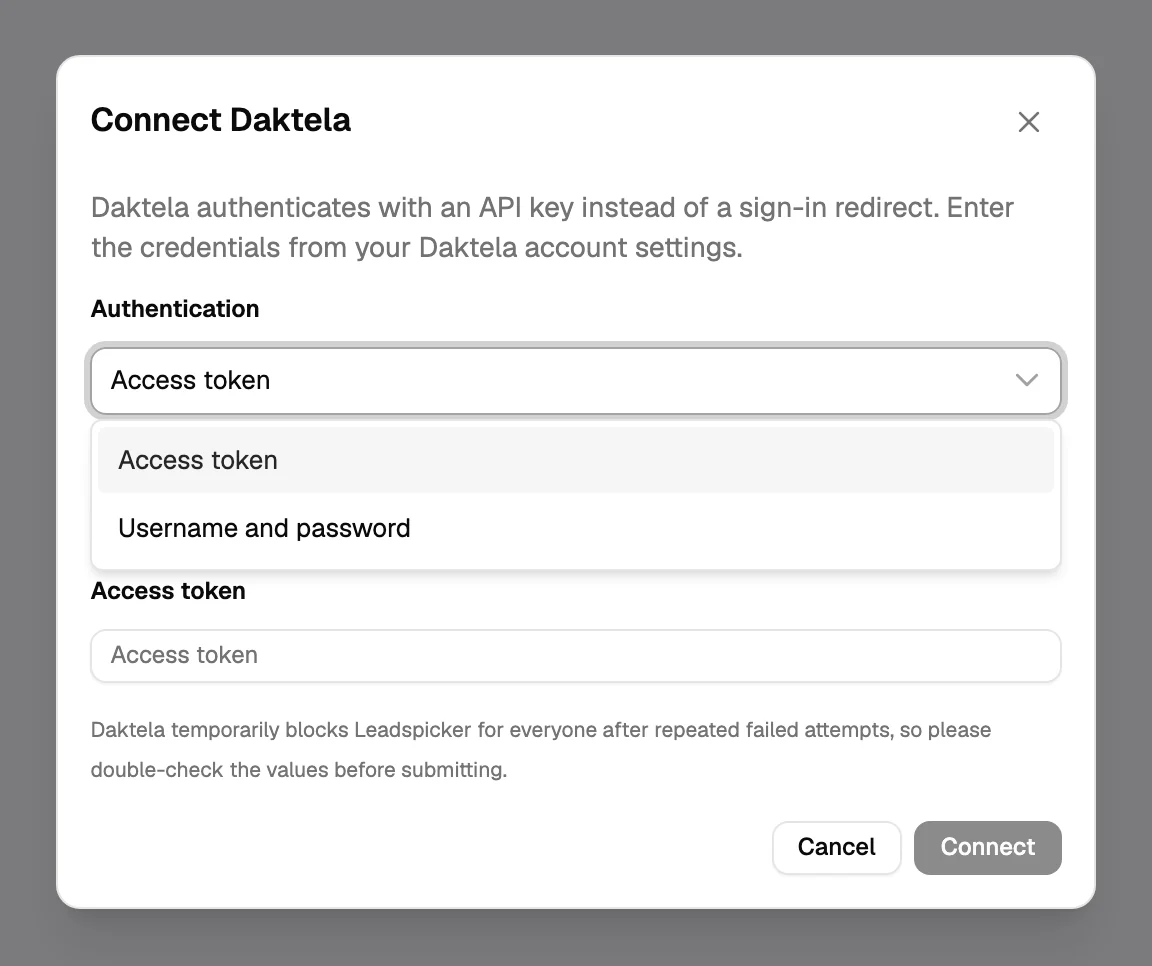
- Choose how to sign in
Either an Access token, which you find in your user's detail in Daktela, or a Username and Password. Both lead to the same connection.
- Pick the database, map, save
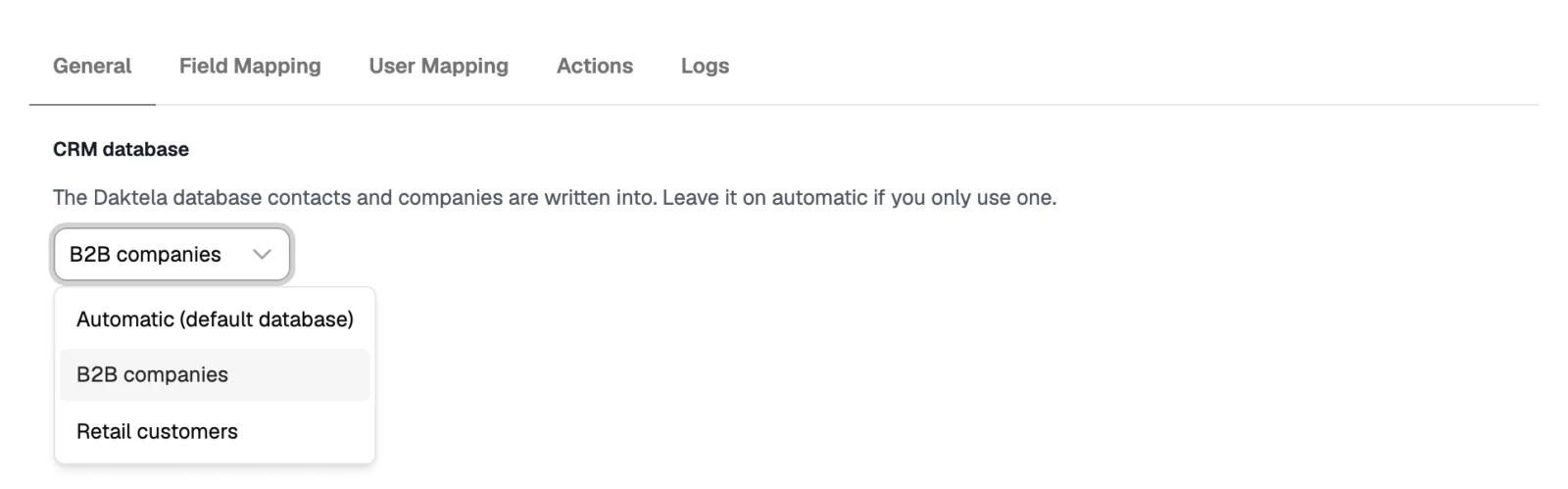
On General choose the CRM database, the scope and the triggers, check both mapping tabs, turn Enabled on and Save.
Settings specific to Daktela
| Setting | What it does |
|---|---|
| CRM database | The Daktela database that contacts and accounts are written into. Leave it on automatic if you only use one. |
| Overwrite the contact owner | Off by default: the mapped owner is set only on contacts Leadspicker creates. |
| Outbound campaign and Record type | In a list's Sync with Daktela: every exported contact is also queued for dialling in that campaign, even without a phone number, so an operator can look it up. |
| Account title | Accounts are matched by their title. Until a Field Mapping row writes to it, no account is created or found. |
| Phone field | Daktela keeps several numbers per contact; a new one is added next to them. |
Workflows inside Daktela
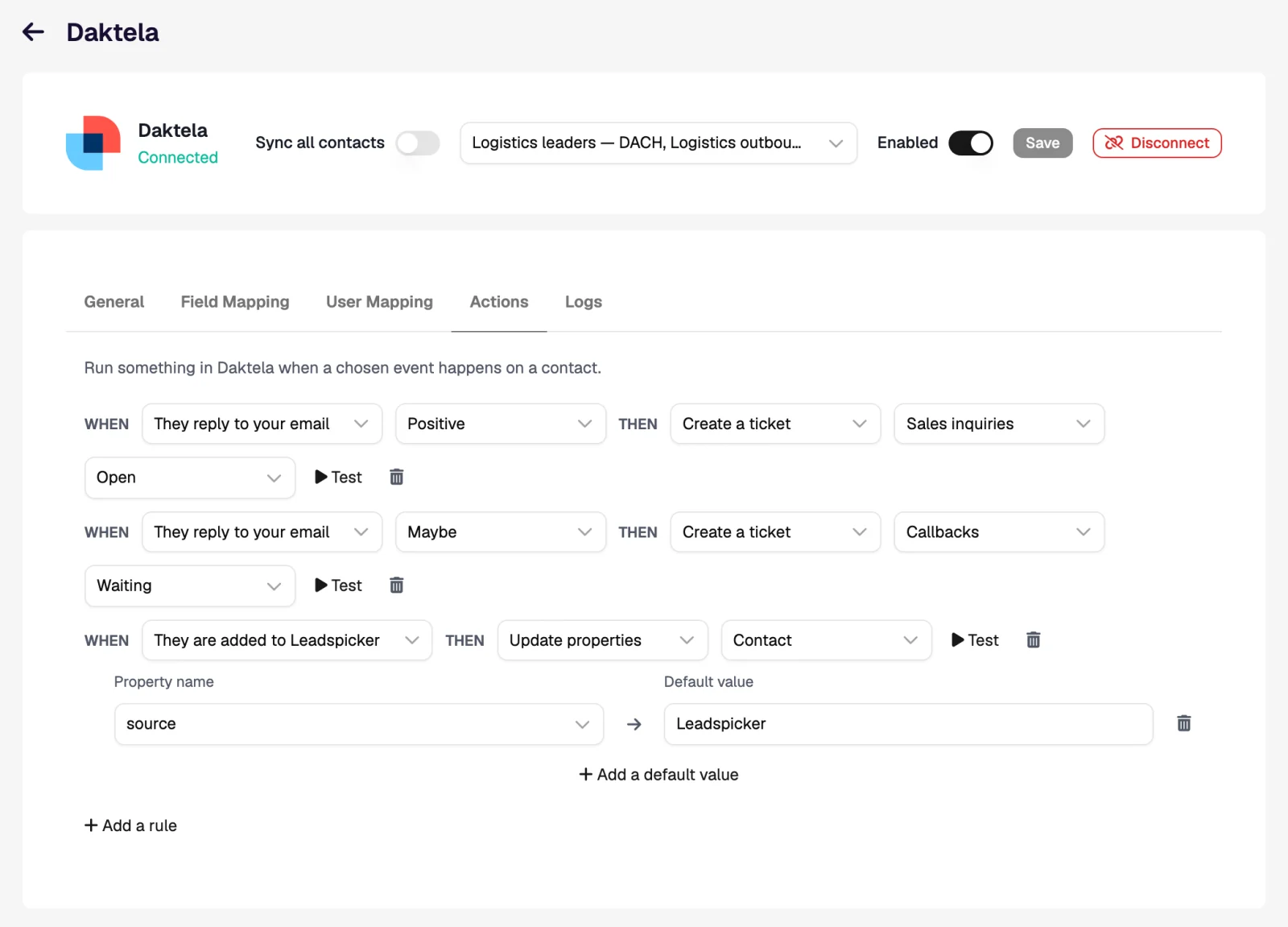
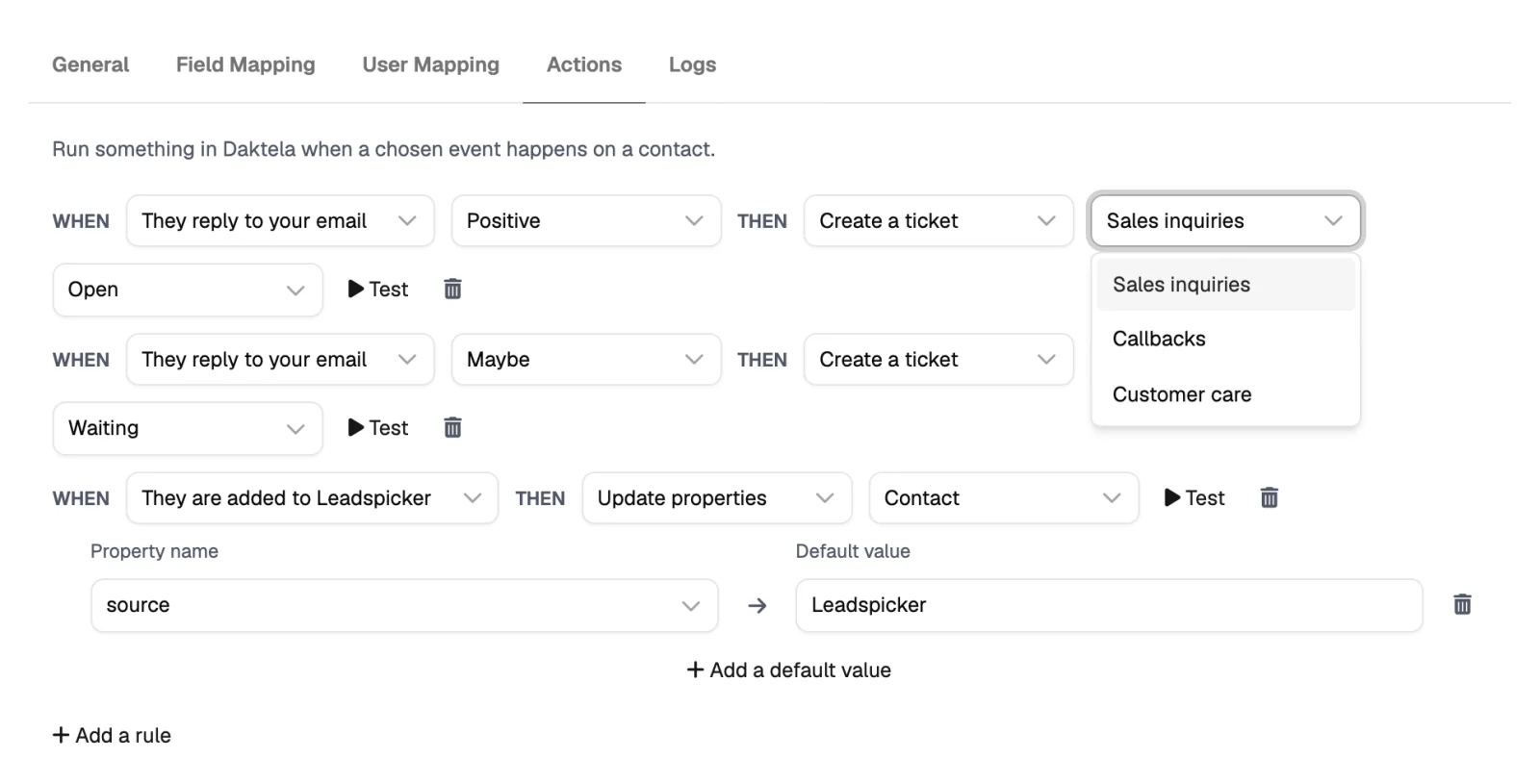
On the Actions tab the action is Create a ticket and the pipeline picker is labelled Category. There is no task action.
| When | Then | What the operator sees in Daktela |
|---|---|---|
| They reply to your email, Positive | Create a ticket in the category Sales, stage Open | A ticket on the contact in that category, with the outreach messages and the reply as comments in its activity. |
| They reply, Any sentiment | Get their phone number | A number added to the contact, ready for a call from the campaign. |
| They reply, Negative | Update properties on the Contact | A field set to your do not call value, so the contact can be filtered out of campaigns. |
Import from Daktela and exclusions
- Import. Import → From CRM on a list brings in your Daktela contacts, hourly if you want.
- Exclusions. Exclude all contacts or all companies in Daktela. There is no narrower scope, because Daktela queues group tickets, not contacts.
Access token or username and password?
Either works and both lead to the same connection. The access token is long-lived and keeps your password out of it, which makes it the usual choice.
Can operators call the people who replied?
Yes. Sync the list with an outbound campaign and add the phone rule, so records carry a number wherever one was found.
Was this page helpful?
Still stuck? Email support@leadspicker.com or use the chat in the app.
Last updated 2026-11-12




